
One step that matters
Choose a completed export as the product goal. Clicking the button alone does not confirm that the document was created.
Use case · ŁatweCV
Connect questions about exporting a CV with visit context, a specific task and a completion goal. Explore a Meetlead workflow using the startup ŁatweCV as an example.
Free Starter plan. No credit card required.Explore the product in a demo tailored to your business.
A use case based on the public ŁatweCV editor. It demonstrates a Meetlead workflow and does not report deployment results.

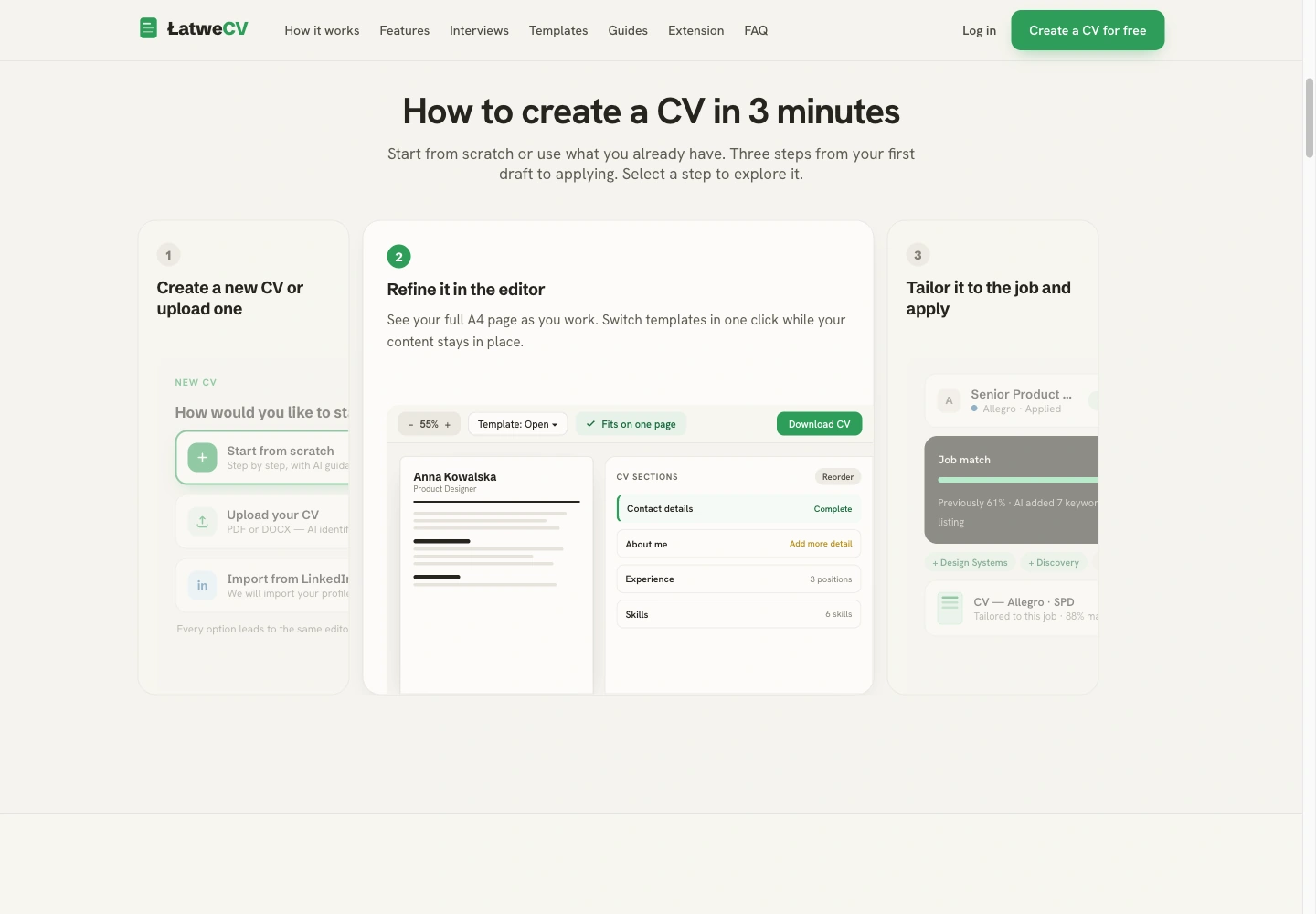
The first CV is an important moment. Help should be close.
ŁatweCV helps people create CVs and tailor them to job offers. What matters to the user is a finished document they can send. This workflow focuses on the journey from opening the builder to downloading a PDF.
Choose a completed export as the product goal. Clicking the button alone does not confirm that the document was created.
Offer chat and help with downloading where users are already working on their CV.
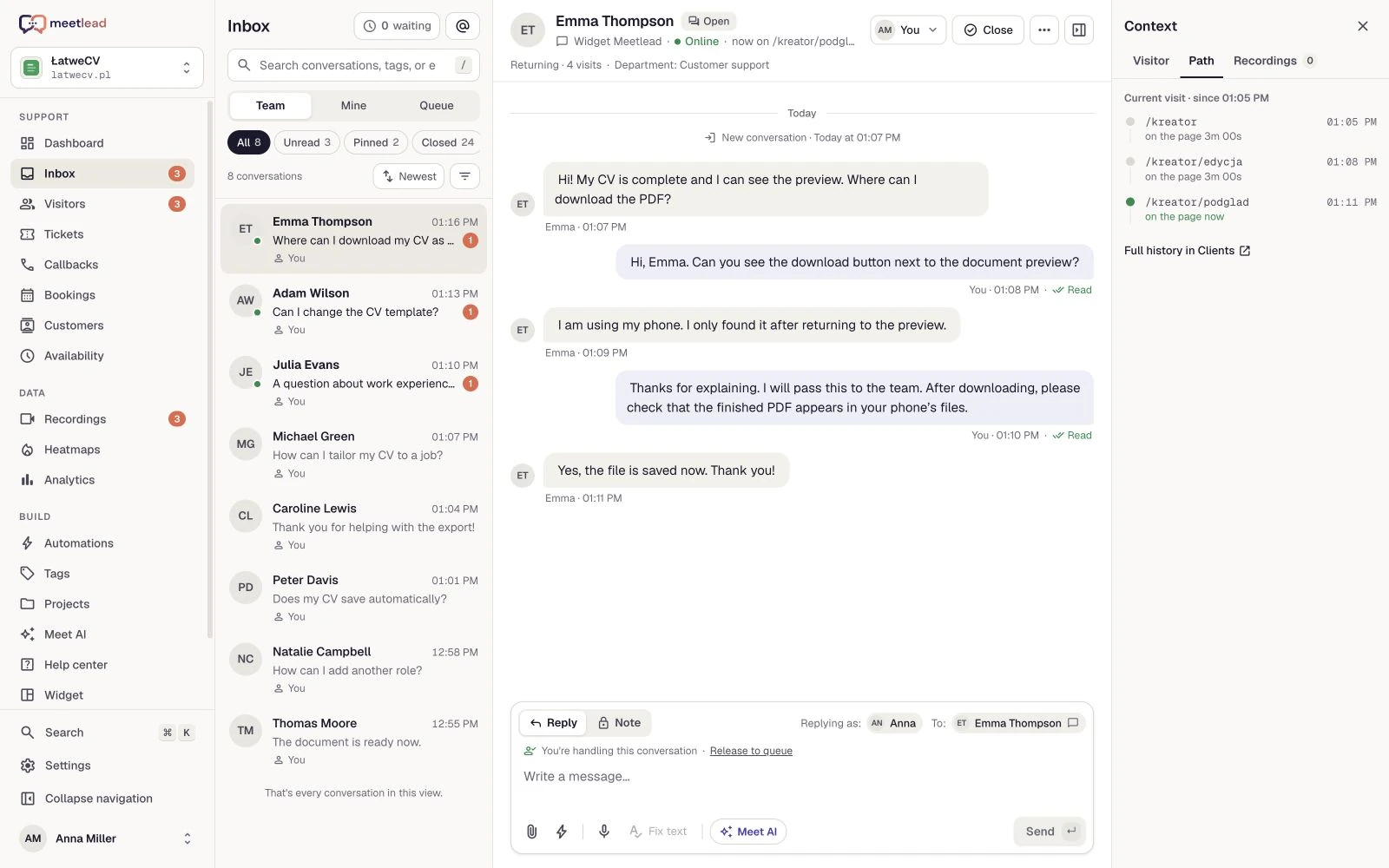
When a user asks about downloading a PDF, help them finish the job. The Meetlead inbox shows their page live, contact history and the pages they visited. A conversation helps establish whether the issue is finding the button, exporting the file or understanding the format.
Keep the topic, reply and internal note together. The next teammate picks up the issue with its conversation history.
A recording shows the sequence of steps, while a heatmap helps you review clicks. Enable the relevant Apps and configure masking and consent for the data in the CV builder.
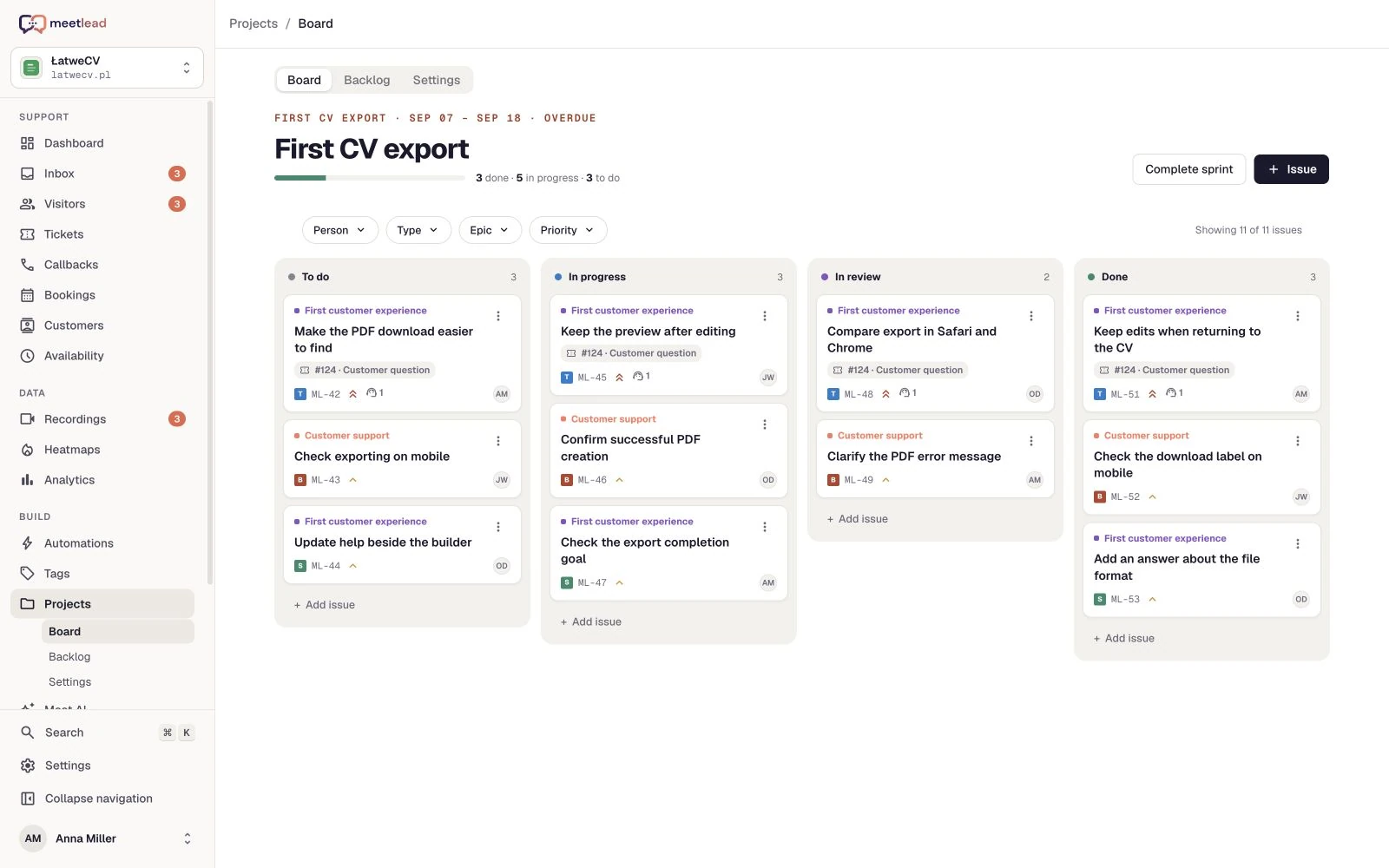
In Projects, link a task to the ticket or recording. Describe the observed difficulty, assign an owner and define completion. Designers and developers can return to the original question without searching a separate inbox.
If users cannot find export, the task can address the button label and placement. If the file is not created, document the error and steps to reproduce it.
Set the priority and owner. Check that downloading works on phone and desktop, and that confirmation follows successful file creation.
Update the help article and team replies alongside the builder change. Customers receive instructions that match the current screen.
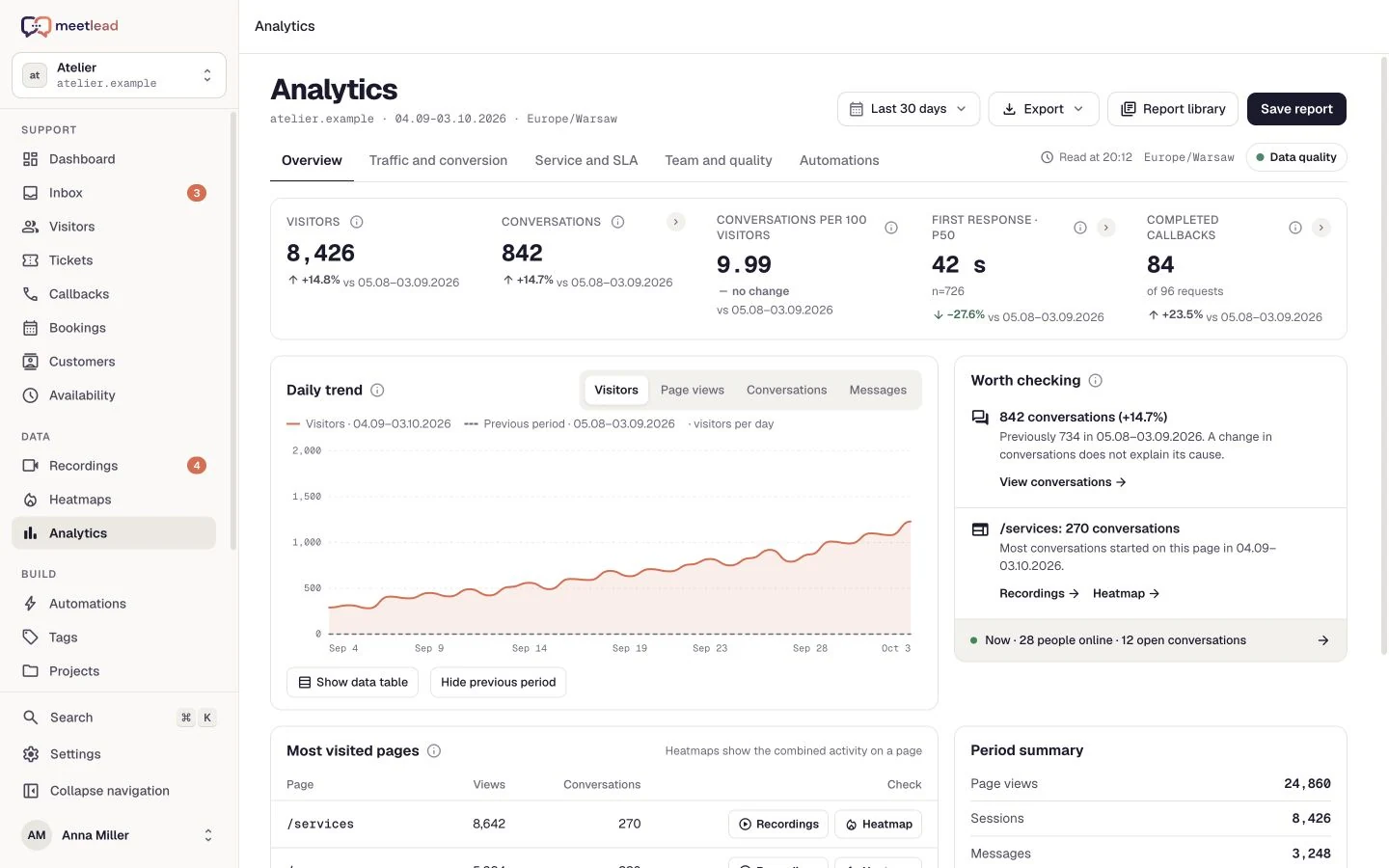
Configure an export-completion goal and trigger it after the PDF has been created successfully. In Analytics, review goal completions, visits and traffic sources. Return to users’ questions to understand what still needs attention.
Distinguish opening the builder, attempting a download and completing an export. Keep the event definition consistent before and after the change.
Compare periods with similar traffic and note other releases. Combine the results with new conversations and recordings before choosing the next improvement.
A CV builder contains personal data both in form fields and in the document preview. In this workflow, examine navigation, the export button and completion feedback while excluding document content from preview and replay.
Default input masking does not replace checking the rendered CV preview. Configure element exclusions and text masking for visible document content.
Before using it with real traffic, run builder → export with a sample CV. Open the preview and replay to verify which elements remain visible.
The task needs the export difficulty, reproduction steps and expected behavior. It does not need a copy of someone’s employment history or contact details.
Help the user inside the builder.
Review the conversation and visit.
Connect the source of the issue to team work.
Review completed exports and new questions.
The widget and shared inbox, visitor context, recordings and heatmaps, Projects and Analytics goals. Enable the Apps you need according to your plan access.
No. It is a separate product step. Purchases, document exports and completed sign-ups should have distinct goals so the results are clear.
Replace the PDF export with a meaningful step in your product: completing setup, sending a project or making a first booking. Connect user questions to a task and a clear goal.
No. The public ŁatweCV builder provides the use-case context, and Meetlead screens use demonstration data. They explain a workflow without claiming verified conversion gains or a customer testimonial.
After document generation succeeds. Configure the website goal first, then connect its key to that application event rather than merely opening the export screen.
Create an account, add the widget to your website and start talking to customers. Add more capabilities as your team grows.Tell us about your team. We will show you the product and help you choose capabilities for the way you work.
Free Starter plan. No credit card required.Explore the product in a demo tailored to your business.