
Services and places
A consultation, class, appointment or group visit. Set duration, participants and required information.
For services and bookings
Show your offer, availability and the next open slot on your website. Connect service or resource bookings with help when customers need it.
Free Starter plan. No credit card required.Explore the product in a demo tailored to your business.

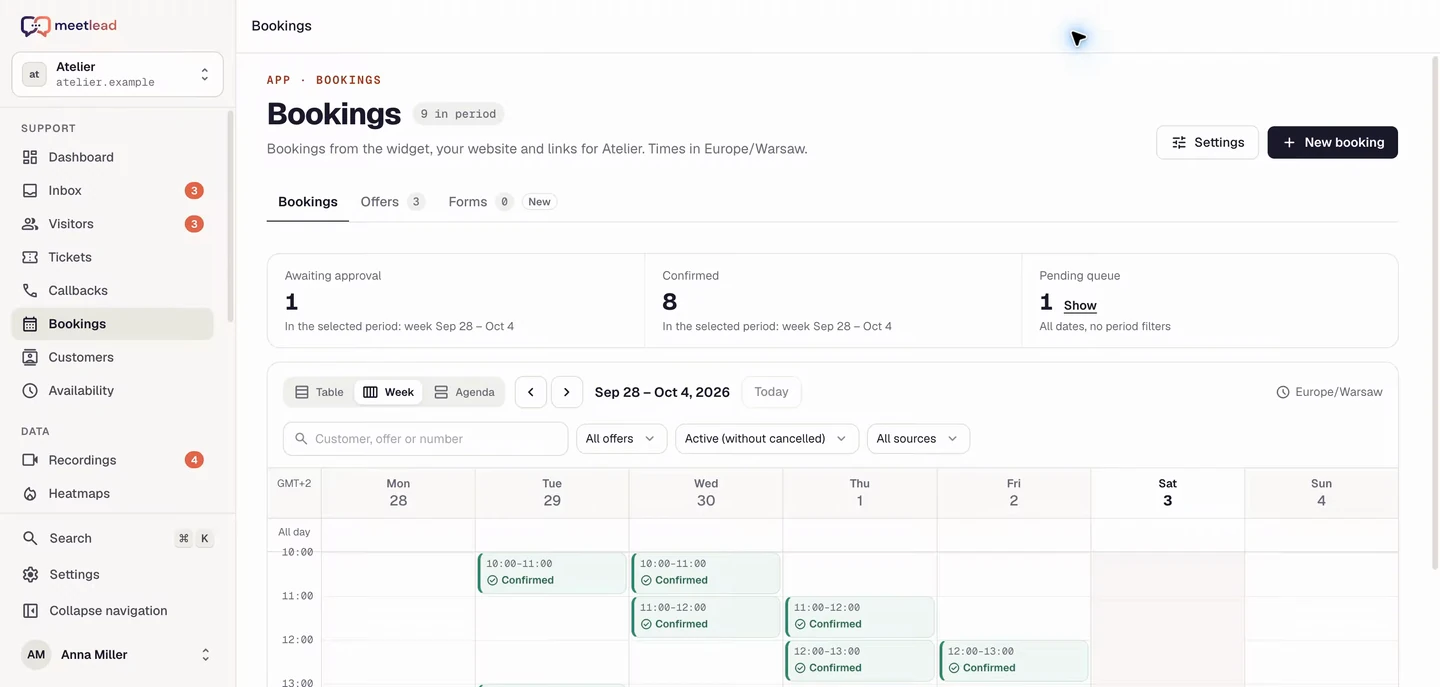
Customers know what they are booking. Your team knows what to prepare.
Build a catalog of services, places or rental resources. Descriptions and photos explain the offer; price, duration and location set clear expectations.
A consultation, class, appointment or group visit. Set duration, participants and required information.
Book equipment units or facilities. Different offers can share one resource pool.
Gallery, location, variant, price and what to bring. Visitors decide based on clear details.
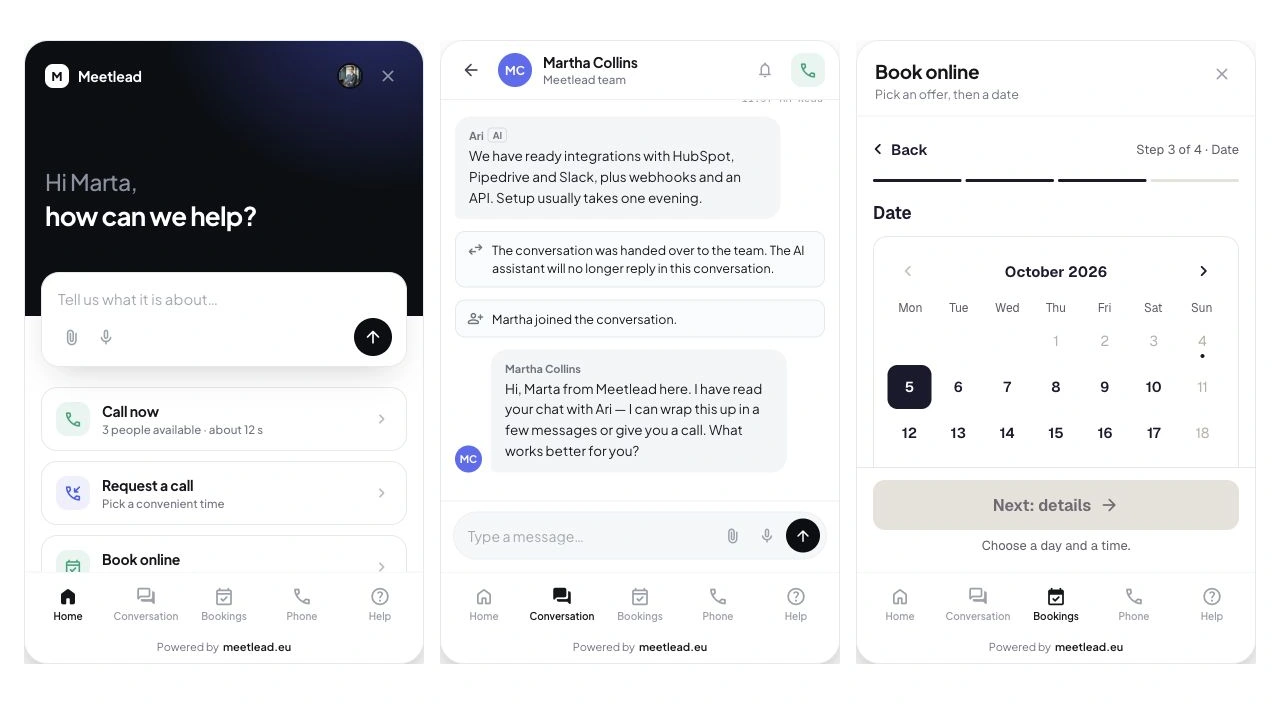
First define what the customer reserves. Capacity can represent participant seats or individual resource units. That choice shapes availability across the offer.
Set capacity and the number of participants per booking. Slot availability follows remaining seats rather than merely the count of booking requests.
Describe the resources and required units. Shorter and longer offers can use the same physical pool, so availability is calculated together.
Add buffers before and after a service, availability windows and exceptions. Allow for equipment preparation, team breaks or closed days.
Set availability windows, exceptions and buffers. Choose time slots or full-day bookings, with automatic confirmation or team approval.
Shared capacity and occupied slots keep the calendar organized. An unavailable slot is not presented as a booking promise.
Time, location, participants, booking number and a summary in the widget and email.
The calendar and booking details help manage the day and requests awaiting approval.
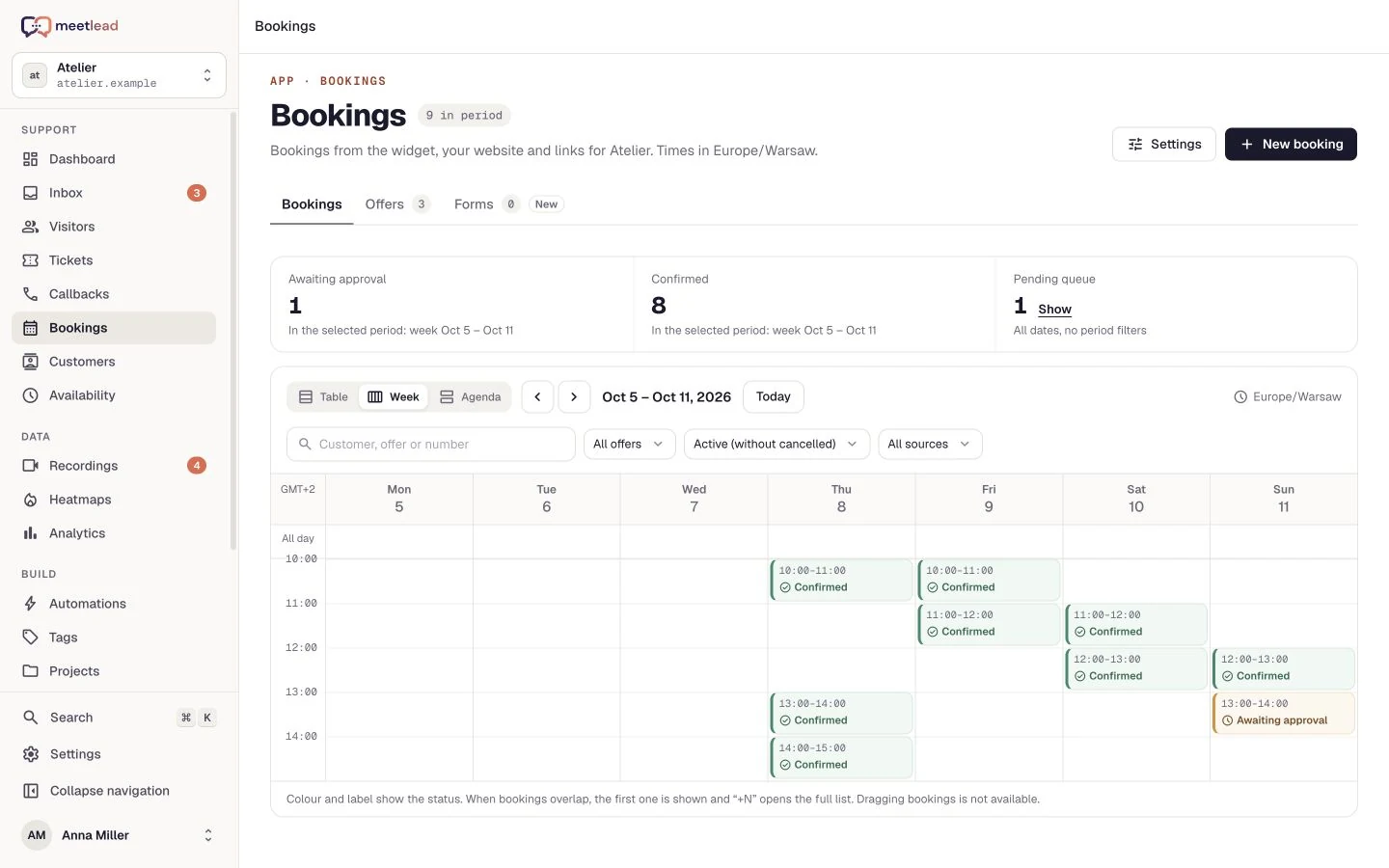
The widget accepts the request while the panel helps run the day. Review the calendar or agenda, handle pending approvals and keep reservation statuses current.
Choose automatic confirmation or manual approval. Customers can see whether their booking is confirmed or waiting for the team’s decision.
Create a manual booking after a phone conversation. The panel uses available slots, keeping requests from different contact channels in one schedule.
Adjust configured message templates and update the status after handling the booking. Completion, cancellation or rejection remain part of the operator workflow.
Chat, help articles and callbacks sit alongside the catalog. Customers can clarify a detail before choosing a service or time.
Help choose a variant, explain the meeting point or requirements.
A callback schedules a phone conversation. A booking reserves a service or resource; each flow has its own purpose.
The customer reviews the service and conditions.
They choose an available slot, participants and provide details.
They receive confirmation or an approval-pending notice.
This booking flow does not include online payments. You arrange the payment method separately.
Yes. A shared pool lets you offer different variants or durations while respecting the same physical availability.
The team handles changes to service or resource bookings. Callback rescheduling from history applies separately to phone contact.
Yes. The panel lets you create a manual reservation using available slots. Provide the offer, required capacity and customer details as for other bookings.
Yes. Offers support schedules with multiple windows, exceptions and buffers. Set them before publishing availability to reflect the actual service time.
Create an account, add the widget to your website and start talking to customers. Add more capabilities as your team grows.Tell us about your team. We will show you the product and help you choose capabilities for the way you work.
Free Starter plan. No credit card required.Explore the product in a demo tailored to your business.