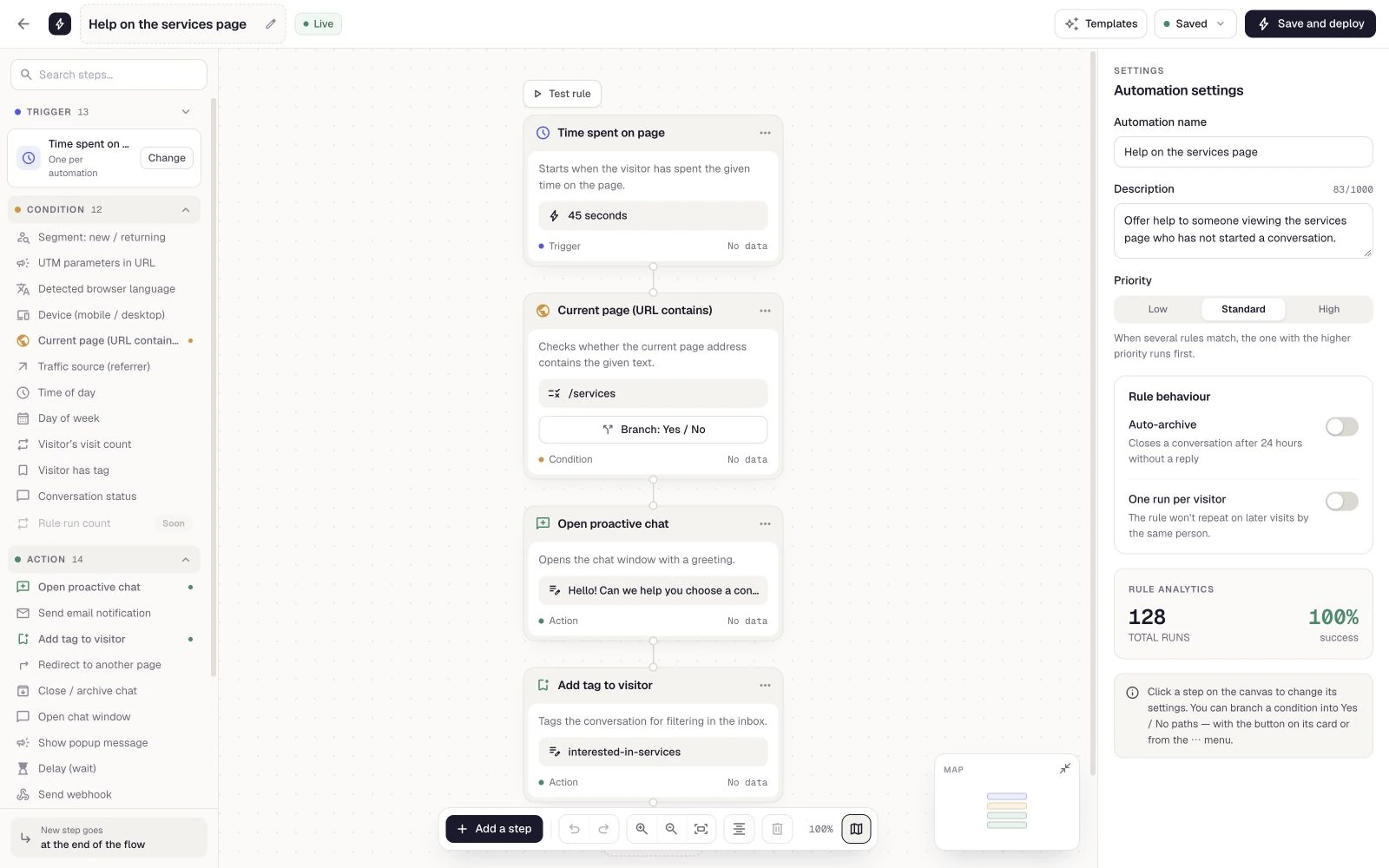
Consultations and appointments
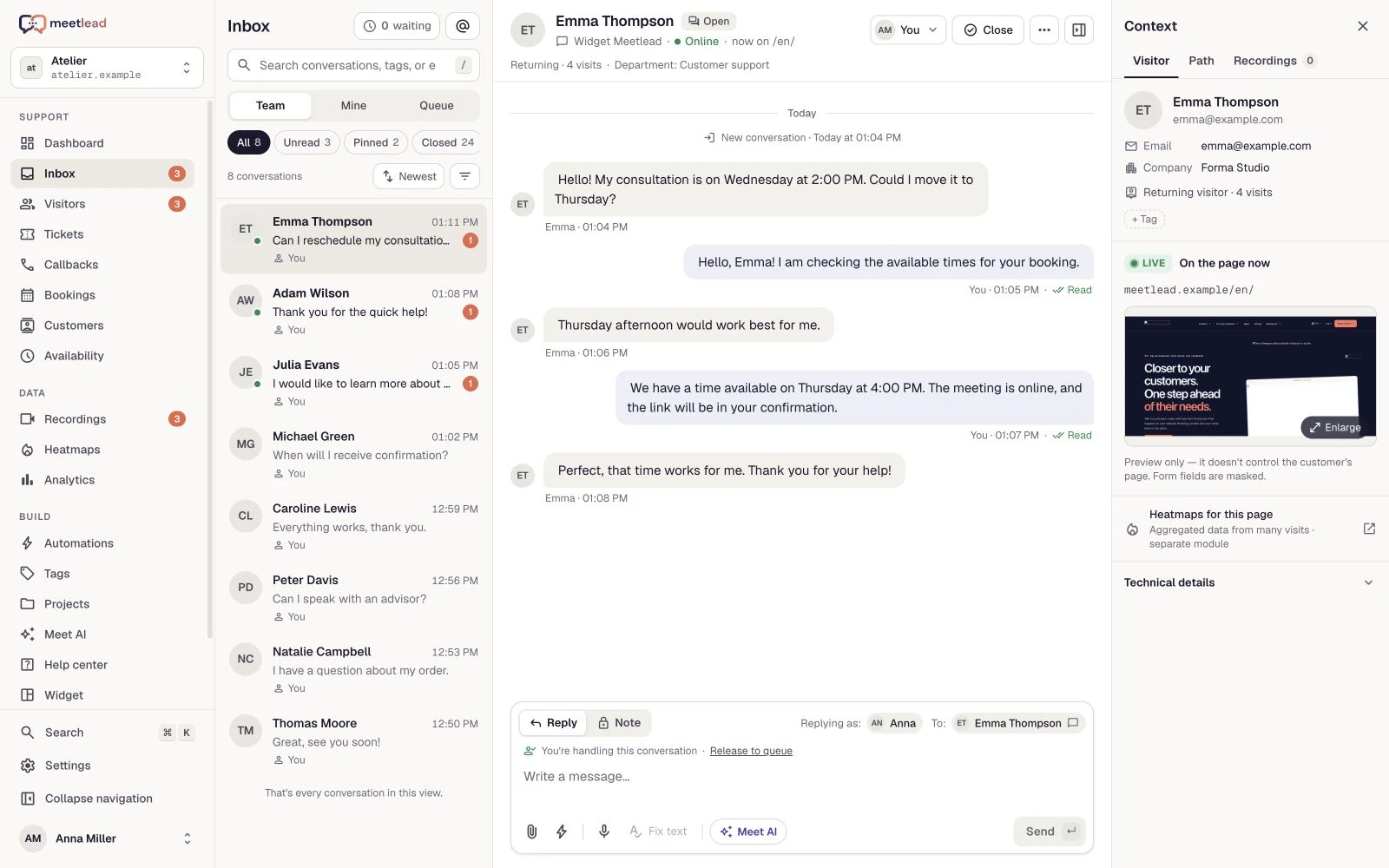
Offer time slots, add a buffer between appointments and collect the details needed beforehand. Customers choose an available time.
Bookings
Services, seats and resources available directly on your website. Customers choose an offer and time while your team works from one shared calendar.
Free Starter plan. No credit card required.Explore the product in a demo tailored to your business.

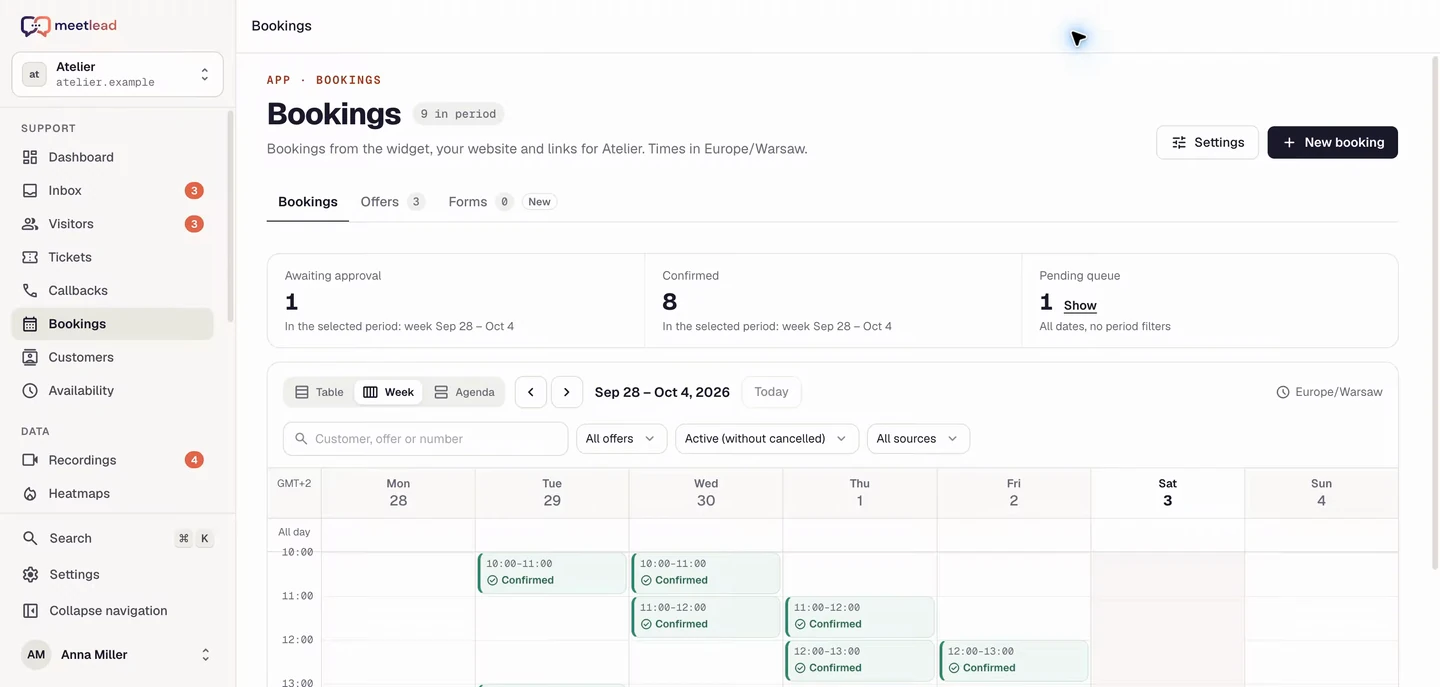
From consultations to kayak hire. Organise availability, offer customers a real choice and collect the details in the same widget where they can ask for help.
Present a service, venue or equipment with descriptions, photos and practical details. Bookings live in the widget, alongside questions about the offer and choosing a time.
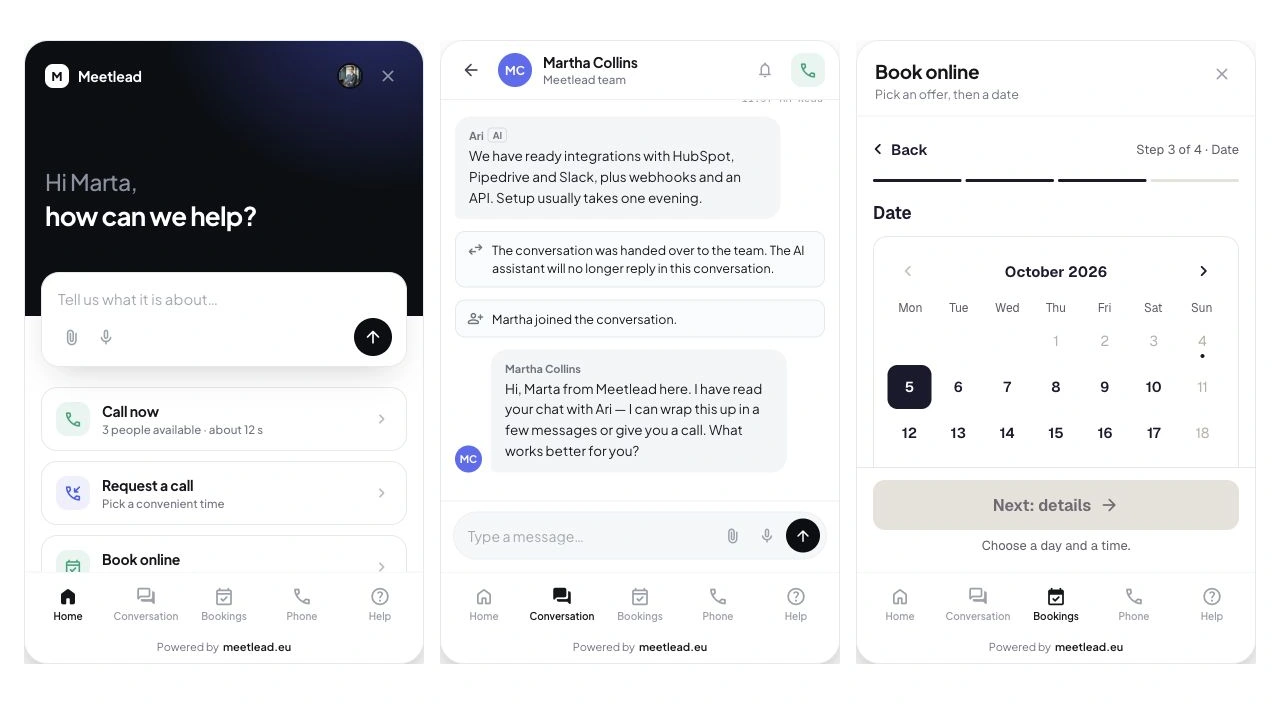
The same room or kayak pool can appear in several offers. Shared resources keep occupied capacity visible across different offer variants.
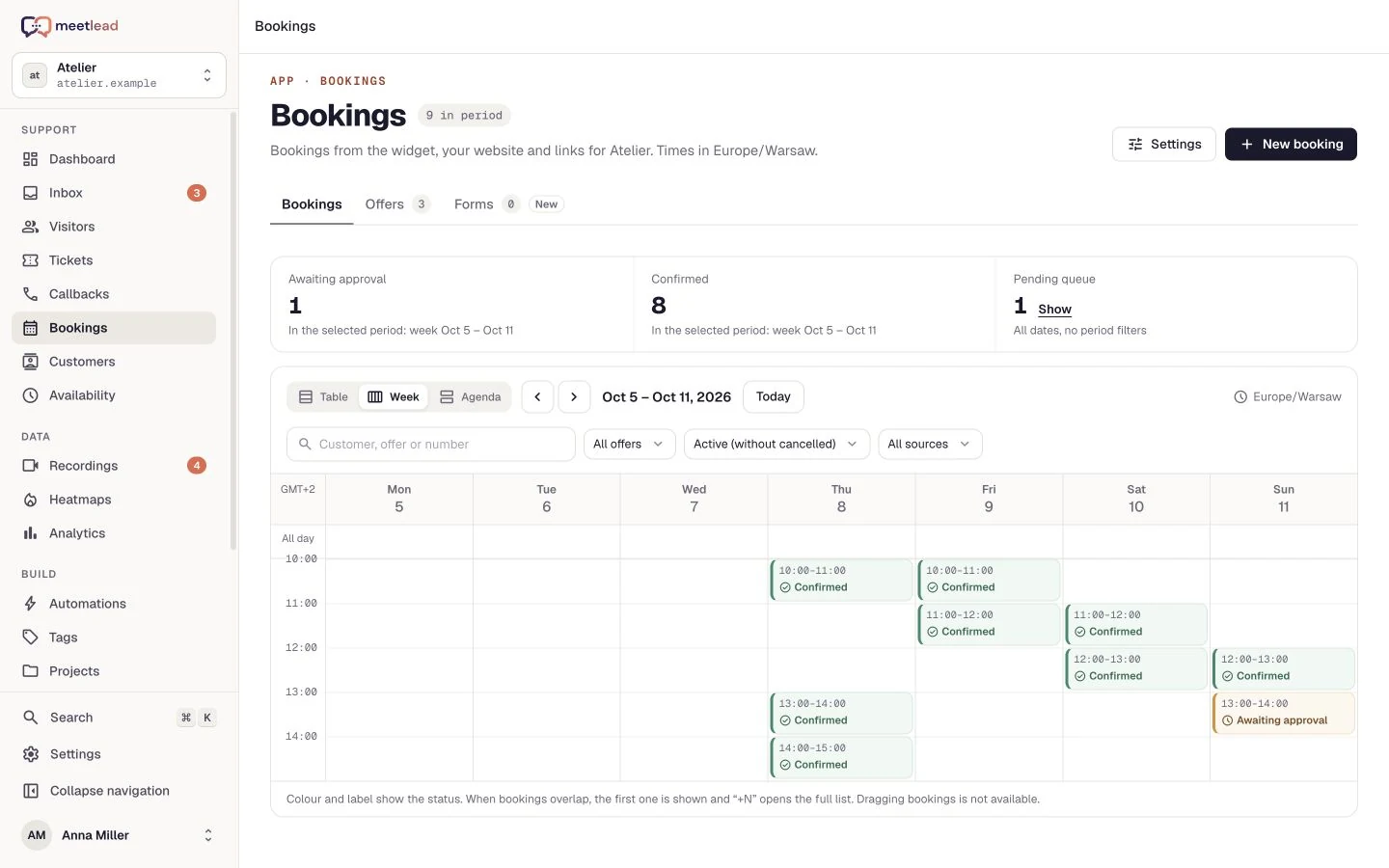
Set time windows or all-day bookings, exceptions and buffers. Offers can have their own duration and approval mode while sharing the same resources.
Choose automatic confirmation or team approval. Operators see pending and confirmed bookings, and configured messages tell customers what happens next.
Clarify requirements in chat, collect information for the visit or help update arrangements. A phone booking can be entered manually into the same calendar.
See how the product fits everyday work.
Offer time slots, add a buffer between appointments and collect the details needed beforehand. Customers choose an available time.
Set an offer’s capacity and participant count. Each booking uses the corresponding share of available seats.
Offer different rental durations from the same equipment pool. Availability accounts for occupied units and buffers across offers.
Describe the service and add photos, a location, variants and an indicative price. Customers see what they are choosing and which details you need.
Book places or resource units. Multiple offers can draw from one pool, with availability checked again when a booking is saved.
Set hourly or full-day slots, buffers, advance notice and schedule exceptions. Choose manual or automatic approval.
Work in the calendar or agenda. Add bookings manually, update statuses and configure confirmation messages for customers.
The summary retains the offer, time, people or units and booking reference. Choose which messages accompany a request, confirmation or rejection.
Add a booking received outside the website manually in the panel. Your team uses the same calendar regardless of where the customer first got in touch.
Set up resources, capacity and hours. Your offer appears in the Bookings section of the widget.
They select a variant and quantity, then choose an available slot.
The form collects the configured contact details. Before submitting, the customer reviews the offer, time and people or units.
The booking appears in your calendar. Approve it according to your settings and keep its status current.
Enable the Bookings App for your website and prepare your first offer. Compare availability in current plans. Display an indicative price and arrange payment with the customer.
See pricingYes. Offers can include variants and quantities, and different offers can share the same physical resource pool. Capacity is checked while a booking is saved.
Meetlead displays an indicative price and records the booking. Online payment is not part of this flow; you arrange payment separately.
Meetlead includes a calendar and agenda for managing dates and statuses. Google Calendar and Outlook synchronisation are not part of this process.
Choose per offer. Automatic mode confirms a booking when requirements are met; manual mode leaves it for the team to approve. The customer sees the corresponding status.
Yes. An operator adds it manually in the panel. Shared resources and the calendar account for it alongside widget bookings.
The team handles service and resource booking changes. Callback self-rescheduling belongs to the separate Callback flow and does not change a service booking.
Connect your tools around the same visit, conversation and customer issue.
Create an account, add the widget to your website and start talking to customers. Add more capabilities as your team grows.Tell us about your team. We will show you the product and help you choose capabilities for the way you work.
Free Starter plan. No credit card required.Explore the product in a demo tailored to your business.