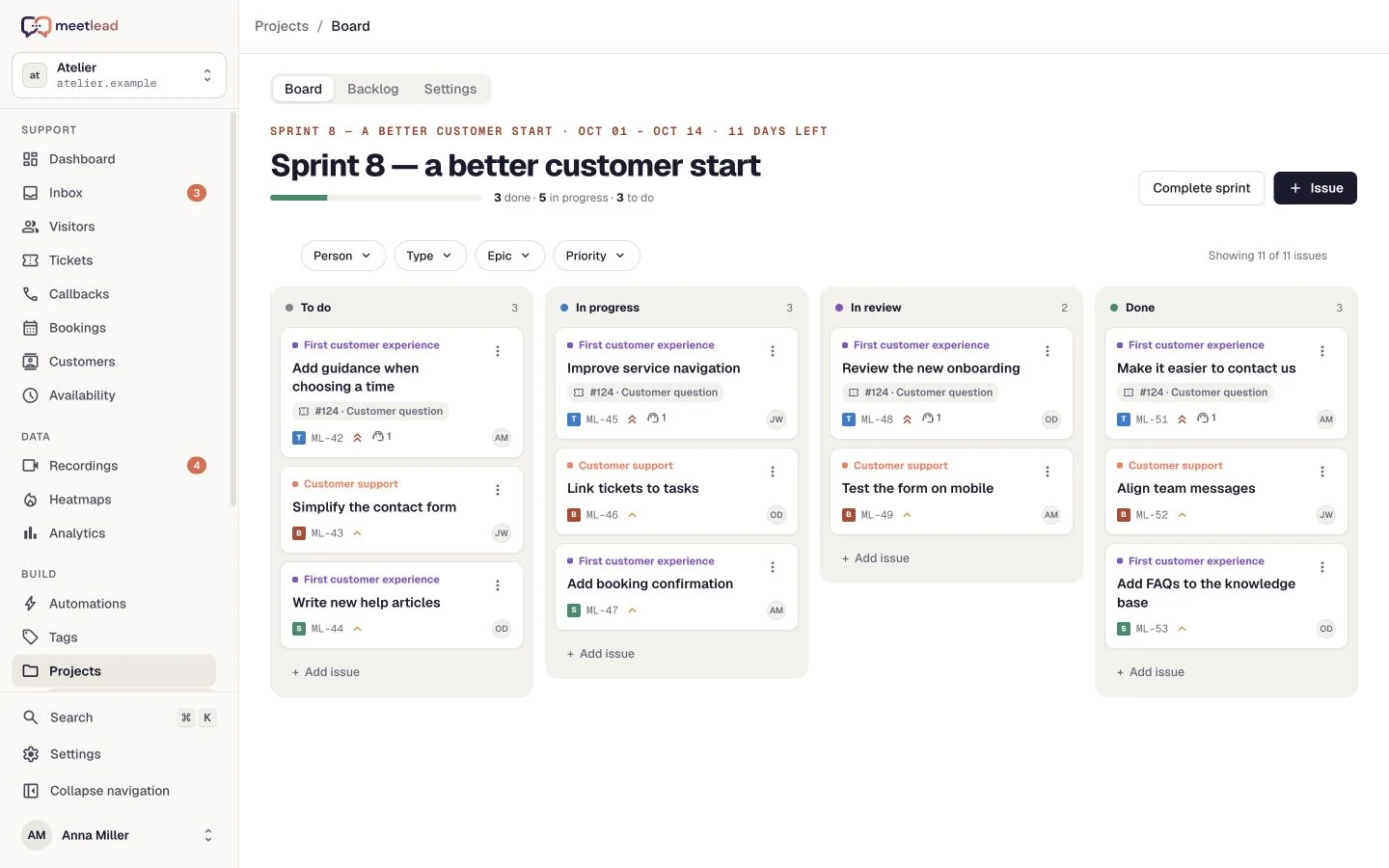
A startup’s first meaningful action
Measure completed signup or document export. Compare the journey with recordings before deciding what to improve.
Analytics
Connect session recordings, heatmaps and goals with support data. See where customers need help and what changes after your next improvement.
Free Starter plan. No credit card required.Explore the product in a demo tailored to your business.

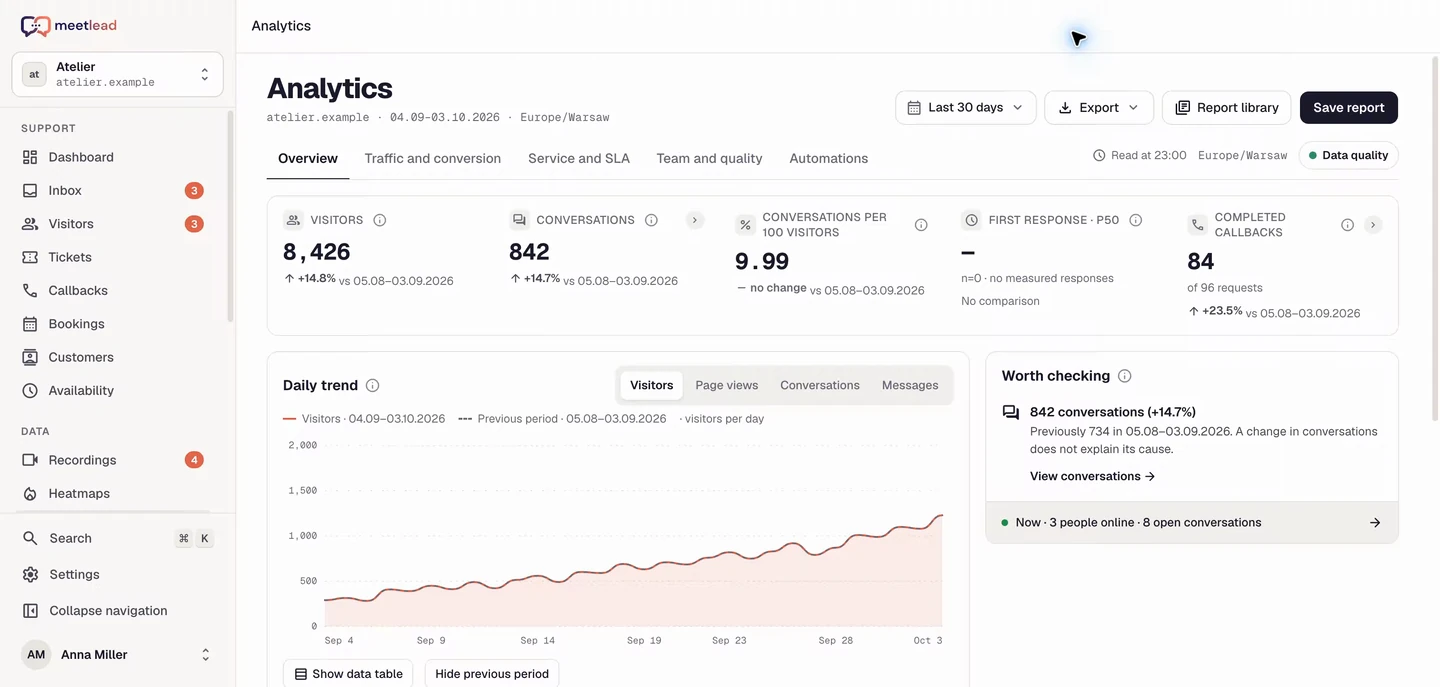
A chart shows a change. A recording, heatmap and conversation help explain where it might come from. Bring those perspectives together and choose the next hypothesis to test.
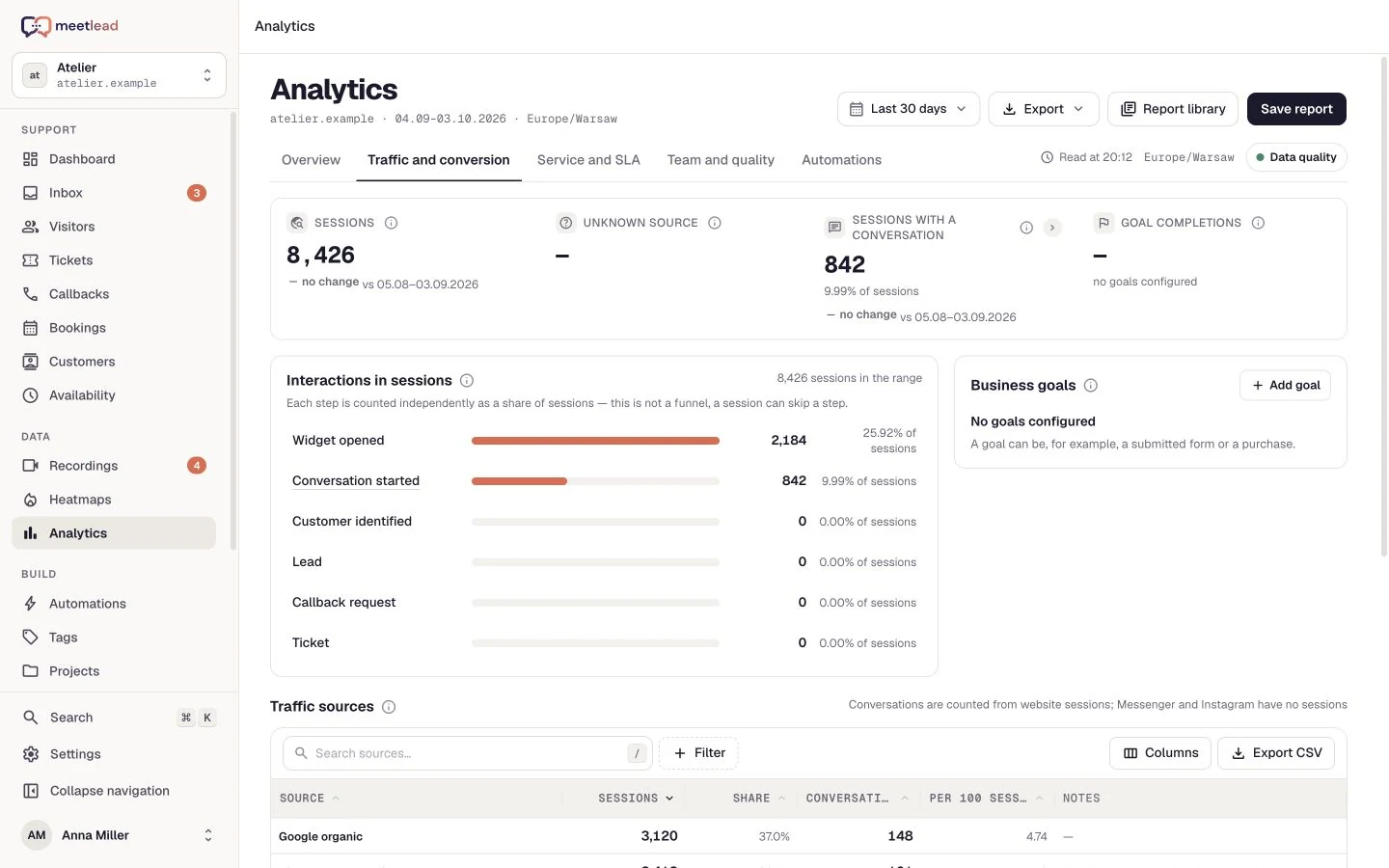
A visit is a starting point, not the whole outcome. Configure a goal such as completed signup or document export and review the path from arrival to that action.
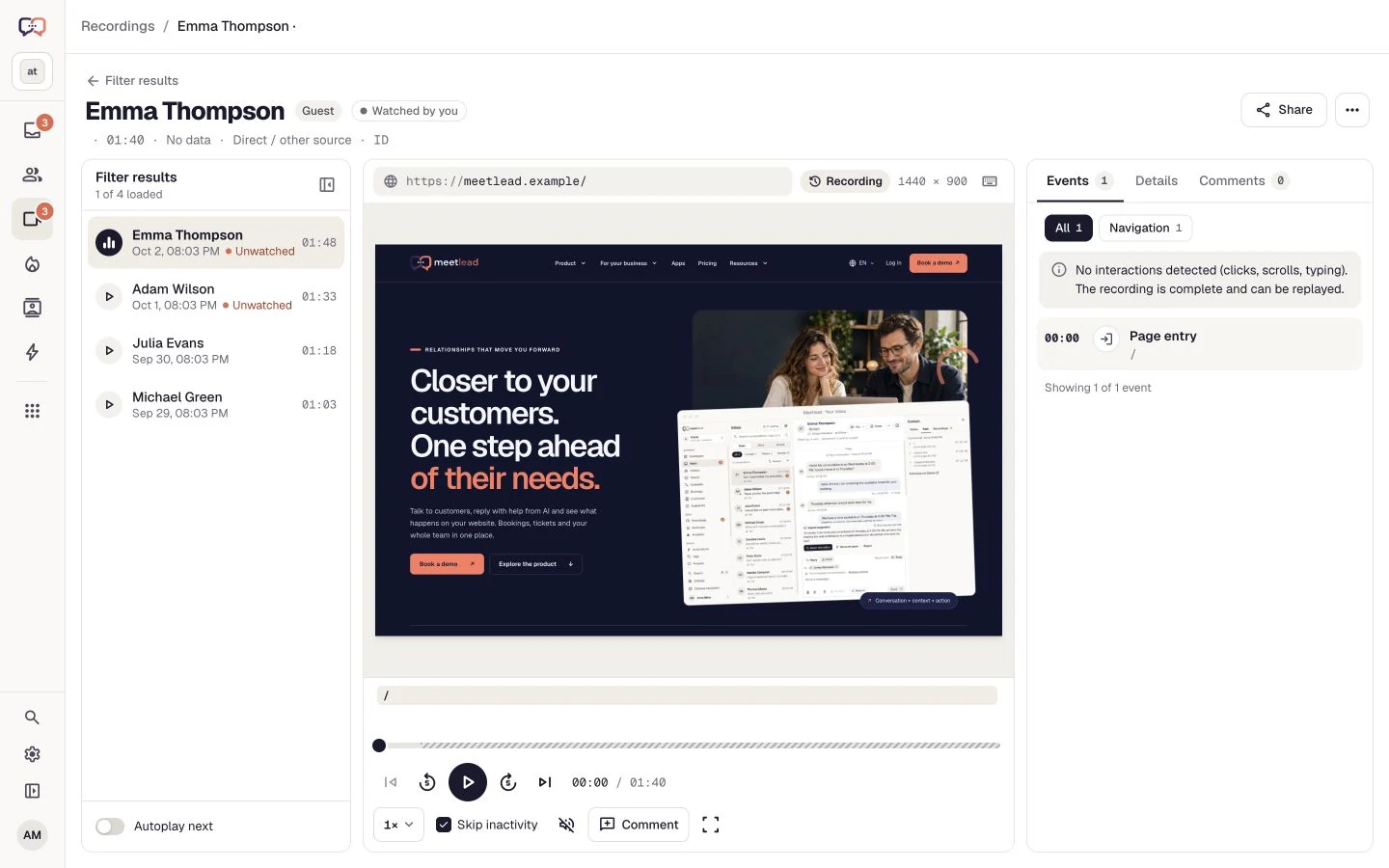
Replay clicks, scrolling and page changes. Filters lead to relevant visits, and a timestamped comment helps show the problem to the whole team.
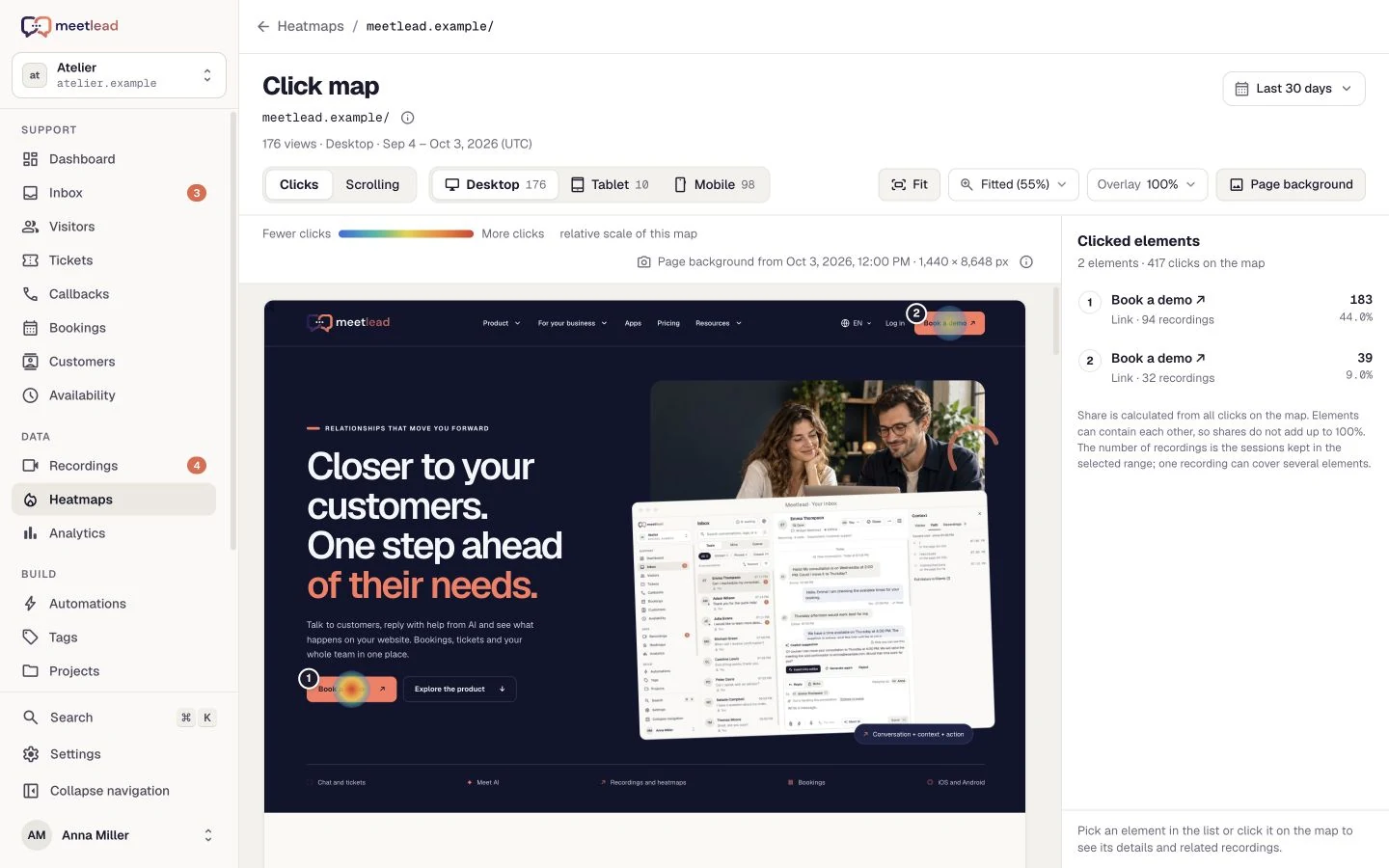
Check which elements receive clicks and how far visitors reach. Separate devices and date ranges so different page layouts do not blur your interpretation.
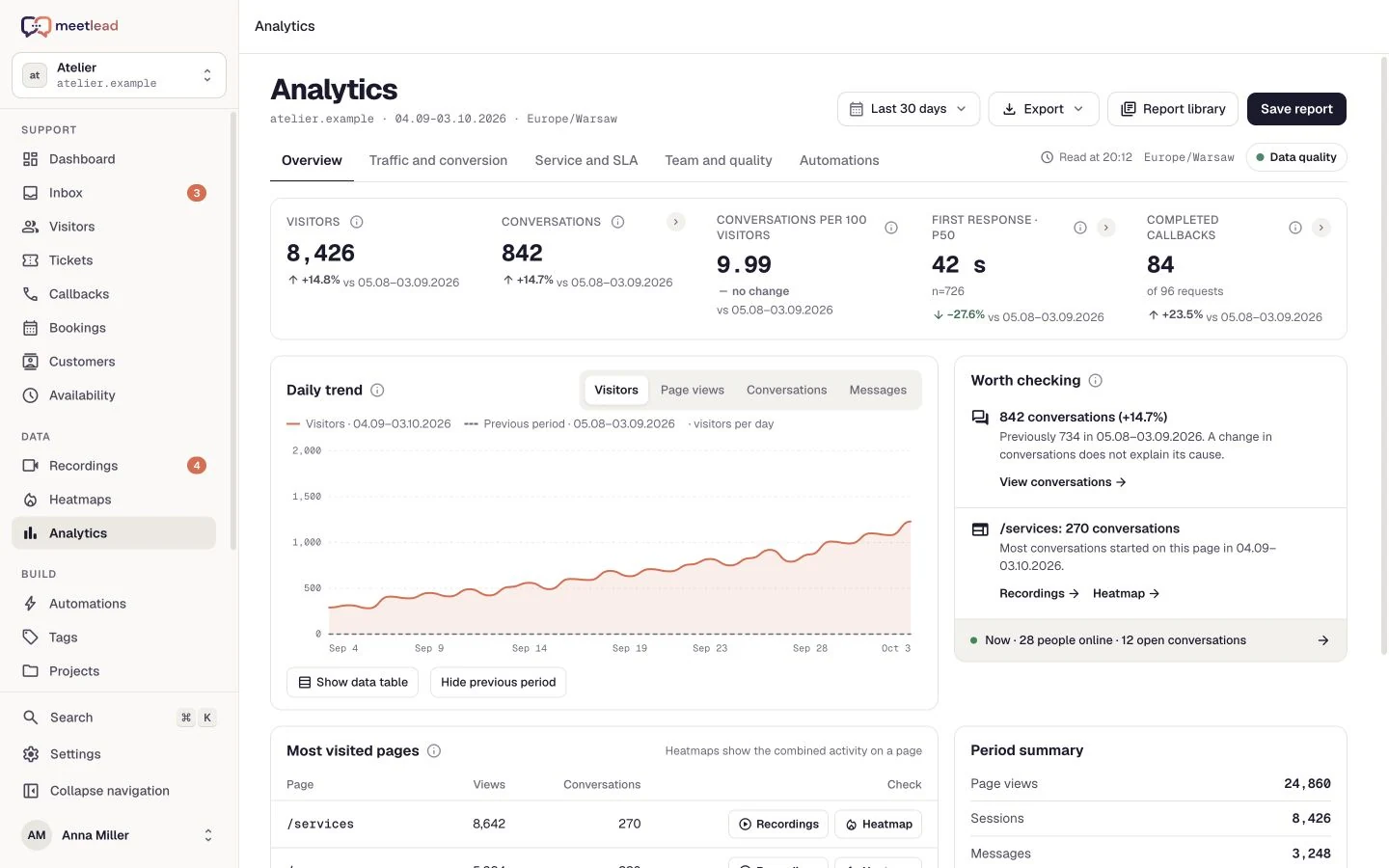
Bring response and resolution times together with SLA targets, CSAT and workload. Drilldowns lead from a metric to the cases that need attention.
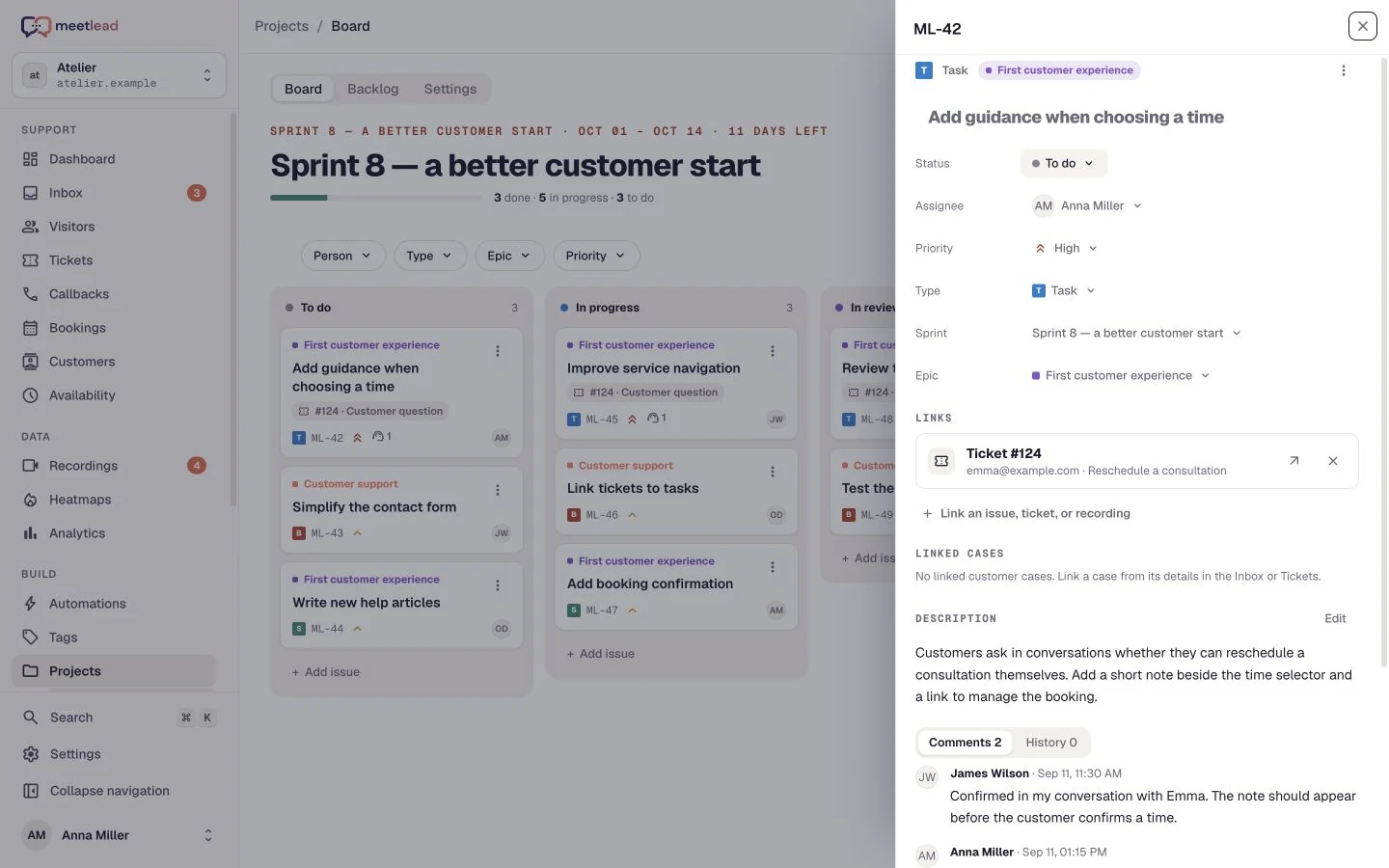
Save the report, share a summary with the team and turn a specific difficulty into a task. After release, return to comparable dates, traffic sources and the chosen goal.
See how the product fits everyday work.
Measure completed signup or document export. Compare the journey with recordings before deciding what to improve.
Review response and resolution times, SLA targets and customer ratings. Drill into the cases worth discussing with your team.
Choose comparable periods, check the funnel and traffic sources, then review on-page behavior. The result guides further analysis rather than proving causation on its own.
Replay visits and follow the customer journey through your site. Move from an observation to a conversation, ticket or team task.
Explore clicks and scrolling on heatmaps. See which areas attract attention and which content visitors never reach.
Measure meaningful actions, such as a first PDF export. Connect goals with funnels, traffic sources and landing pages.
Review first response time, resolution, SLA, CSAT and team workload. Export CSV or XLSX and schedule recurring reports.
Compare traffic by source and landing page. Review the next steps of the journey instead of judging a campaign only by visits.
Save report settings and schedule recurring XLSX summaries. Data freshness and coverage help distinguish an absence of events from incomplete measurement.
Choose your goal and measurement scope. Distinguish activation from sales or a simple count of visits.
Review sessions, heatmaps and chat questions. Build a hypothesis from more than one source.
Comment on a recording moment and describe your hypothesis in a task. The person implementing the change can return to the same context.
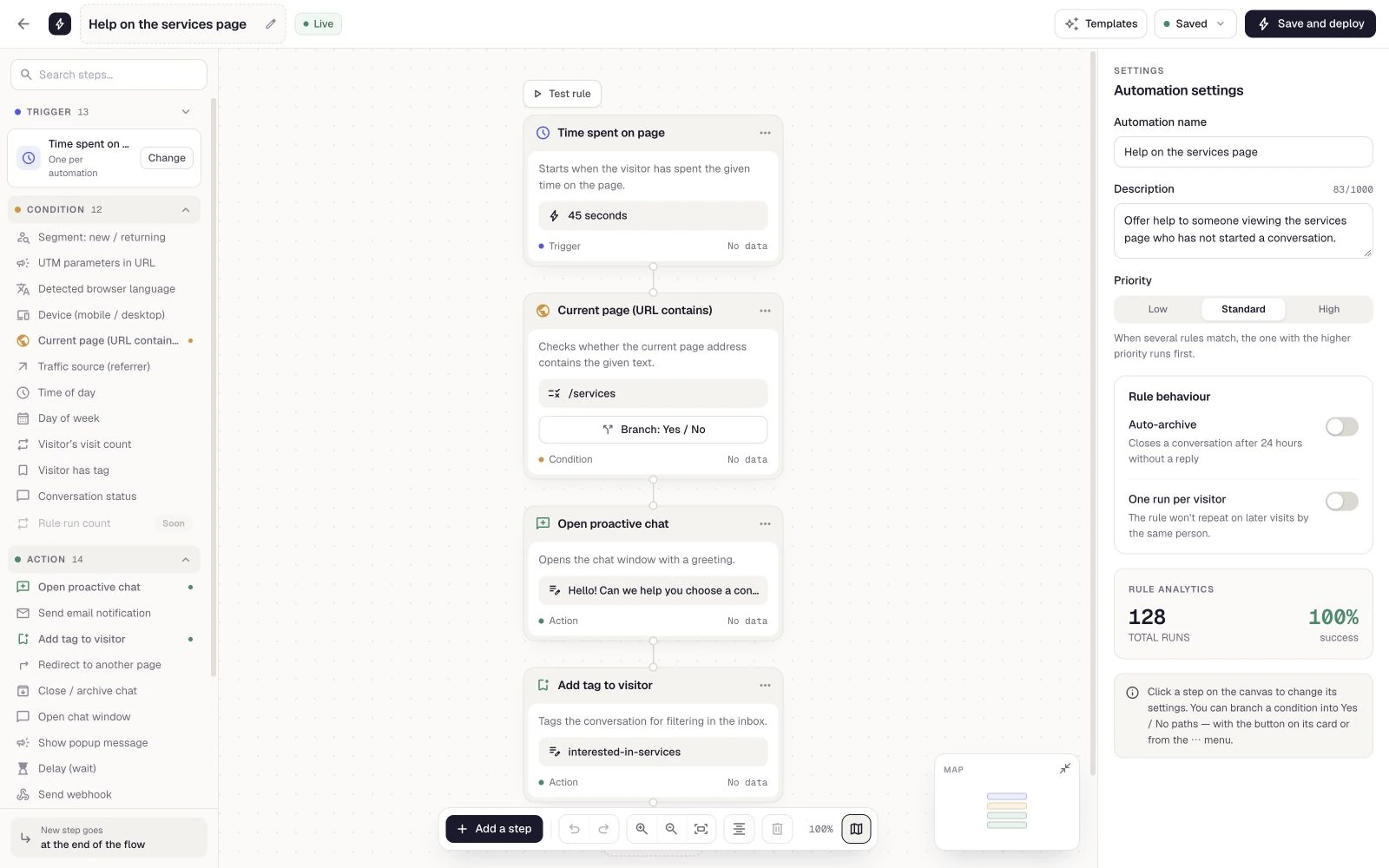
Create a task in Projects, ship the improvement and monitor the goal over a comparable period.
App availability and heatmap history depend on your plan. Session recordings have their own collection settings and separate retention rules. Install Heatmaps for your website. Goals require the events that match your process to be configured.
See pricingDrilldowns lead from metrics to the relevant sessions, conversations, callbacks, tickets, goals and automation runs.
A configured action that matters to your product, such as completing registration or exporting a document. You define its name and trigger during integration.
Meetlead provides goals, reports and behavioural context. Experiment assignment is arranged separately. A higher metric alone does not prove that one specific change caused it.
A recording replays one visit; a heatmap aggregates on-page behavior. A click point can lead to related recordings when they are retained and available in the selected range.
Check the date range, sample size and SLA policy with business hours. Read CSAT alongside its response count; a handful of ratings does not represent every customer.
Yes. Saved reports can be emailed on a schedule as XLSX. Delivery depends on current data permissions; one-off exports also support CSV.
Connect your tools around the same visit, conversation and customer issue.
Create an account, add the widget to your website and start talking to customers. Add more capabilities as your team grows.Tell us about your team. We will show you the product and help you choose capabilities for the way you work.
Free Starter plan. No credit card required.Explore the product in a demo tailored to your business.
Starter does not store recordings. Growth includes 14 days of history for new recordings. Deleting a recording does not delete statistics or visits covered by analytics retention. Share-link validity, message history, heatmaps and the trial period follow separate rules.
Live page preview is available on every plan. The recording allowance is shared across workspace websites, renews monthly and does not reset when the plan changes. Sharing does not extend a recording’s lifetime.