
A welcome that feels like you
Your logo, team avatars, a personal greeting, a teaser and a way back to the last conversation. Choose a question-led home screen or a channel menu.
Widget and Widget Studio
Chat, help, calls and bookings. One familiar place on your website, made to feel like your brand.
Free Starter plan. No credit card required.Explore the product in a demo tailored to your business.

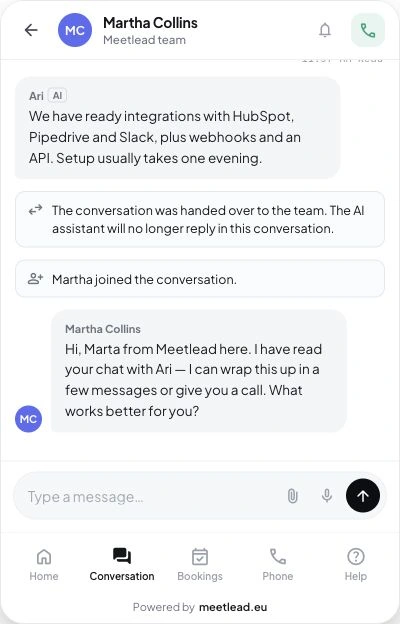
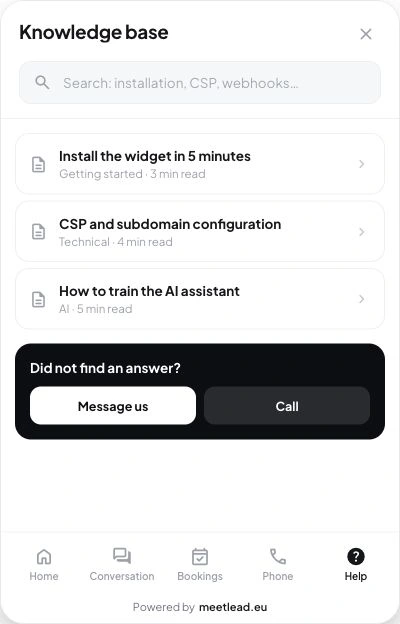
Your customer chooses the next step. You keep the context.
Welcome visitors with a question or a choice of channels. Show your team, availability and the way to help without sending them to another page.
Your logo, team avatars, a personal greeting, a teaser and a way back to the last conversation. Choose a question-led home screen or a channel menu.
Live chat, clearly identified AI and a handoff to a teammate. Customers know who is responding; your team receives the conversation in context.
Thread history, reference numbers, statuses, unread messages and follow-up replies in open conversations.
Multiple attachments, upload progress, retries and image previews. Supported browsers let visitors dictate editable text; attachments are available in team conversations.
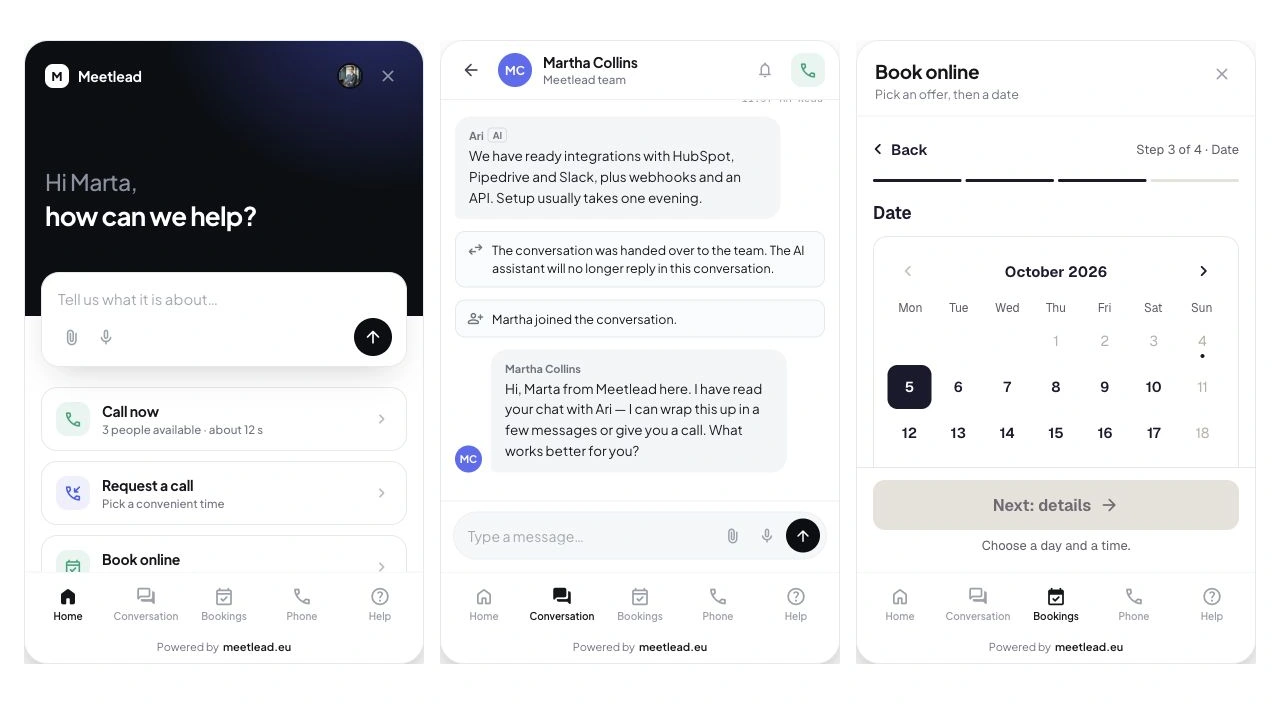
Choose a question-led screen or a menu of available channels. Match the conversation entry to your website and pass known user details through the integration rather than asking customers to repeat the context.
The composer-led screen lets visitors ask immediately. The menu shows available contact options, help and bookings according to configuration and active Apps.
Set suggestions in an empty chat and teaser text above the launcher. Choose a delay and one-time display so the invitation fits the visit.
Connect sign-in to signed identification. The greeting can use a first name, history links to previous conversations and offline or callback forms can use known details.
Offer the contact options your customers actually need. Bookings, Phone and Help appear according to your configuration.
Visitors talk through their microphone without installing an app. They see the teammate who answered, call duration and mute control, then can leave a rating.
A call card remains in the conversation. An optional recording and an available transcript make it easier to revisit the details.
Name, number, topic and an available time. Customers receive confirmation, can add the slot to their calendar and reschedule from their history. You can also display a regular phone number.
Description, photos, location, duration, price and practical details. Visitors understand the service or resource before choosing a slot.
A time slot or full day, participants, contact details and a summary. Automatic confirmation or approval pending, with payment arrangements handled separately.
Search, categories and articles inside the widget. Article feedback and a route to chat about the exact article.
Team availability and an offline message form. A confirmation closes the loop; CSAT with an optional comment helps you understand conversation quality.
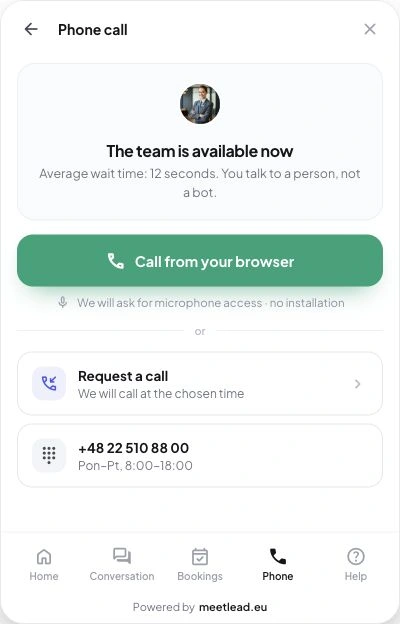
Browser call, callback or phone number — options matched to availability.
Articles and search help visitors take the next step without leaving the page.
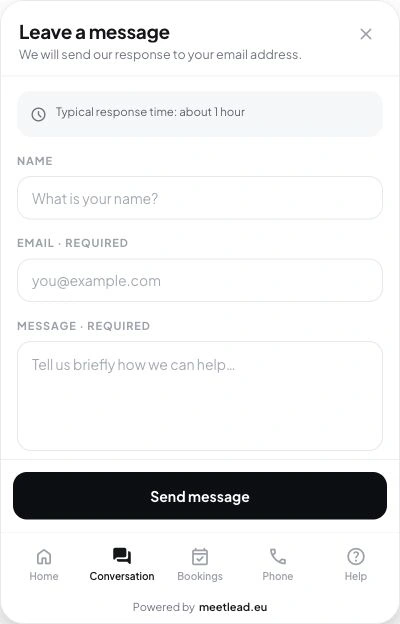
When the team is away, customers still have a clear way to get in touch.
The team takes over with the history, and customers see who is responding.
An article handles a recurring question, a conversation clarifies a specific case and a closing rating captures how the customer experienced your help. All three belong in the same widget.
Customers search for a topic, open an article and rate its usefulness. When they need more, they move to a conversation with the article context.
Keep separate threads with a status and reference number. Returning customers can identify open requests and new replies without restating the question.
Enable a 1–5 CSAT rating and make the comment hidden, optional or required. The result belongs to the completed conversation and complements service reporting.
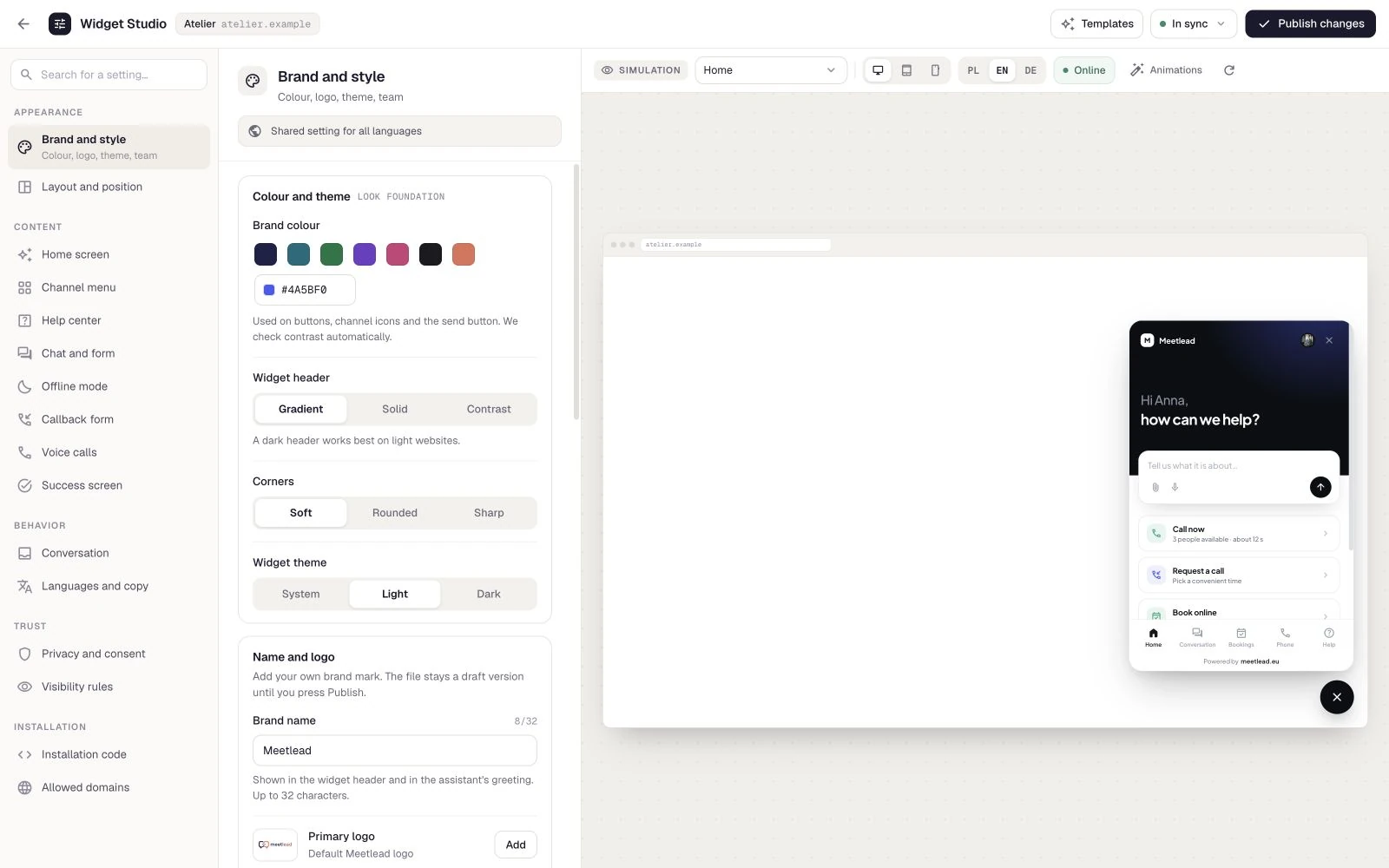
Shape the customer experience in one place. Preview your changes, save a draft and publish when everything is ready.
Light and dark logos, accent, avatars, AI persona, corners, motion, position and launcher style. Light, dark or system appearance.
Edit greetings, menus, prompts and completion screens in Polish, English and German. Set a fixed language or automatic detection from the page and browser.
Choose devices and page paths, your policy text and required consents. Configure consent-based recording, field masking and excluded elements.
25 preview scenarios, desktop and phone, online and offline. Review the changes, return to your draft or publish the finished configuration.
Add the embed code or connect the official WordPress plugin.
Enable the Apps you need, set team availability and add help content.
Check languages, devices and scenarios in Widget Studio.
No. It runs in the browser on your website. On a phone it opens full-screen; the Meetlead mobile app is a separate tool for your team.
No. Visibility depends on configuration, catalog availability and active Apps. Start with chat and help, then add calls or bookings.
Meet AI requires an active App, prepared knowledge and configuration. AI is clearly labelled in the widget and a handoff preserves history. Choosing an appearance does not activate AI.
No. The widget presents the price, accepts the booking and confirms the time. You arrange the payment method separately.
Enable the languages you need: Polish, English and German. Choose a fixed language or automatic detection and edit greetings, channels and confirmation text in Widget Studio.
No. Widget Studio lets you work on a draft and preview the real widget. Publish the finished set of changes when it is ready.
Create an account, add the widget to your website and start talking to customers. Add more capabilities as your team grows.Tell us about your team. We will show you the product and help you choose capabilities for the way you work.
Free Starter plan. No credit card required.Explore the product in a demo tailored to your business.