
Context beside the conversation
Customer details, website journey, contact history and internal notes.
For customer service teams
Connect channels, knowledge and teamwork. Customers get consistent help while operators see the history, priority and next step.
Free Starter plan. No credit card required.Explore the product in a demo tailored to your business.

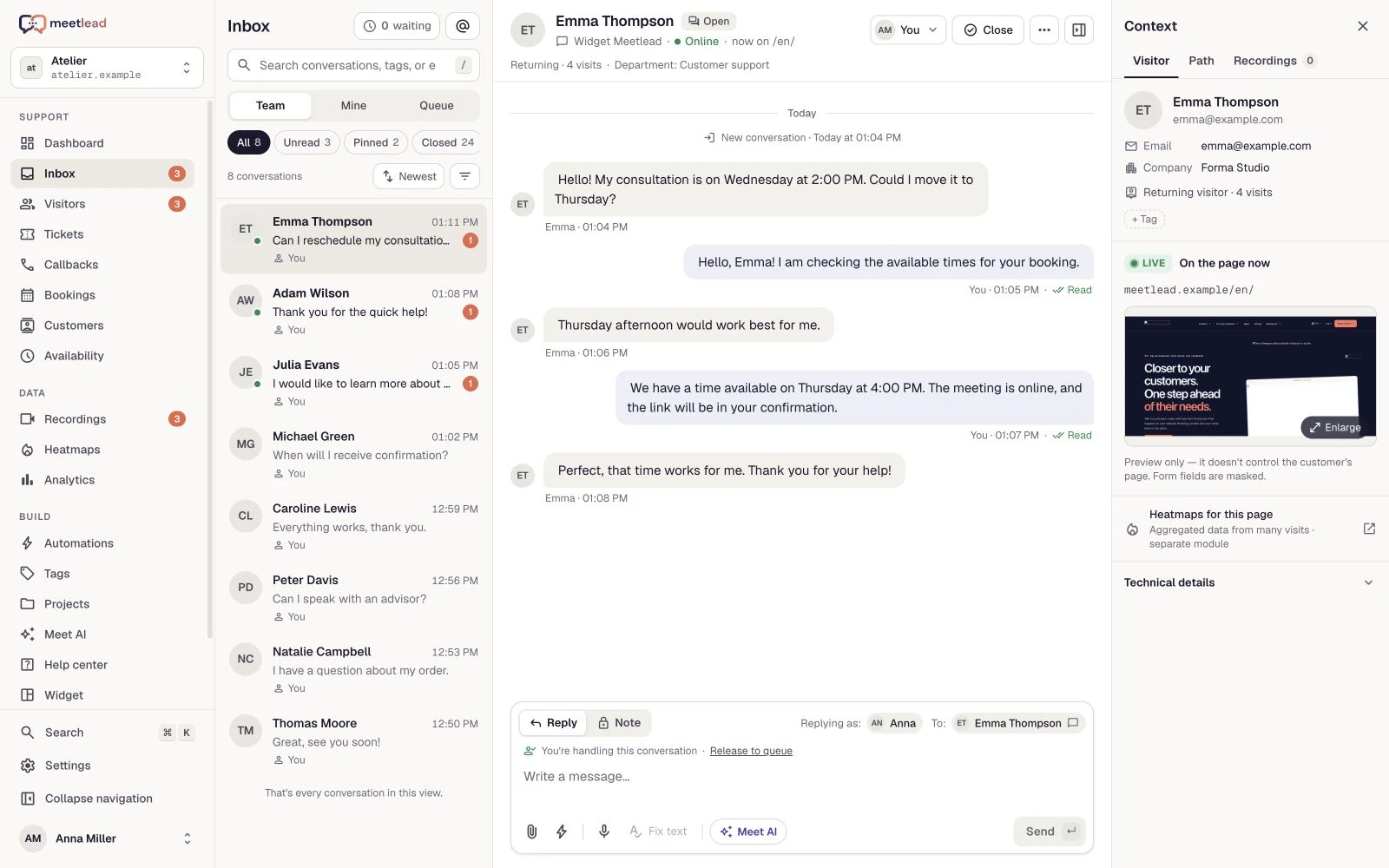
Great service starts with what the team can see.
Website chat, Messenger and Instagram flow into one inbox when the channels are connected. Work on your issues, team conversations or the unassigned queue.
Customer details, website journey, contact history and internal notes.
Departments, rotation or workload-based routing and manual reassignment.
A ticket keeps the topic, status, priority and follow-up work after chat ends.
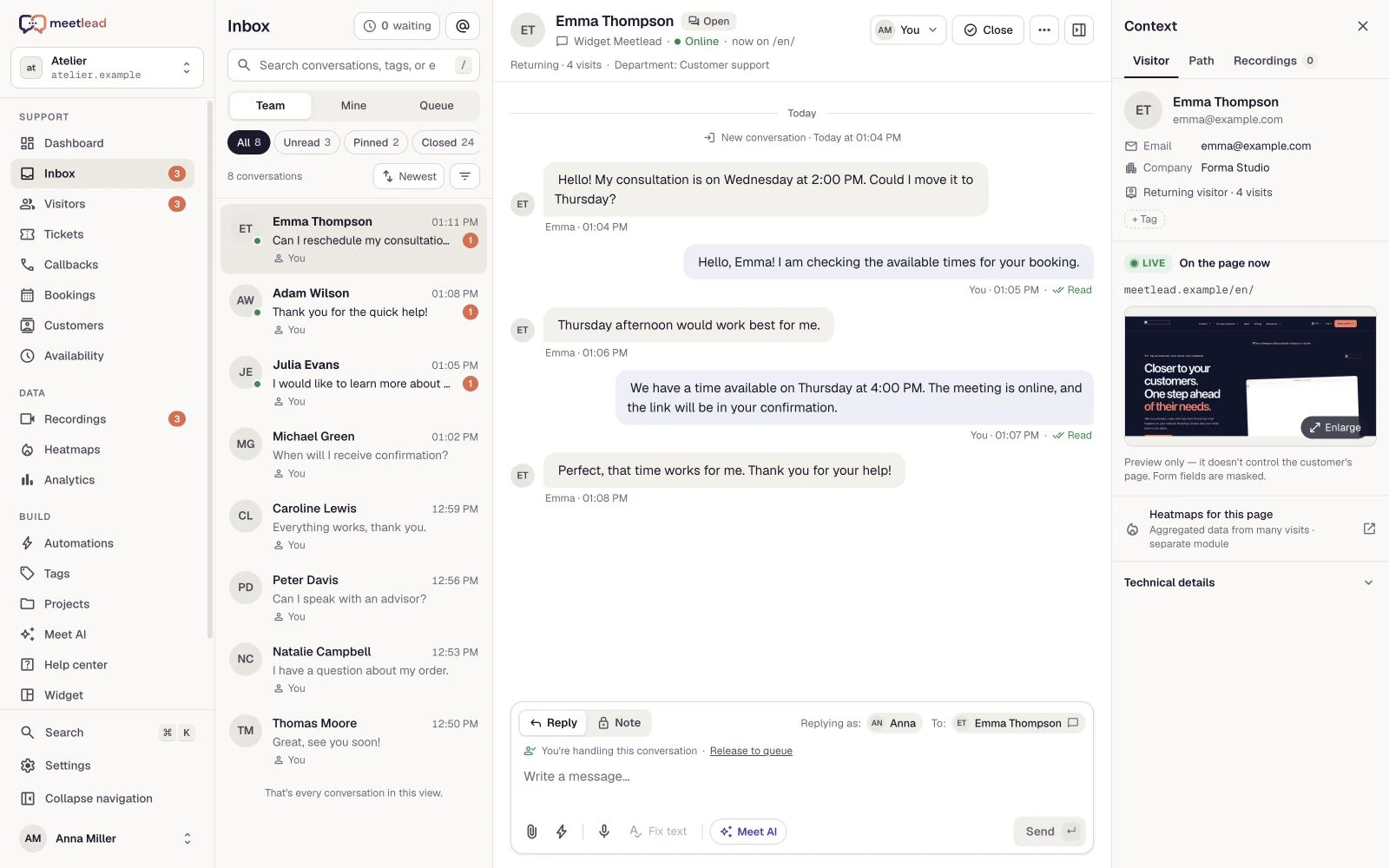
A written description may not be enough for a form or setup issue. Visit context and the page preview in the inbox help establish which step needs attention.
Review visited pages and the current page view when the preview is available. Excluded or masked content does not become visible to the operator.
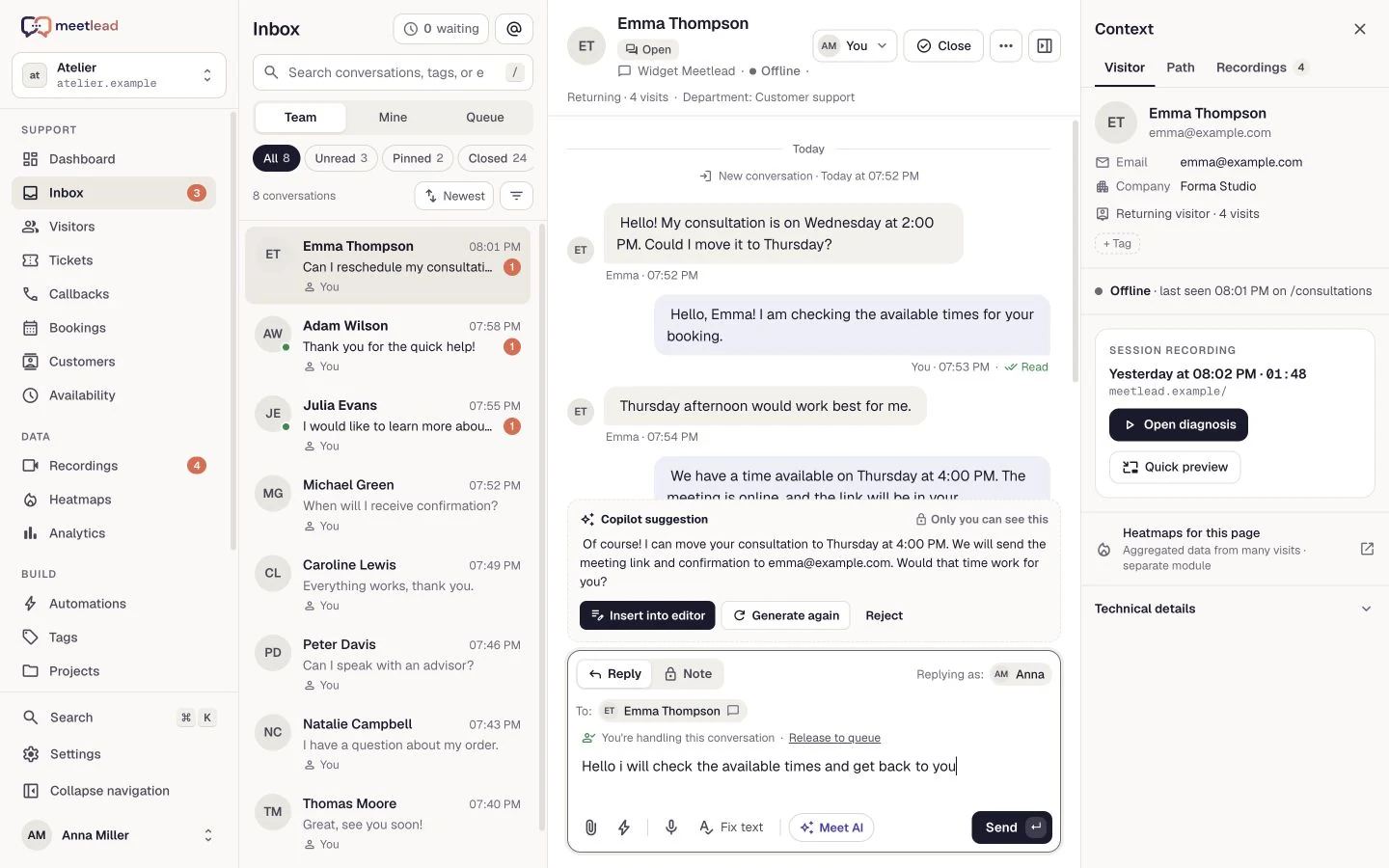
Match the reply to the visible step. Use a quick reply or Copilot suggestion, then check it against the question and current screen before sending.
When a retained session is available, replay the earlier moment. A recording helps the team investigate an issue that has disappeared from the current page.
Help articles give customers a way to find answers themselves. Meet AI uses prepared knowledge and Copilot supports operators with private suggestions.
Searchable articles and a clear route back to a conversation about their content.
Clear AI identification, selected knowledge sources and a handoff with history.
Quick replies, notes and Copilot suggestions to edit and approve.
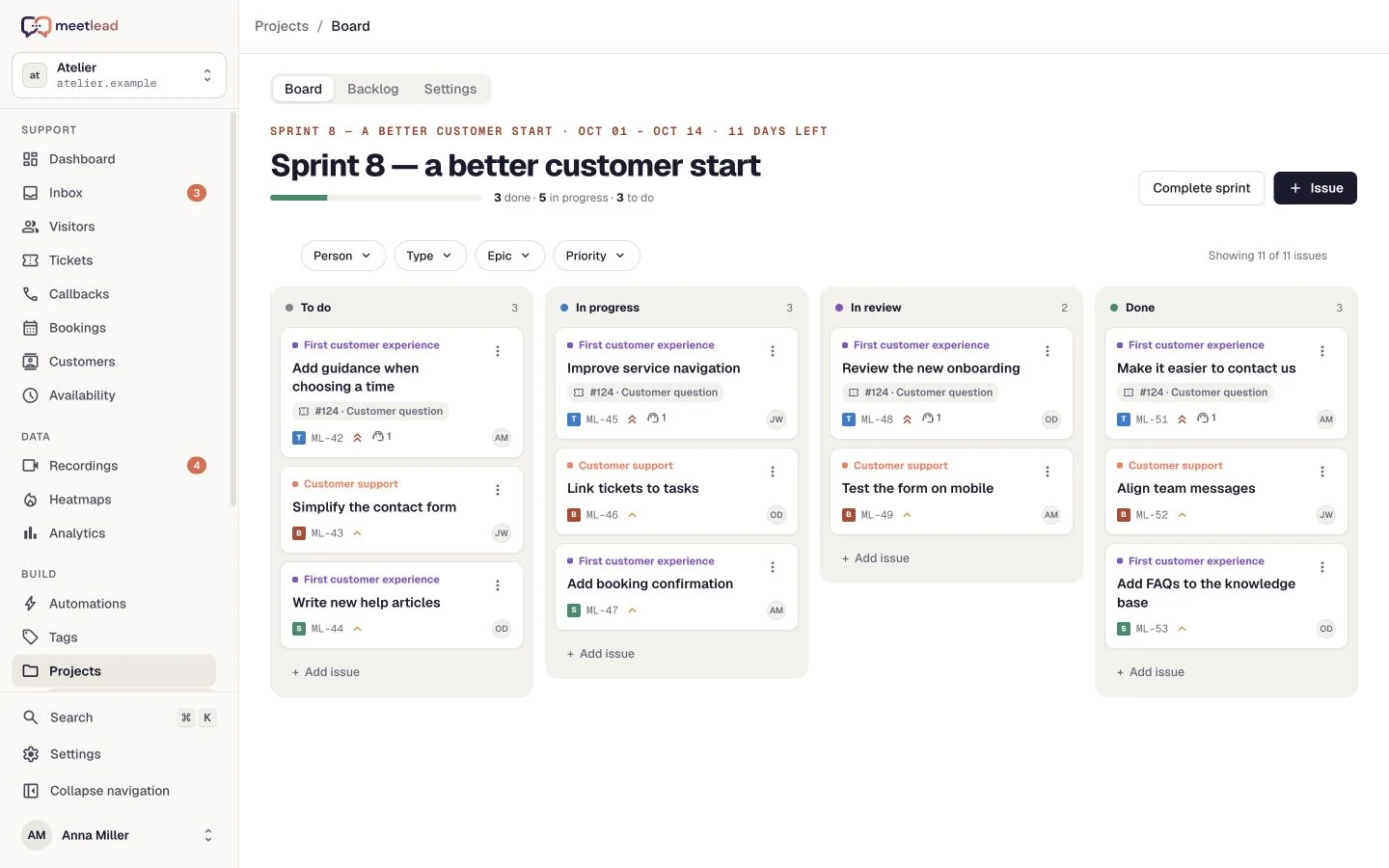
Some requests need more than one reply. Separate customer communication from delivery: a ticket keeps ownership clear while Projects can track the technical work.
Set a ticket priority, owner and current status. The team can distinguish ongoing work from a resolved question without rereading every message.
Keep notes and context for the next teammate separate from customer replies. They remain available with the history when the issue is handed over.
Create a task in the active Projects App and link it to the ticket. The teammate shipping the fix can trace it back to the reported issue and customer need.
First response time, resolution time, SLA and CSAT show where service needs attention. Team reports add a view of workload.
Compare periods and observe quality over time instead of judging one day.
Exports and report delivery help you bring data into team reviews.
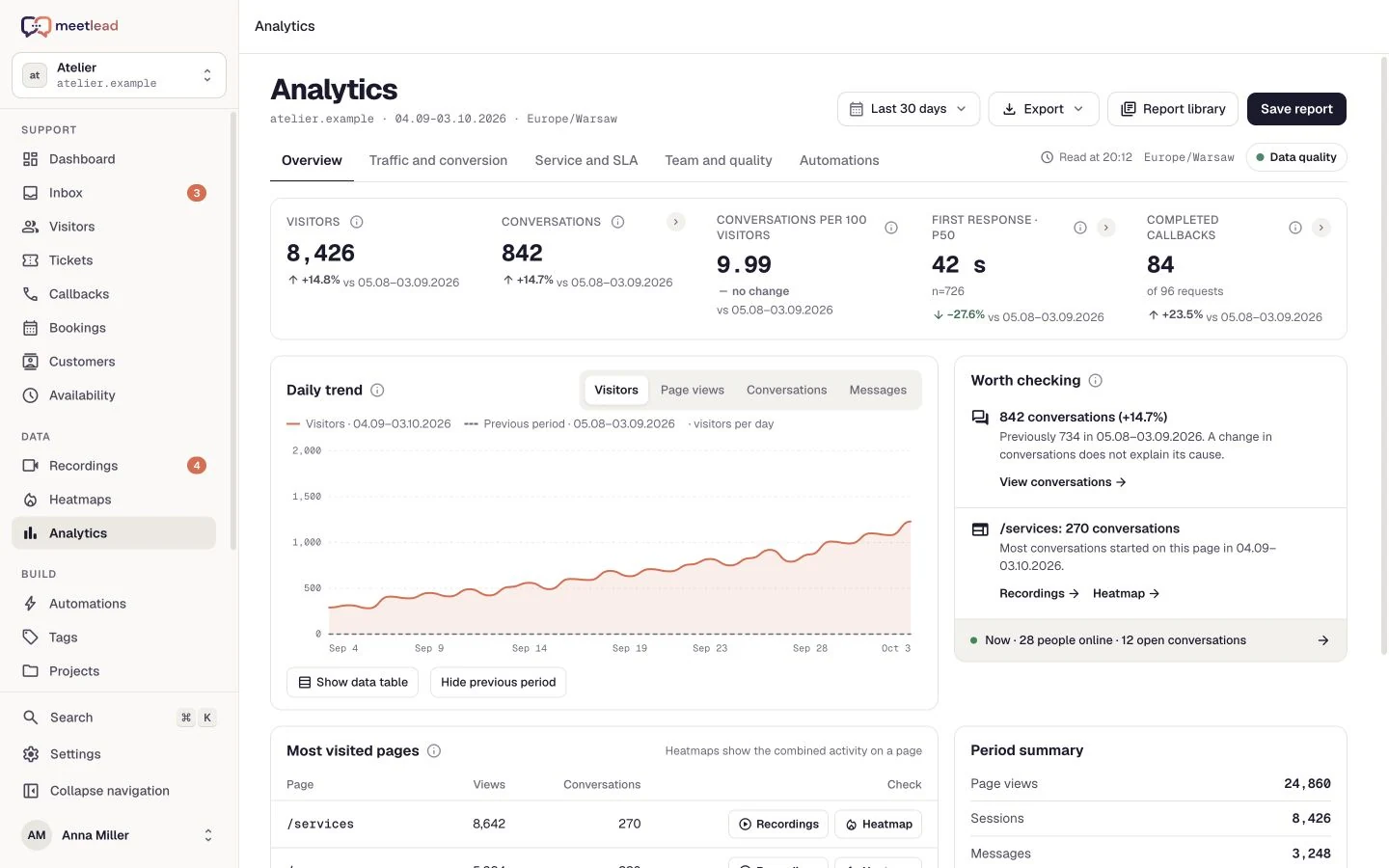
The customer writes; you see their history.
Reply with knowledge, hand off or create a ticket.
Review service time and customer feedback.
Your website widget, Facebook Messenger and Instagram Direct. Social channels require their Apps and offer access; Instagram has a workspace-specific entitlement.
The Meet AI assistant replies to customers only in the widget. Copilot prepares private suggestions for operators; this does not mean automatic handling of Messenger and Instagram.
Yes. The widget can offer browser voice calls, callback requests and a regular phone number, according to active Apps and configuration.
No. The preview provides page context in the inbox. It is not remote desktop access or control over the customer’s keyboard and mouse.
SLA follows the configured policy and working hours. Read CSAT together with the response count and comments. These metrics complement the context rather than replacing a full service review.
Create an account, add the widget to your website and start talking to customers. Add more capabilities as your team grows.Tell us about your team. We will show you the product and help you choose capabilities for the way you work.
Free Starter plan. No credit card required.Explore the product in a demo tailored to your business.