
Session recordings
Replay the visit and inspect the sequence of steps. Recording and masking settings define the collected data.
For product and UX teams
Connect what users do with what they say. Recordings, heatmaps, conversations and Projects create a shorter path from observation to improvement.
Free Starter plan. No credit card required.Explore the product in a demo tailored to your business.

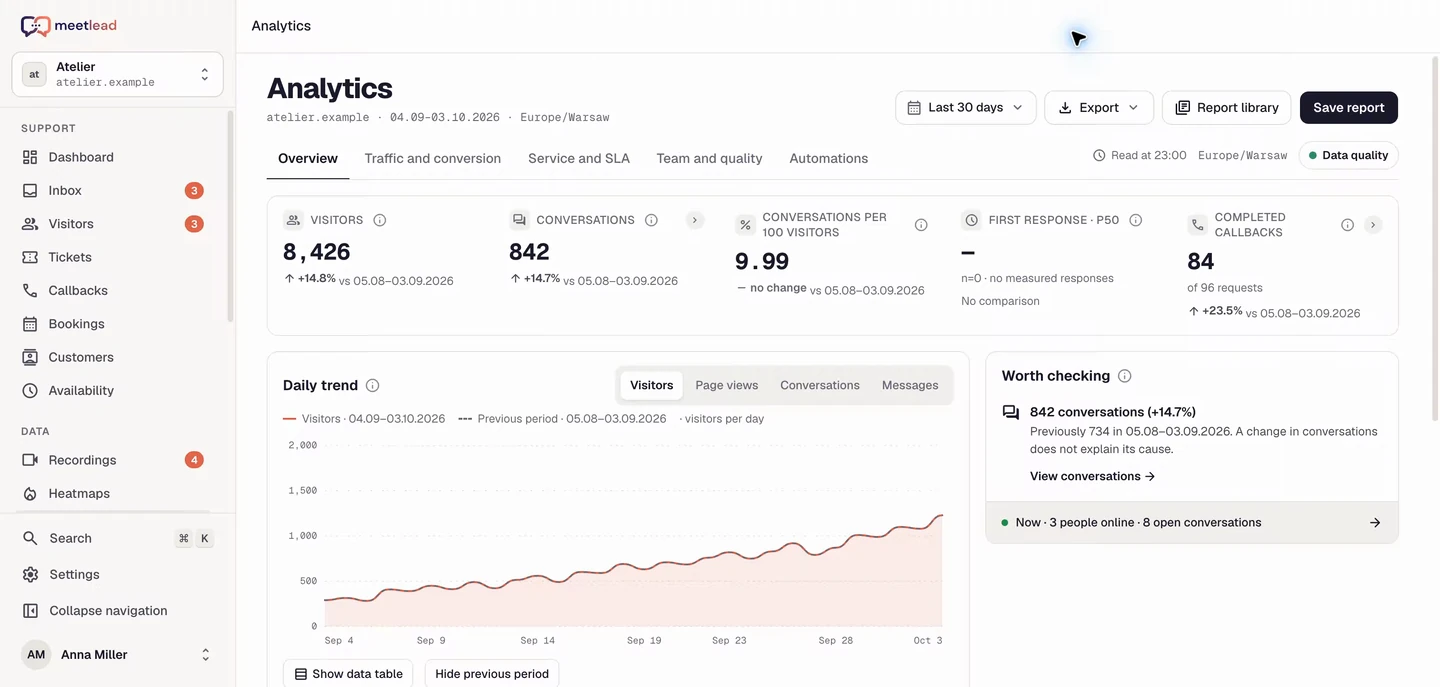
Behind every metric is a real experience.
Move from a funnel drop to a visit, clicks and conversation. Check hypotheses against concrete examples instead of guessing user intent.
Replay the visit and inspect the sequence of steps. Recording and masking settings define the collected data.
Clicks and scrolling reveal areas of interest and elements visitors do not reach.
Connect the reported problem with visit context, traffic source and contact history.
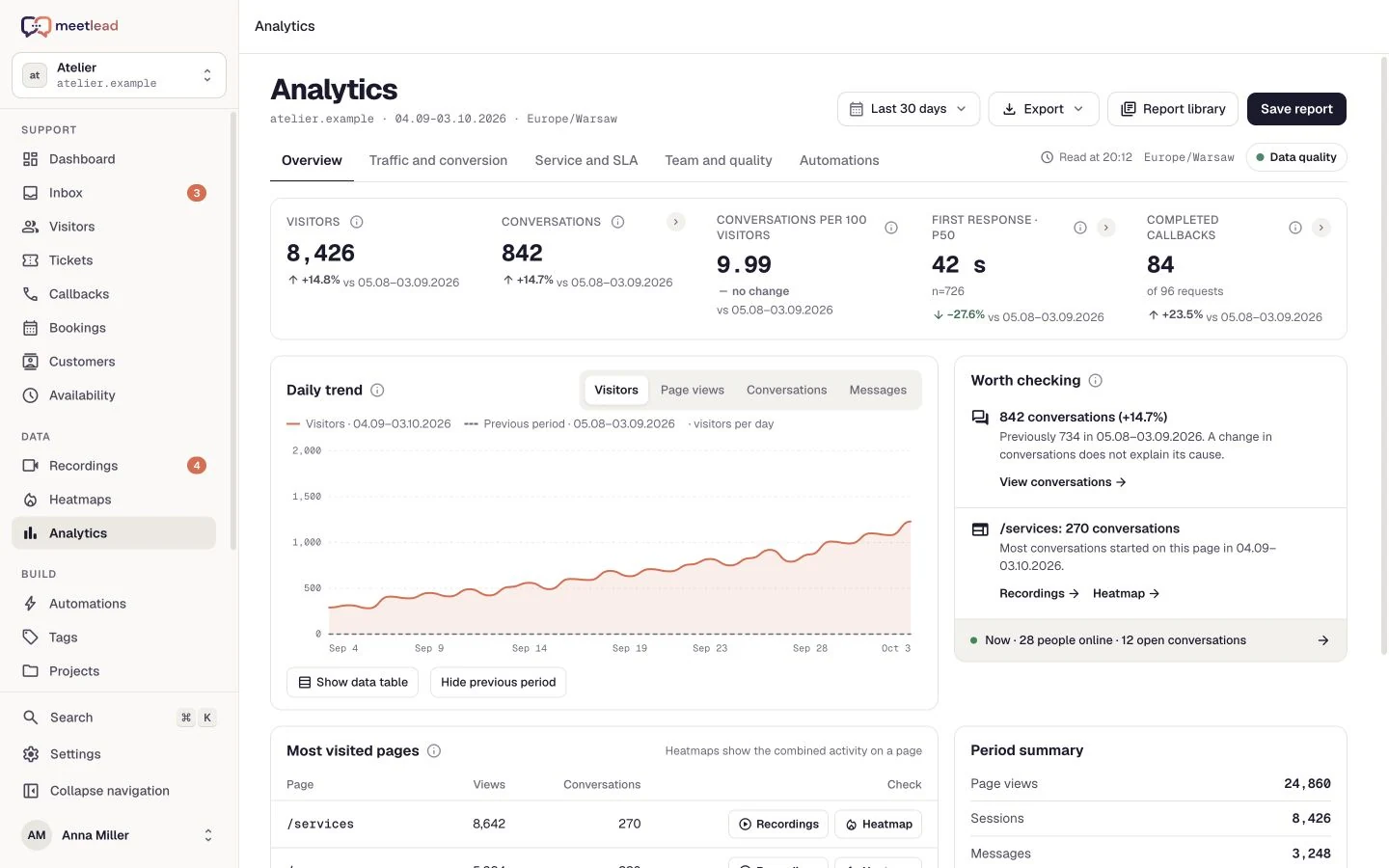
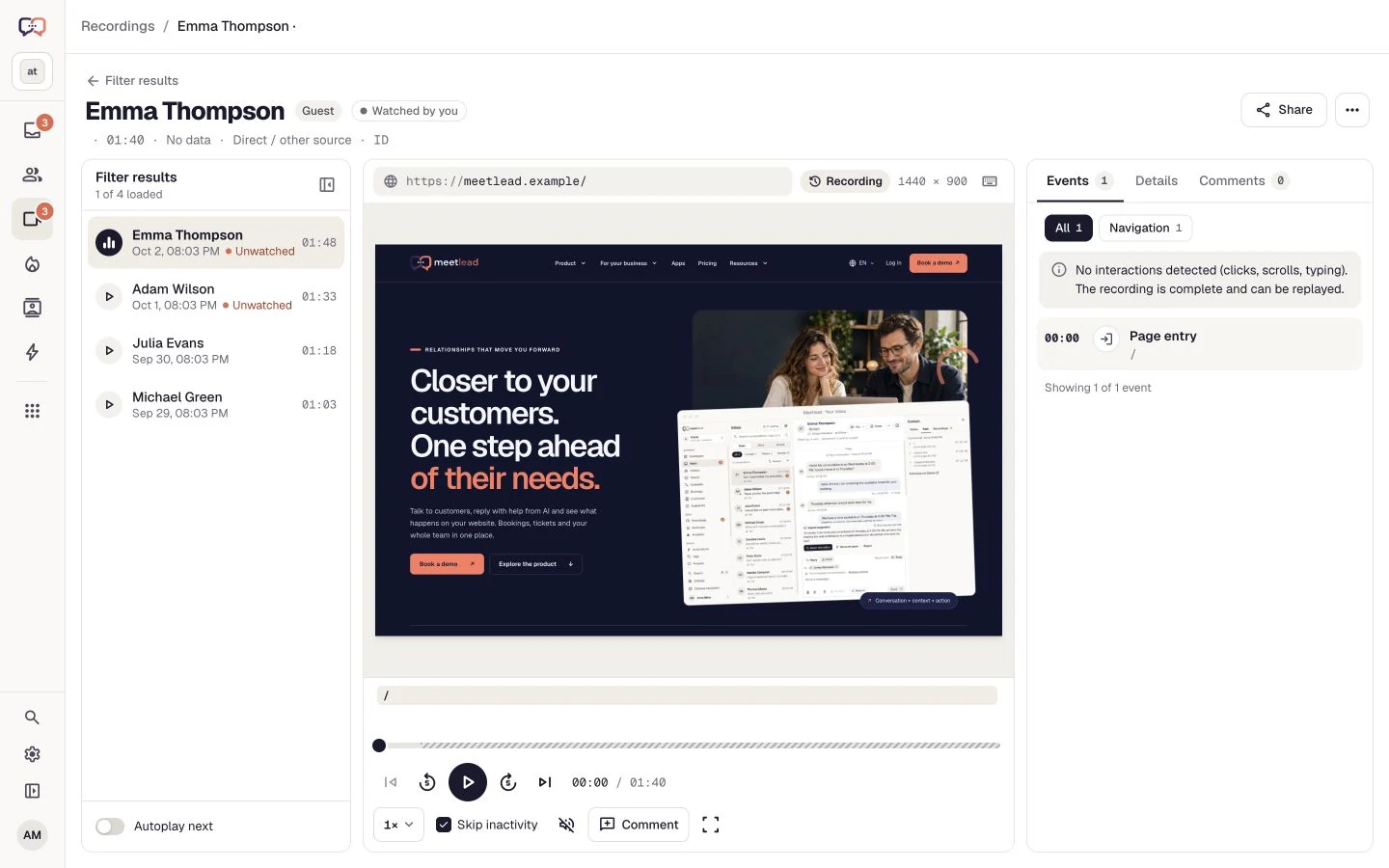
Start with a research question: can users find a button, complete a form or return to instructions? Recording filters help build a relevant review list.
Combine page URL, period, device and entry source. Save the view so the next review uses the same conditions.
Skip inactivity, adjust speed and choose an event on the timeline. Rapid repeated clicks are a clue to investigate, not a diagnosis on their own.
Add a timestamped comment. Describe observed behavior separately from the hypothesis so design and engineering can assess the same evidence.
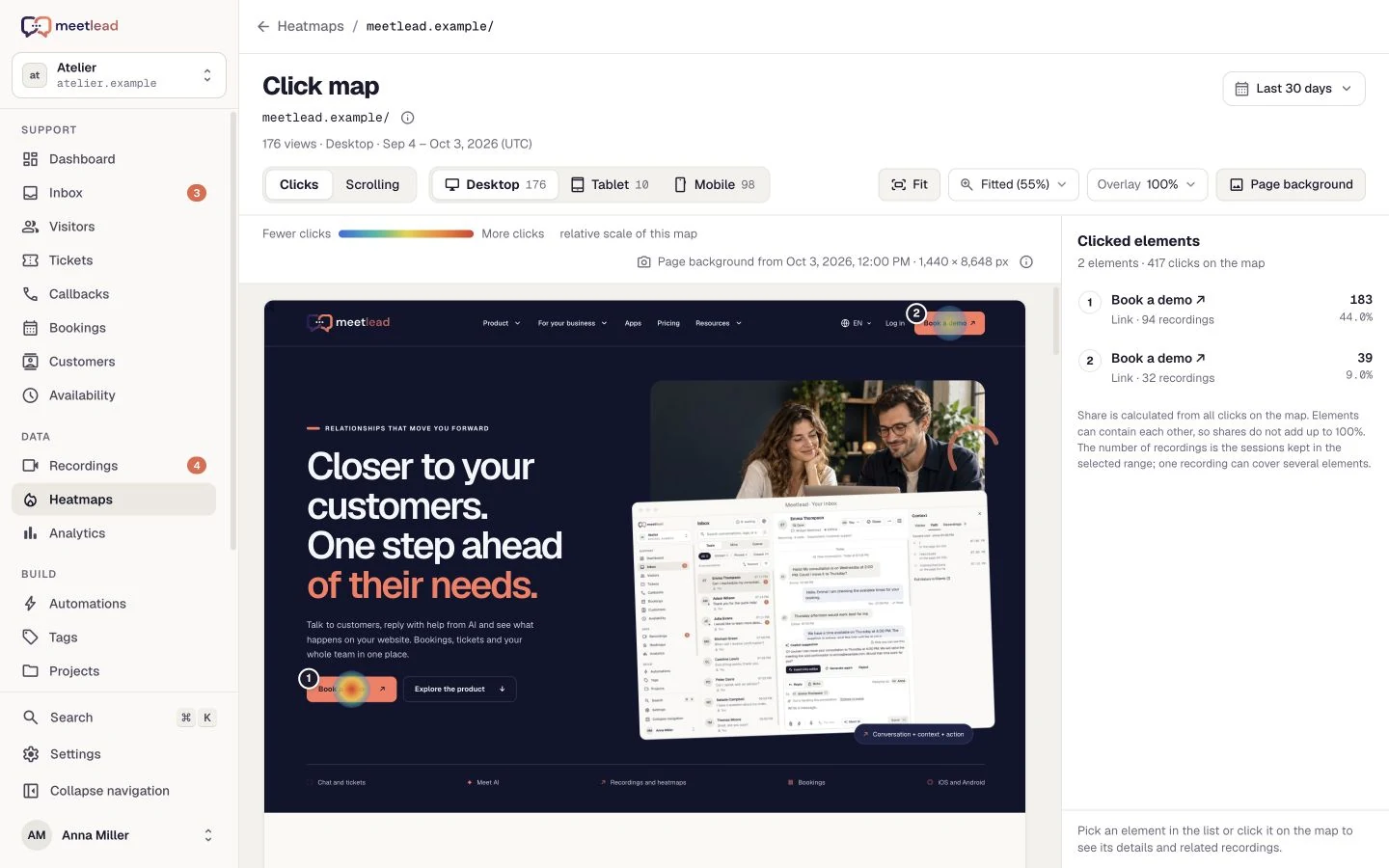
Some questions concern the whole page; others concern one difficulty. Use click maps, conversations and replays as complementary sources instead of asking one screen for every answer.
The click map and element ranking show where interactions occur. Read them alongside scroll depth and the page layout.
Open linked recordings from a map point when available. Check what preceded the click and what the visitor did afterwards.
A conversation can explain an intention that replay alone cannot reveal. Link the evidence to a task and define which change should help reach that goal.
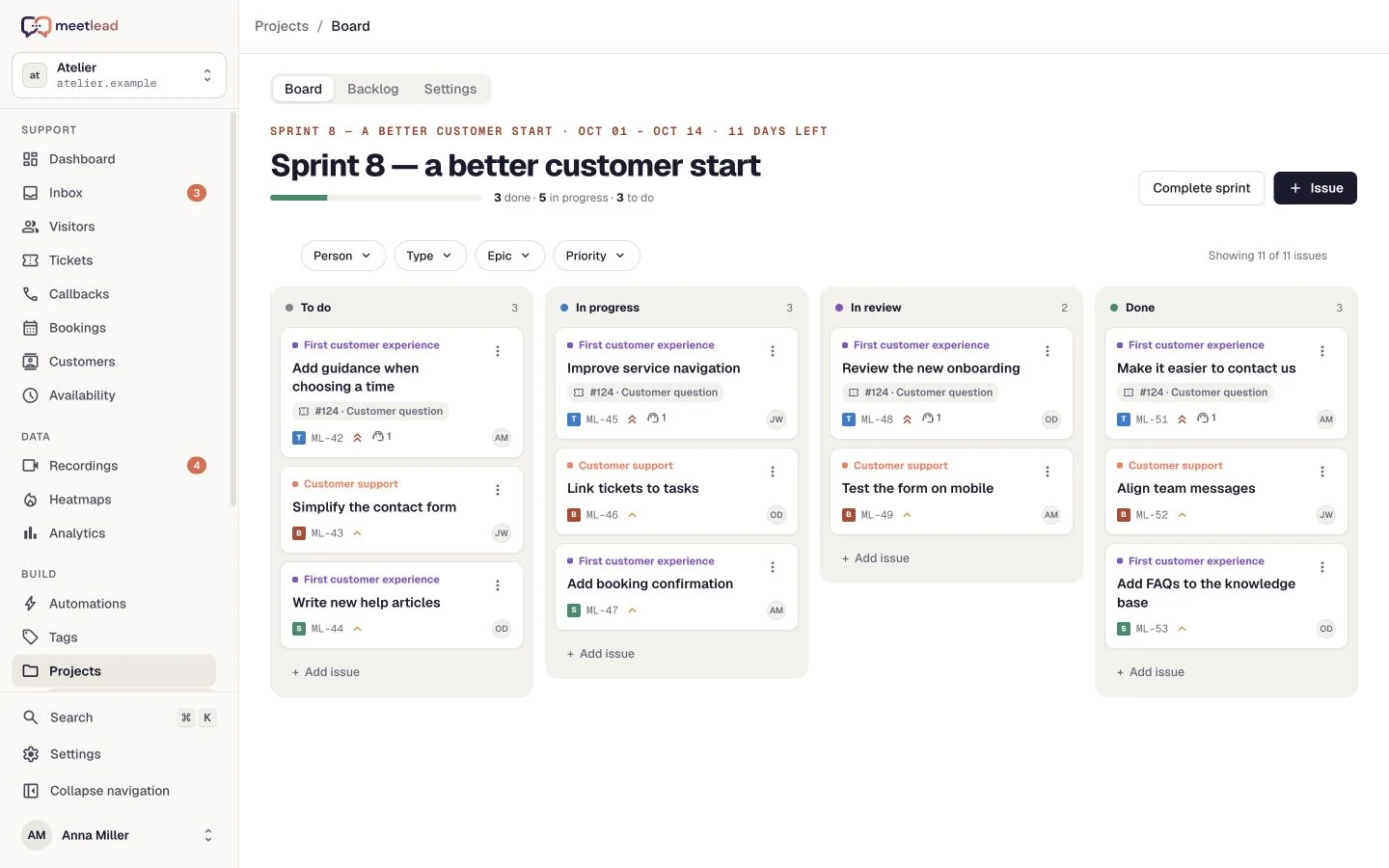
In Projects, create a task, bug or story and link it to a ticket or recording. Context stays with the work instead of in a separate document.
Choose importance, status and owner. Comments and history preserve decisions.
Organize work in a backlog, epics and a sprint. Each website has its own project.
Keep the route to the original ticket, task or recording so the next person can understand the problem.
Define the meaningful action, time period and user group. Observe the goal and funnel, then revisit qualitative signals to understand the change.
First export, completed sign-up or submitted request. Measure a specific product step.
A period comparison shows a change but does not prove its cause on its own. Consider traffic sources, seasonality and other releases.
Connect the question with behavior.
Put the hypothesis in a task and define success.
Review the goal, funnel and new conversations.
We do not offer a built-in experiment engine. Meetlead helps observe behavior, organize changes and measure goals; experiment control is set up separately.
No. Privacy settings let you choose recording activation, consent, masking and exclusions. Match the scope to your website and applicable requirements.
Yes. Projects supports links to recordings and tickets, keeping the evidence alongside the work.
No. It is a signal to inspect a specific moment. Check the element, visit context and user’s question before describing the cause.
Create an expiring public link in the player and revoke it later if needed. A timestamped comment identifies the moment; the link does not extend recording retention.
Create an account, add the widget to your website and start talking to customers. Add more capabilities as your team grows.Tell us about your team. We will show you the product and help you choose capabilities for the way you work.
Free Starter plan. No credit card required.Explore the product in a demo tailored to your business.