
Choose where help appears
Set the relevant page paths and devices in Widget Studio. Prepare a welcome message and short help content for common questions on that screen.
For startups
Talk to users, see where they get stuck and turn insights into improvements. One workflow from the first question to a better product.
Free Starter plan. No credit card required.Explore the product in a demo tailored to your business.

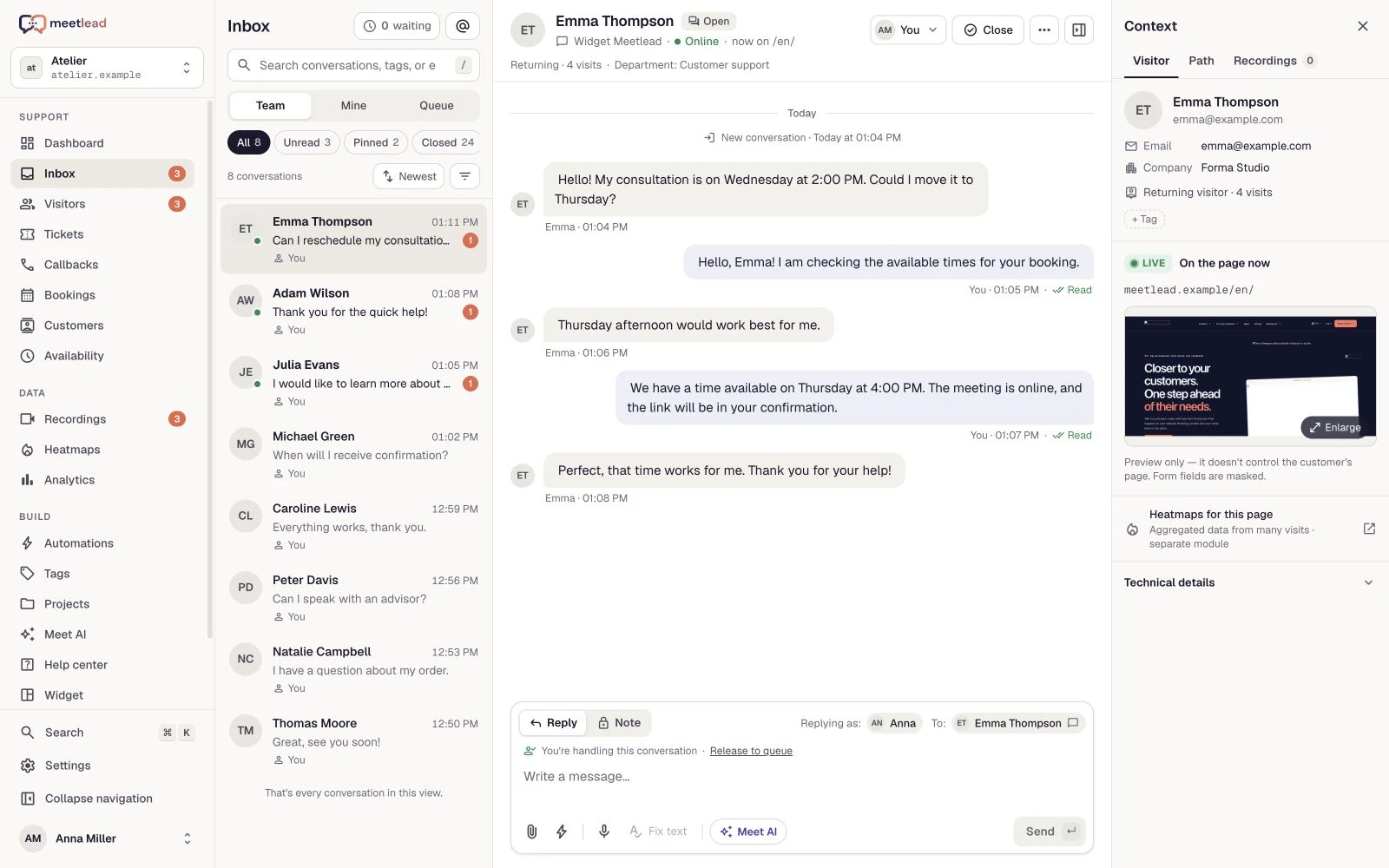
In the beginning, conversations teach you the most.
You do not need to rebuild your whole service operation at once. Choose a key product screen, add a contact route and define the next successful action. Expand your Apps from there.
Set the relevant page paths and devices in Widget Studio. Prepare a welcome message and short help content for common questions on that screen.
Even a two-person team benefits from a shift and handover plan. Outside working hours, provide an offline form with a clear submission confirmation.
Configure a goal such as completed signup or a first export. Trigger it after the operation succeeds and review it alongside questions about that step.
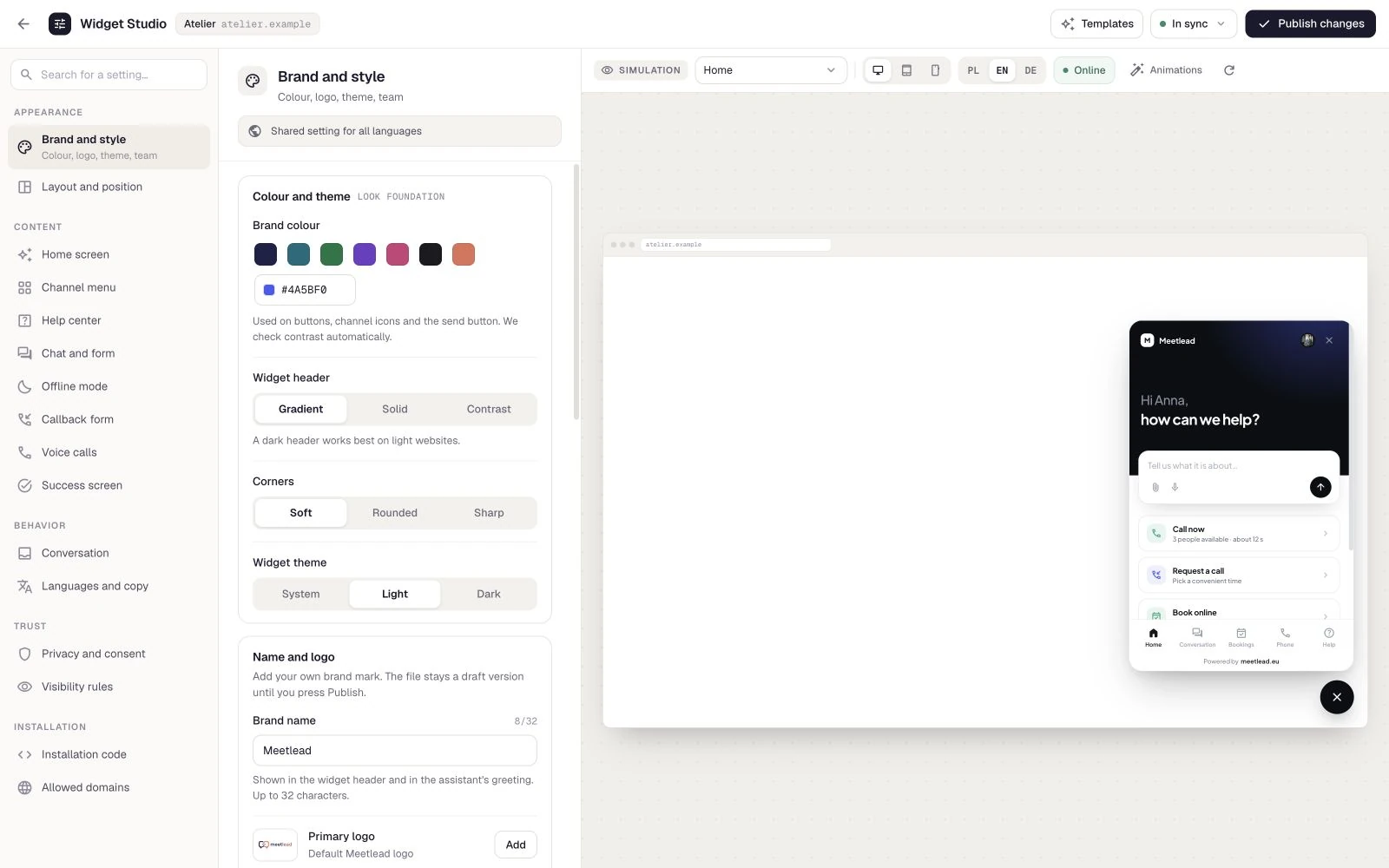
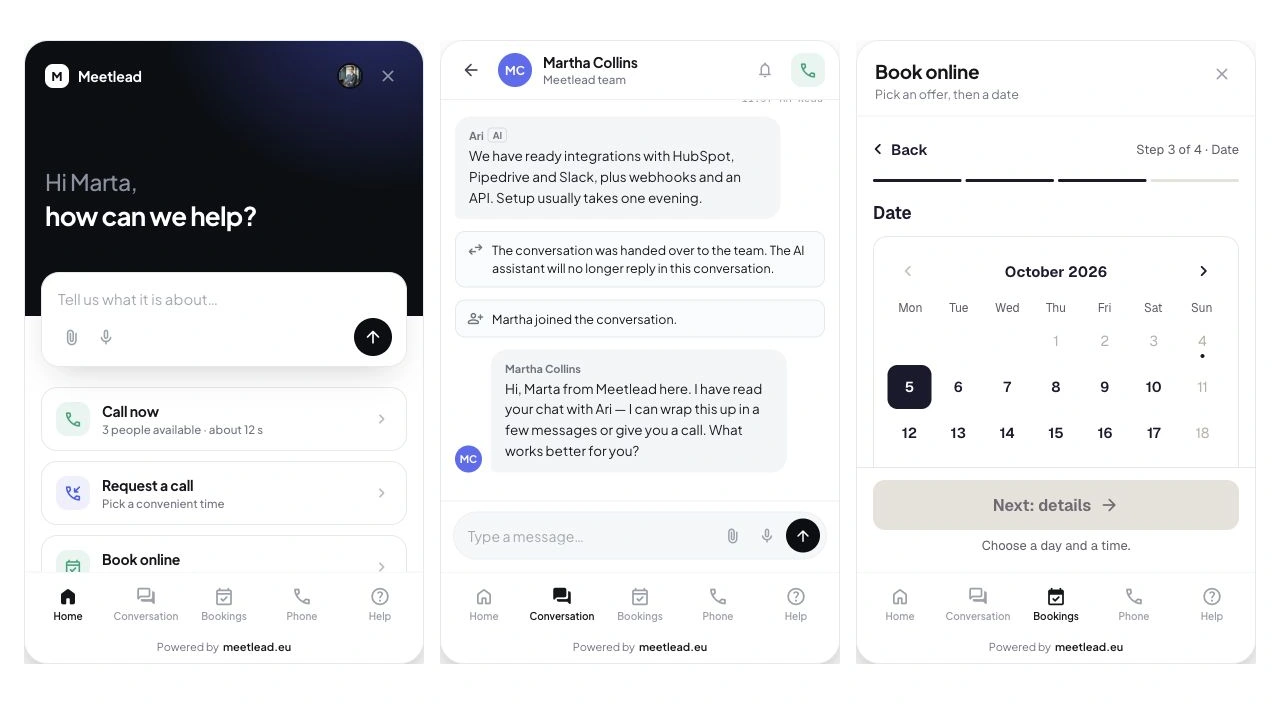
Chat and help become part of your website. Instead of copying issues between tools, see the question, the customer and their journey in one place.
The widget connects conversations, help articles and history. Customers do not need to know which teammate will handle their question.
Prepare knowledge for AI and Copilot. Hand questions needing an individual decision to your team.
The mobile inbox, push notifications and callbacks help you stay connected away from your desk.
A recording and a heatmap help explain the difficulty. Linked tickets and tasks keep the source of the problem, while a sprint gives the change a place in the plan.
Review the visit and conversation signals before choosing a solution.
Create a task or bug, set a priority, assign a person and keep the link to the ticket or recording.
Observe the activation goal and funnel after the change. Separate user behavior from team assumptions.
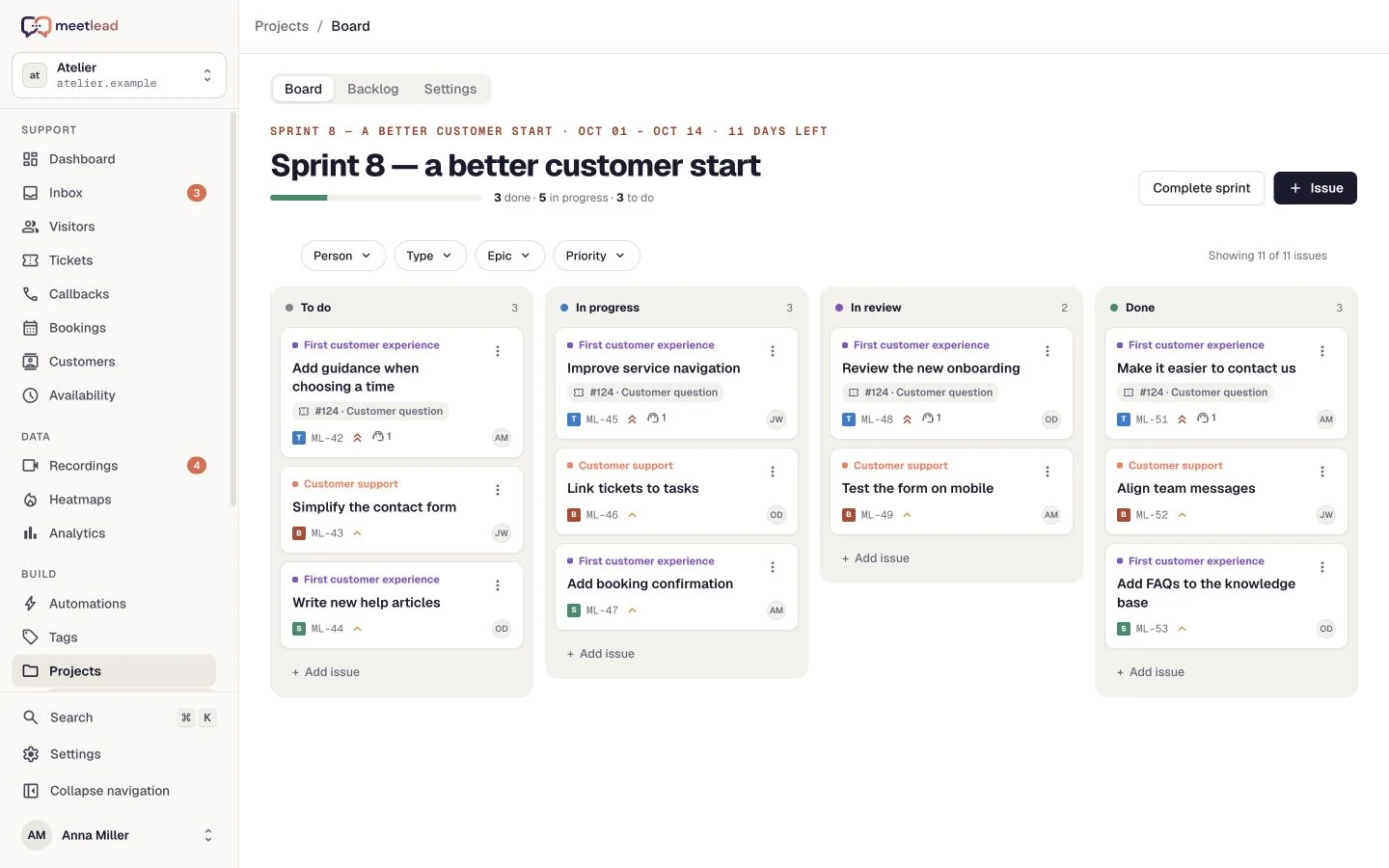
In a small team, the people building the product also help customers. A regular review of conversations, behavior and tasks turns that proximity into useful input for the next release.
Tag conversations by topics such as setup, export and billing. Pick a recurring issue and review retained visits rather than treating each question in isolation.
Record the problem and completion criteria in Projects. Assign an owner, choose a priority and link the original ticket or recording.
After release, review goal completions and new questions. Account for changes in traffic sources or the offer before judging the outcome.
How do you connect “Where do I download my PDF?” with behavioral insight, a UX task and a first-export goal? Explore a use case for a CV builder.
Connect questions about CV exports with visit context, a team task and a completion goal. See how to apply this workflow to your own product.
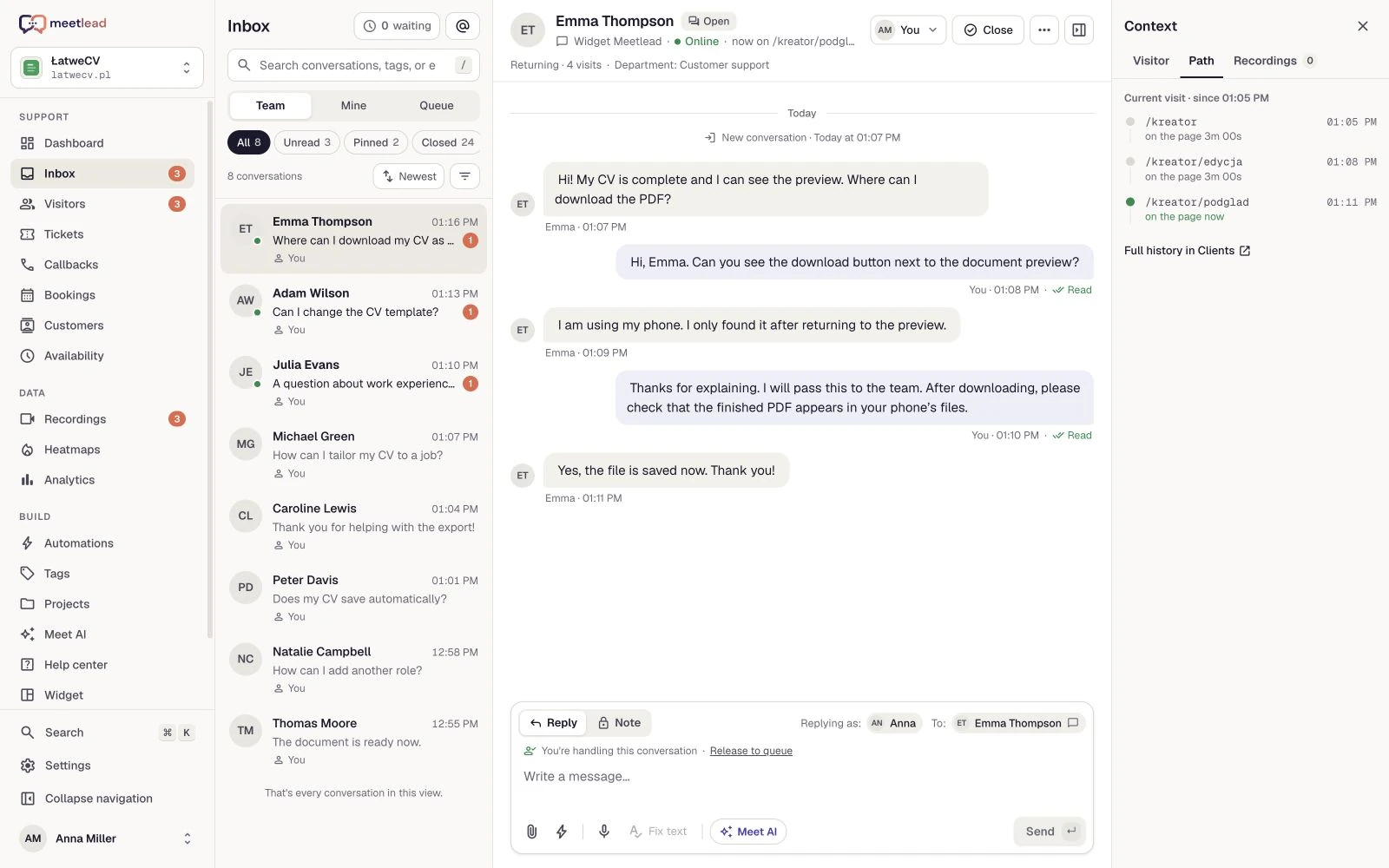
Add the widget and prepare answers to the first questions.
Enable the analytics you need with appropriate privacy settings.
Link the signal to a task and observe the outcome in a goal.
No. Start with contact and one important goal. Install Apps such as Projects, Meet AI or Automations when you need them and they are available in your offer.
No. Product families organize the capabilities of one platform. App access and limits follow your plan and workspace offer.
No. It gives you tools to understand a problem, implement a change and measure it. The result depends on the product, users and the change itself.
Choose one contact channel, a shift and a simple handover rule. Prepare help for common questions and use behavior analysis for a specific product goal.
No. Start with conversations and help articles. Introduce Meet AI and Copilot with prepared knowledge and a clear route to a person.
Create an account, add the widget to your website and start talking to customers. Add more capabilities as your team grows.Tell us about your team. We will show you the product and help you choose capabilities for the way you work.
Free Starter plan. No credit card required.Explore the product in a demo tailored to your business.