
Filter by behavior and context
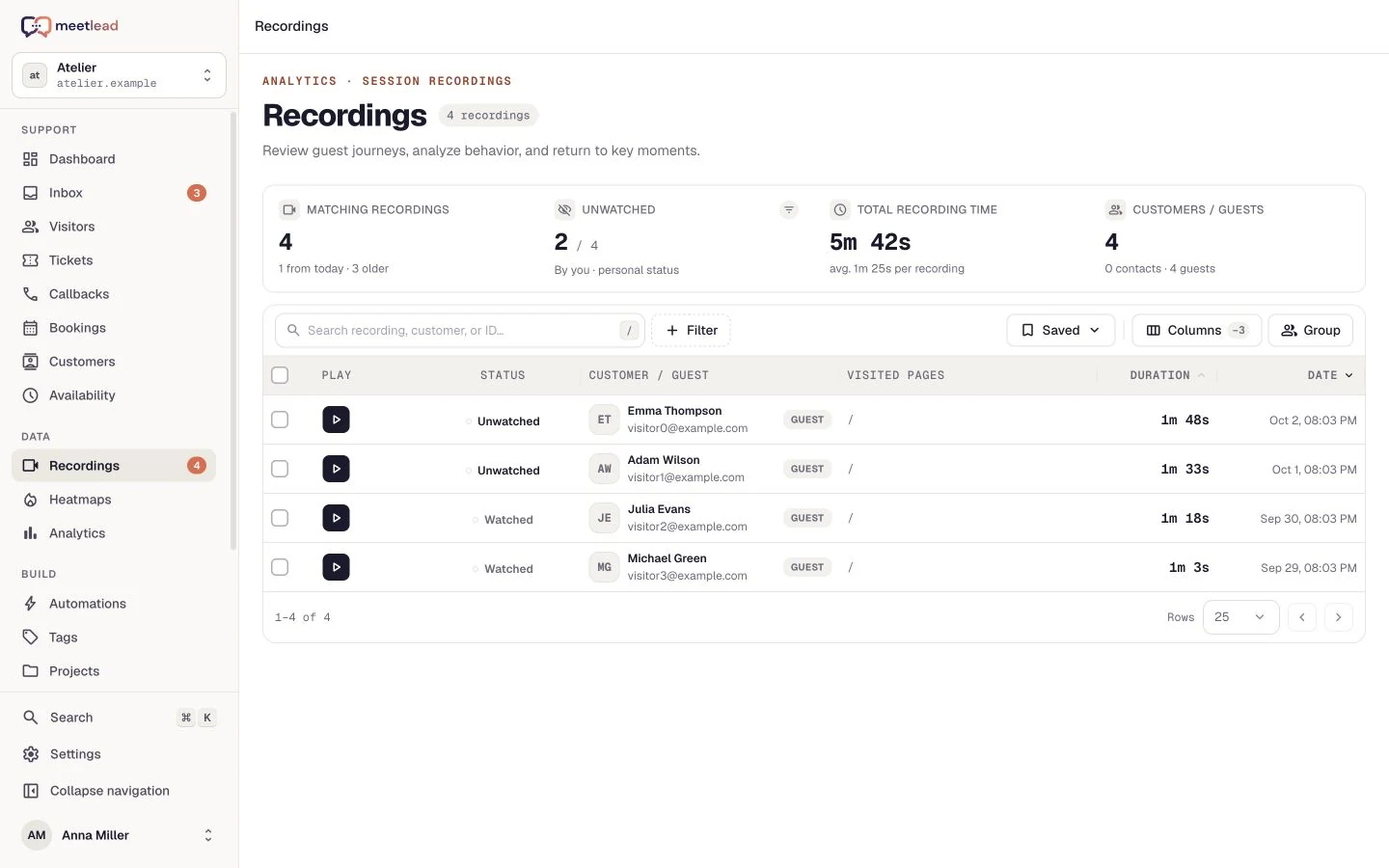
Combine conditions for page URL, duration, date, device, browser and traffic source or campaign. Choose watched or unwatched recordings.
Session recordings
Replay a visit, find a moment of hesitation and show it to your team. Session recordings turn on-page behavior into a concrete idea for a better experience.
Free Starter plan. No credit card required.Explore the product in a demo tailored to your business.

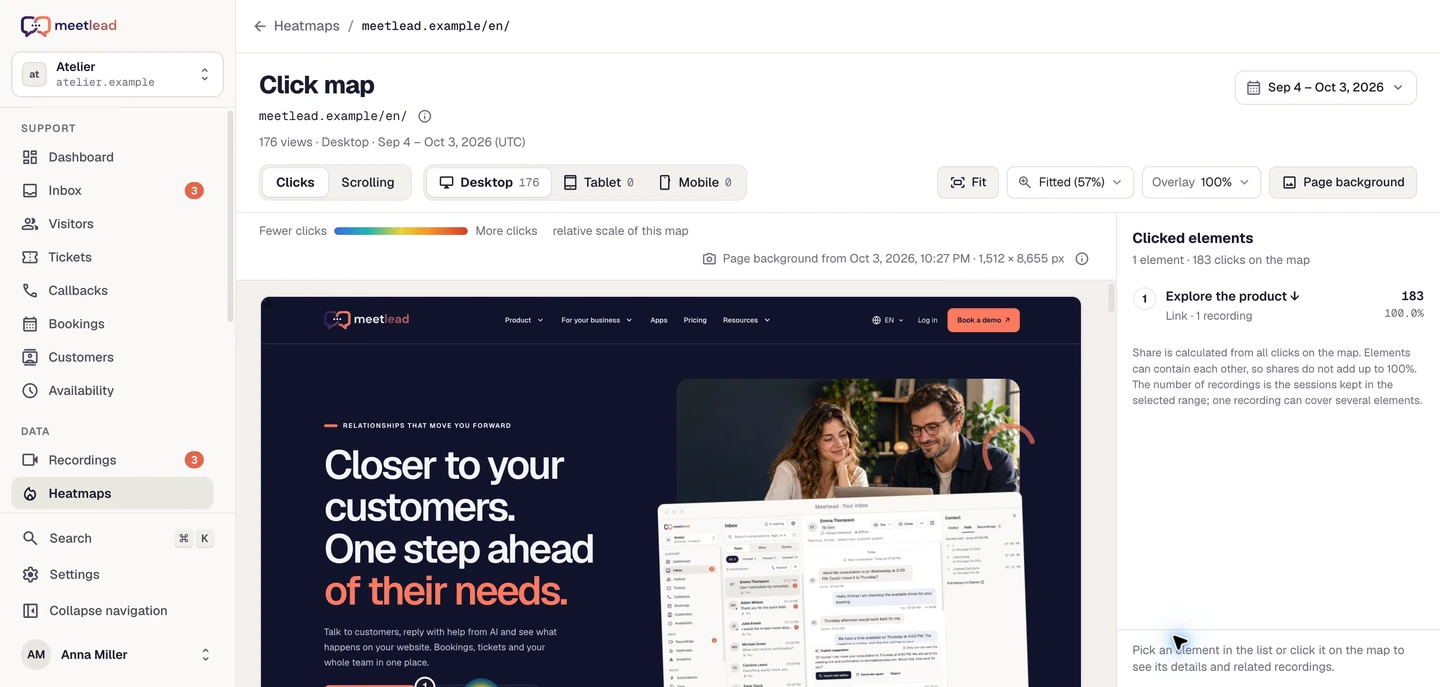
The numbers tell you where to look. A recording helps you see what happened.
Investigating a page, a campaign or the mobile experience? Narrow the list to the visits that answer your question.
Combine conditions for page URL, duration, date, device, browser and traffic source or campaign. Choose watched or unwatched recordings.
Save a useful filter setup, adjust columns and group recordings by customer. Return to the same view for your next review.
Open related recordings from a point on the click map when those recordings are retained. See what happened before and after the click.
Mark recordings as watched or unwatched. The list summary shows matching sessions and their total duration.
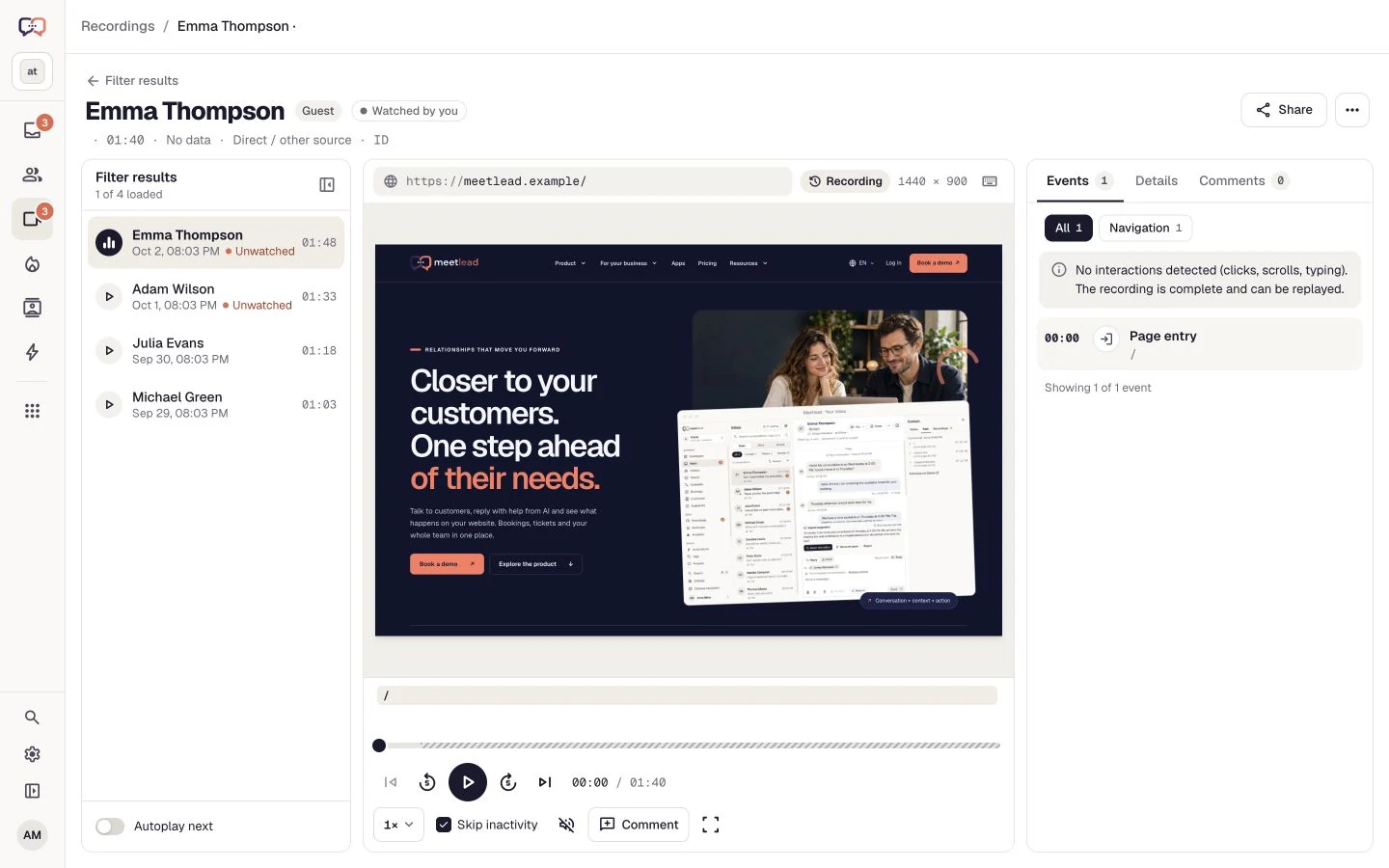
See how a visitor moves through a form, an offer or signup. Review clicks, scrolling and page changes in the context of the whole visit.
Pause, jump to a moment and change playback speed from 0.5× to 4×. Skip inactivity to focus on what visitors actually do.
The action list leads to clicks, scrolls, page changes and field interactions. Select an event to replay that part of the visit.
The player flags rapid repeated clicks in the same area. Replay that moment to check whether the element responds as the visitor expects.
Follow visited pages alongside device and traffic-source details. Move to the next recording in the same list, with optional automatic playback.
Choose a page or action you want to understand. Use a consistent session list for the initial review and follow-up after a change, rather than watching unrelated visits without shared context.
Filter to the form and mobile devices. Review field order, returns to earlier steps and the point of exit; entered values remain subject to masking.
Select the offer URL and traffic source. Check whether visitors reach the details and next action, and use chat questions as additional context.
Find the retained visit and jump to the comment timestamp. Add reproduction steps, the expected outcome and a recording link to the task.
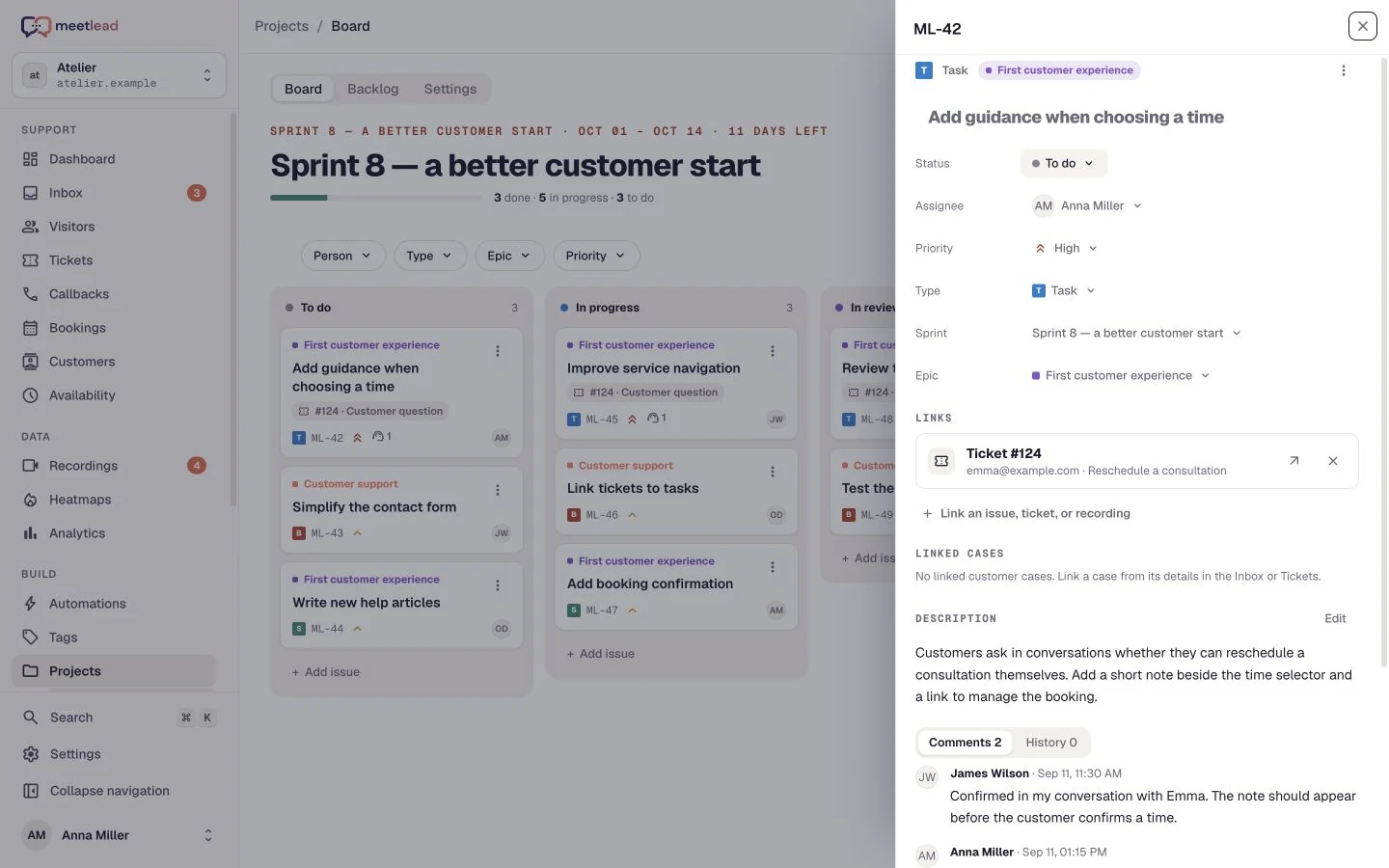
A useful observation should survive closing the player. Leave a comment, share the recording and link it to the work that follows.
Add a comment or reaction with a timestamp. Your team can jump from the feedback straight to the relevant part of the recording.
Copy a team link or create a public preview for 24 hours, 7 days or 30 days. You can revoke an active public link.
Link a task to the recording in the Projects App. A designer or developer can return to the observation without searching another tool.
Use replay as evidence for a product discussion. One session is a specific case; Analytics and heatmaps help assess its scale, while a conversation can help verify the cause.
A repeated click may indicate difficulty without explaining it. Review the page state before the event and its response afterwards before drawing a conclusion.
Recordings cover visits captured under the active configuration and still within retention. A missing recording does not prove that a visitor never took that step.
Choose a focused change and acceptance criteria. After release, revisit comparable visits and the product goal while keeping the completion definition consistent.
Match the settings to your website and consent setup. Session recording has its own configuration, independent of whether the chat window is visible.
Mask input values by default. Configure text masking, hide selected elements and exclude parts of the page.
Choose the after-consent start mode and connect it to your consent mechanism. Withdrawing the required consent stops further recording.
The widget interface and its content are excluded from session recording. Manage conversations in the dedicated Meetlead inbox.
Narrow sessions to the page or visitor group you want to understand.
Replay the visit and stop at the moment that needs attention.
Add a comment, share the recording and attach it to a task in Projects.
Starter does not store recordings. Growth includes 14 days of history for new recordings. Deleting a recording does not delete statistics or visits covered by analytics retention. Share-link validity, message history, heatmaps and the trial period follow separate rules. Live page preview is available on every plan. The recording allowance is shared across workspace websites, renews monthly and does not reset when the plan changes. Sharing does not extend a recording’s lifetime.
Yes. Chat interface visibility and recording settings are independent. Recording requires session recording to be enabled and the selected consent condition to be met.
Yes, using a public link that expires after 24 hours, 7 days or 30 days. Anyone with the link can open the preview. You can revoke it earlier from the sharing panel.
The default configuration masks input values. Configure additional text masking and exclusions for your website. Widget content is excluded from recordings independently of the page’s general masking settings.
A point on a click map can lead to retained recordings containing that interaction. In Projects, you can link a recording to a task. Install Heatmaps and Projects as Apps for your website; see pricing for their current availability.
No. The player reconstructs the recorded page state and user interactions. It does not capture the desktop, other applications or content outside the embedded website; masking and exclusions shape what is visible.
Expiration or revocation ends access through that link. The recording itself remains subject to retention and Meetlead permissions; a valid link does not preserve it indefinitely.
Create an account, add the widget to your website and start talking to customers. Add more capabilities as your team grows.Tell us about your team. We will show you the product and help you choose capabilities for the way you work.
Free Starter plan. No credit card required.Explore the product in a demo tailored to your business.
Starter does not store recordings. Growth includes 14 days of history for new recordings. Deleting a recording does not delete statistics or visits covered by analytics retention. Share-link validity, message history, heatmaps and the trial period follow separate rules.
Live page preview is available on every plan. The recording allowance is shared across workspace websites, renews monthly and does not reset when the plan changes. Sharing does not extend a recording’s lifetime.