

Customer service in a small business rarely fails for lack of tools. More often, it fails because there are too many of them for three people who also handle sales, shipping, and invoicing. Guides usually suggest what else to add. This article goes the other way: it shows what to remove so that what remains actually works every day.
Limited time is not a lack of professionalism; it is the reality of a small business. Good service with three people looks different from service with thirty, and there is no point pretending otherwise. It should be predictable, not exhaustive.
One channel done well beats three handled half-heartedly
Every contact channel has two costs. The first is visible on the pricing page; the second is visible in the calendar. In a three-person company, the second matters more: chat, an inbox, a form, a phone line, and two social media profiles make six places someone has to check before they even start replying. The customer does not see that arithmetic. They only see that they wrote in one of those places and are still waiting three days later.
That is why the first decision is not “which tool should we choose?” but “which single channel will we handle properly?” The others can remain, but only in a role you can sustain: an email address in the footer instead of an elaborate form, or a phone number without a promise that someone will answer immediately. Choosing that one channel depends on three things.
- Where customers already contact you on their own before you change anything.
- Which channel can be handled from a phone between other tasks.
- Where the question arises closest to the purchase decision, rather than long after it.
For most companies that sell through a website, the answer is a channel on the website itself, available exactly where a doubt arises. We explain how to choose and set up such a channel in our guide to live chat on a website. But if your customers have called for years and are not used to writing, forcing chat on them will only add work — organizing phone coverage and callback requests will achieve more.
A channel you cannot handle within one business day is worse than having no channel at all. Before adding another, check whether the current one has an owner and a realistic response time.
The minimum setup that works in a three-person company
Minimum does not mean inferior. It means a setup you can maintain even in a week when two people are at a trade show and the third is packing orders. The table below divides common service elements into those without which the first month makes little sense and those that can comfortably wait.
Scroll the table sideways to see all columns.
| Element | Needed at the start? | Why |
|---|---|---|
| One channel on the website | Yes | Without it, customers have nowhere to ask a question when doubt arises |
| Customer-visible service hours | Yes | They set expectations and relieve the team of pressure to be constantly available |
| Offline mode with a form | Yes | Messages sent outside service hours land on one list instead of in a private inbox |
| Visit context alongside the conversation | Yes | It shortens the conversation by eliminating questions such as “which page are you on?” |
| Phone notifications | Yes | One person can monitor the channel without sitting in the panel all day |
| Conversation tags | Later | They become useful once there is enough material to review, not on day one |
| Post-conversation rating | Later | With only a few conversations a day, the score says nothing and the question tires customers |
| Automations and a knowledge base | Later | Enable them once you can see which questions genuinely recur |
In Meetlead, the first five items are configured in one panel: conversations with visit context, a separate availability schedule for each website, an offline mode with a form that creates a ticket with a case number and event timeline, and notifications. Tags, post-conversation ratings, automations, and the knowledge base are installed when needed, and some of their scope depends on the plan. There is no need to enable them in the first week, and it is better not to.
Notice what is not on this list. There is no separate address for complaints, no reply templates for twenty scenarios, and no weekly report. All three are sensible — just not when you handle a dozen or so conversations a week and can remember them without checking.
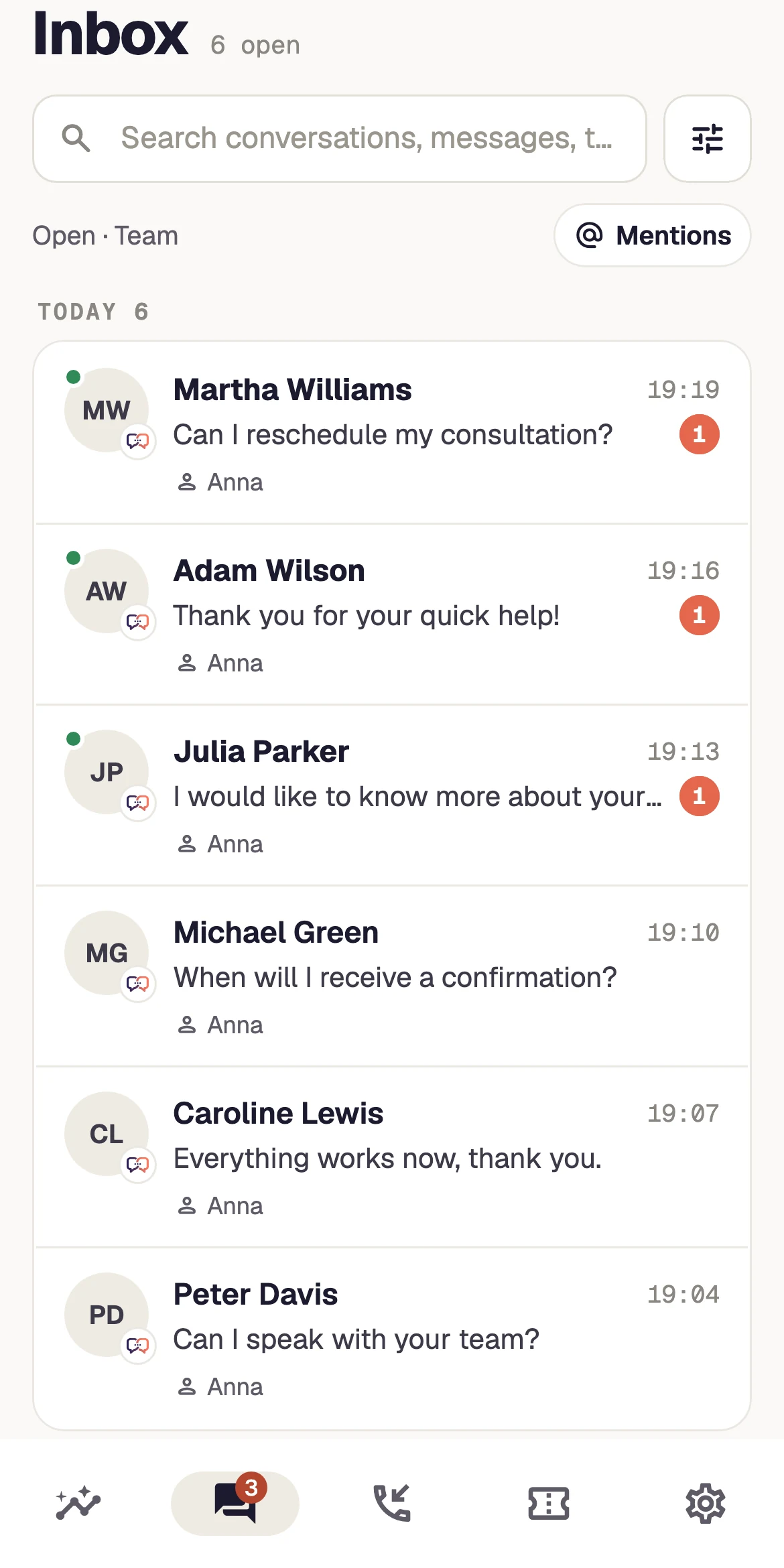
Conversations, an availability schedule, and offline mode are enough to get started. See what this setup looks like in the panel — add the rest once there is a reason to.
If you start with a free plan, first check where its limits usually lie. We describe them in our article about free live chat for a website.
What not to enable at the beginning
Most features in customer service tools were created for teams where customer service is someone's sole responsibility. In a three-person company, the same features turn into administrative work with no audience: someone configures them and someone fills them in, but nobody uses the result. Below are five things most often enabled too early, and the point when they become worth revisiting.
- Elaborate categoriesA tree with twenty entries requires a decision in every conversation. Return to it when a monthly review no longer fits into a single glance at the list.
- Department routingQueuing for sales and support makes sense when different people handle them. With three people, it adds a step after which the same person replies anyway.
- Surveys and satisfaction measurementA handful of ratings a month does not make a trend, while asking after every conversation costs customer patience. Return to it when there are too many conversations to remember individually.
- Automated scenariosA rule that prompts a visitor works well with high traffic. With low traffic, it more often targets someone you would assist personally anyway, and the prompt itself comes across as pushy.
- A second languageAdding a language is not merely translating the widget; it is a commitment to reply in that language during service hours. Revisit it when inquiries from abroad arrive every week, not once a quarter.
The common denominator is simple: each of these things requires data or people that simply do not exist at the start. A more sensible order is the reverse — first collect two or three months of ordinary conversations, then check what recurs. Topics for a knowledge base and FAQ usually emerge from those conversations on their own, without workshops or idea lists.
There is one exception to the rule of postponing things. If something prevents the customer from reaching a dead end — service hours, the ability to leave a message, confirmation that a ticket was received — enable it immediately. You can postpone team convenience, but not a customer's way forward.
A promise matched to your actual capacity
The costliest customer service mistake a small business can make is not a slow reply, but a promise it cannot keep. Claiming “we reply instantly” with a three-person team means that every other time, the customer is left feeling ignored. “We reply from 9 a.m. to 4 p.m., usually within an hour” describes the same work without disappointing the person on the other side.
A promise has three parts: the hours when someone is genuinely monitoring the channel, the stated response time during those hours, and what happens outside them. The third part is often overlooked, yet it matters most because many messages to a small business arrive when nobody is at a computer.
- 8:40 p.m.
A customer opens the pricing page and wants to ask about the delivery date
- 8:41 p.m.
The widget shows that the team is offline and offers the option to leave a message
- 8:42 p.m.
The form creates a ticket with a case number and information about when to expect a reply
- 9:15 a.m.
The person on duty replies with the full visit history available in one place
It is worth setting hours separately for each website and changing them whenever the week's schedule changes: a business trip, a holiday, or a busy season. A few minutes of work can preserve a customer's impression of the entire week. We explain how to arrange shifts when the team is genuinely small in our article about staffing a customer service team. If the same team supports several brands, set hours and an on-duty person for each website separately, as described in our guide to supporting several websites with one team.
Configuring an availability schedule and offline mode takes fifteen minutes. Start with them before polishing the wording in the widget.
If a request exceeds the available capabilities, use the guide: Declining a customer request while offering a real next step.
When a makeshift setup is no longer enough
The minimum setup has an expiry date. It does not end in a particular month or at a particular number of inquiries, but when it begins to cost more attention than it saves. The signs are fairly clear, but easy to miss because they build gradually.
- Someone on the team replies from their phone in the evening because otherwise the case will sit untouched until morning.
- A customer asks about the status of their case, and finding the answer requires checking three places.
- Two people reply to the same question because neither can see that someone else has already started.
- One person's holiday stops the entire channel because only they know what is in progress.
- The same questions return every week, and nobody has time to write down the answer once and for all.
- You return to a conversation from a month ago and cannot establish how it ended.
Each sign points to a different solution, which is good news — you do not need to rebuild everything at once. The first and fourth concern schedules and cover. The second, third, and sixth mean a shared inbox is no longer enough and it is time for an organized case workflow, which we describe in our article about a customer service ticketing system. The fifth is the least expensive to address because a few well-written answers solve it.
You can check these signs in your own data without additional tools. For two weeks, simply record how often someone had to search for information and how many cases returned to the team after hours.
The first test of this setup is usually the first holiday. We explain what to change in advance and how to return without losing track of cases in our article about customer service during absences.
A plan for the first month
You can launch the whole setup in one evening, but you should not judge it after one day. A month is the minimum needed to see how the channel behaves both in a quiet week and in one when everything happens at once.
- Week one: launch one channel.A conversation option on the pricing and contact pages, honest service hours, and offline mode with a form. Nothing else.
- Week two: decide who replies.One person on duty each day, one backup, and one rule: any case unanswered by the end of the day goes on tomorrow's closure list.
- Week three: improve the copy, not the features.Read the first conversations and improve the greeting, the offline message, and the availability description. That usually achieves more than any new feature.
- Week four: review and decide.List the questions that came up more than twice. Only then decide whether you need tags, a knowledge base, or a second channel.
After a month like this, deciding how to expand stops being guesswork. You know how many conversations actually arrive, at what times, and what they concern. That is enough to add one thing at a time and check whether it removed work or added to it. This pace is slower than deploying everything in a week, but it is the only one a small team can maintain for a year. Once you see what repeats, pick one process to automate using the criteria in our guide to small business process automation.
You do not have to decide alone what to enable at the start. Show us your website — we will suggest what can comfortably wait in your case.
Use shared criteria rather than an overall impression when reviewing conversations. The customer support QA scorecard provides a practical small-team template and a way to calibrate ratings.



