

Taking a holiday in a small business is not negligence — it is normal and simply needs to be handled like any other schedule change. The problem begins when nobody planned for it: chat still shows as available, the form accepts tickets, and callback requests are booked for dates when nobody will be there. A week later, the team returns to dozens of cases, some of which customers have already resolved with a competitor. This article covers two situations: an absence you know about in advance and one that begins at seven in the morning with a call saying, “I can't make it today.”
Why “we'll leave it as it is” is the worst choice
Instinct tells you not to touch anything. Disabling chat feels like admitting weakness, and surely someone will check it in a spare moment. In practice, this is the worst of three options because it combines the costs of the other two: the customer receives a promise of availability that nobody will keep, while the company still fails to handle cases as they arrive.
The difference between a disabled channel and a silent one is a difference in expectations. A closed door with a note saying when it will reopen is neutral — customers know where they stand. An open door with nobody behind it first creates hope, then frustration, and finally a judgment about the whole company rather than one particular week. Our guide to the live chat waiting message shows how to signal real availability and the next step on ordinary days.
- A green dot with nobody behind itA widget signaling availability sets the customer's mental clock to minutes, not days.
- A form with no ownerTickets keep arriving, but nobody reads or assigns them.
- Deadlines you cannot meetA callback request for a Tuesday when nobody is there is a promise broken from the outset.
- Silence as an answerCustomers interpret a lack of response as a company decision, not one person's absence.
There is also an internal cost that only becomes visible after the team returns. Cases come back tangled together: some customers wrote a second time, some called, and some left without a word. Untangling them takes longer than handling them as they arrive.
A silent channel causes more harm than a disabled one. Disabling it costs one decision; silence costs trust and a week spent clearing the backlog.
Meetlead has no separate “holiday mode” or automatic email responder beyond system notifications. Everything described below uses existing settings: the availability schedule and its exceptions, offline mode, callback configuration, and widget visibility rules.
Before opening dates far in advance, use the guide: Booking horizon: how far ahead to open your calendar.
A planned absence: what to change and when
A holiday you know about a month ahead gives you a luxury illness does not: you can spread the preparation across several days and take care of some things in advance. The table below organizes the work by element rather than by day — the timing column tells you how early to address each item.
Scroll the table sideways to see all columns.
| Element | What to do | When |
|---|---|---|
| Availability schedule | Add an exception for the days away instead of changing the regular working week | One week before |
| Offline-mode copy | Give a specific return date and explain what will happen to the ticket | Two days before |
| Callback requests | Decide whether to keep accepting them and which dates should have available slots | One week before |
| Widget visibility | Consider hiding chat on pages that generate the most urgent cases | One day before |
| Open tickets | Close what you can and hand over the rest with a note and a clear status | Three days before |
| Cover | Set the right role and access for someone who will check in, even if only once a day | One week before |
| Campaigns and mailings | Move mailings, promotions, and campaign launches outside the absence window | Two weeks before |
Two items on this list are often overlooked, yet they determine the scale of the problem. The first is campaigns: sending a newsletter on the first day of a holiday doubles traffic exactly when nobody can handle it. The second is open tickets — an active case known only to the person leaving is the one a customer will not forgive. The case number, status, and assignment exist precisely so someone else can understand it without having to ask.
A schedule exception is better than manually changing working hours for one reason: there is nothing to remember after you return. The regular week remains intact, while the exception simply expires. Manually shortened hours can survive for another three weeks because nobody notices that the company is still operating in holiday mode.
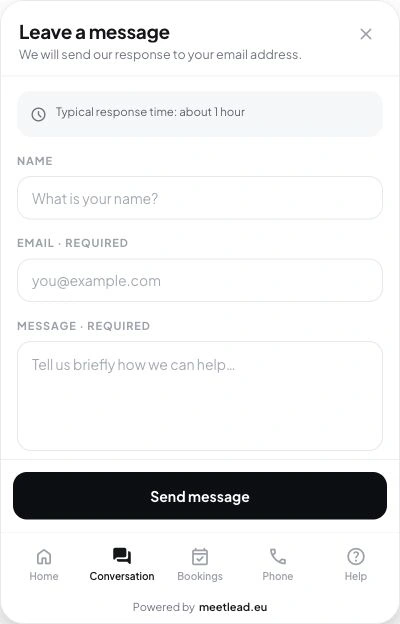
Configure the availability schedule separately for each website and add exceptions for specific days. Outside those hours, chat switches to offline mode with a form that creates a ticket. Start configuring.
If the absence falls during a period when you are already short-staffed, it is worth checking whether the problem is limited to that week or lies in the regular shift pattern. We explain how to calculate staffing for the actual distribution of inquiries in our article about staffing a customer service team.
A sudden absence: fifteen minutes on your phone
Illness does not give you a week to prepare. It gives you fifteen minutes, usually before your first coffee, often on your phone and without access to a computer. That is why the checklist for such a day must be short and feasible in this order — from the action with the greatest impact to the one that is merely useful.
- Close today in the schedule.An exception for today is enough. Do not rebuild the entire week when you do not know how long the absence will last.
- Replace the offline message.One sentence with a date — even an approximate one — is better than the default system message.
- Decide what to do with callbacks.Either pause callback requests or keep them open with dates after your return.
- Review cases from the last 24 hours.Reply only to people waiting for your specific answer. The rest can wait.
- Tell one person in the company.Anyone who can answer the phone and knows what to say when asked about timing.
- Set yourself a reminder for tomorrow.If the absence continues, a message with yesterday's date is worse than no message at all.
It helps to know what the system does on its own. An operator is considered available only when the panel has an active connection, their role is correct, and the current time falls within the schedule. When the last operator disconnects, the channel immediately switches to offline mode. Simply leaving the computer will not keep the widget glowing green — but it will not change the message copy or callback dates either, and those are what the customer will see.
- 7:10 a.m.
Phone call: I can't make it today, and probably not tomorrow either
- 7:15 a.m.
A two-day schedule exception switches the channel to offline mode
- 7:20 a.m.
A new offline message gives the return date and explains the ticket
- 7:25 a.m.
Yesterday's three most urgent cases receive a brief reply
If mornings like this happen more than once a quarter, the problem is not illness but the lack of a buffer. We describe the minimum setup that protects one-person customer service day to day in our guide to customer service in a small business.
A message that does not sound like an excuse
An absence message has one job: change the customer's expectation from “a reply in a moment” to “a reply on Thursday.” It does not need to explain the reasons, apologize three times, or sound like an official letter. It must give a date and say what happens to the case in the meantime.
- Give a specific return date instead of saying “soon” or “in the near future.”
- State clearly that the message creates a ticket and will not be lost — that is the only thing the customer worries about at this point.
- Provide one route for genuinely urgent matters and describe it in one sentence.
- Do not explain the reason for the absence in more than a word — this is information for the customer, not a report.
- Do not promise a reply “despite the holiday” unless you are sure someone will write it.
- Do not leave the default system copy in place, because it sounds automated and gives no date.
- Check the same copy on a phone — customers read the offline message in the widget, not in the editor.
A specific date matters most here and can be the hardest thing to give because it requires a commitment. During an illness, saying “we'll be back by Monday at the latest” can be easier than naming a day you are unsure about — and that is a good strategy, provided Monday genuinely is the latest possible date. Customers will hold you to the stated date, not your intention. The same rule applies to ordinary evenings and weekends, as explained in the guide to after-hours website enquiries.
Offline-mode and success-screen copy is fully configurable in Meetlead, so it is worth improving the message shown after the form is submitted too — it is the last screen the customer sees and a natural place to repeat the return date. Add two absence messages to your collection of ready-made wording: a shorter one for the widget and a longer one for replies. We explain how to maintain such a collection in our article about customer service reply templates.
A good message can be summarized in one sentence: “we're away until Thursday, your message has been saved, and we'll get back to you on Thursday morning.” If your version does not fit into a sentence like that, it is probably explaining rather than informing. Let's discuss your situation.
Urgent cases: what really counts as an exception
Every absence plan runs into the same question: what if something urgent comes up? Without an agreed criterion, the answer is “it depends,” which in practice means checking your phone every hour throughout the holiday. The criterion must be narrow enough for an exception to remain exceptional, and clear enough for the person providing cover to apply it without calling you for a decision.
Scroll the table sideways to see all columns.
| Situation | Is it an exception? | What to do |
|---|---|---|
| A customer cannot use a service they have paid for | Yes | Contact them the same day, even if only to explain a workaround |
| A contractual or statutory deadline falls during the absence | Yes | Resolve it before leaving or hand it over to a named person |
| An order is in progress and the customer risks a loss | Yes | The person providing cover follows a short instruction |
| A question about price or availability | No | Create a ticket with a response date after the team returns |
| A new sales inquiry | No | Confirm receipt and give a specific contact date |
| A complaint with no statutory deadline that week | No | Mark the ticket high priority for the first day back |
The common denominator in the first three rows is irreversibility: waiting genuinely costs the customer something. Anything that is merely impatience — including your own, because a new sales inquiry is the most tempting — waits. Write that distinction down in one sentence and give it to the person covering for you. If clients know your personal number, put the same test into your contract; a sample clause is in the plan to move clients off your personal phone to one business channel.
Callbacks are more convenient here than chat because they move the contact to a time you choose. Server-generated slots will not let the customer select a day when nobody is available, while accepting callback requests outside working hours is a separate setting — so you can collect requests throughout the week away and call back only after you return. We explain how to arrange this in our article about website callbacks.
Callback slots are generated on the server, while accepting requests outside working hours is a separate setting — customers cannot choose a date you cannot support. Start configuring.
Returning: how to clear the backlog without losing cases
The first day back usually looks like this: a list sorted from oldest to newest, work from morning to evening, and the sense that something was still missed. Chronological order is the worst possible choice, however, because the oldest cases are often the most outdated, while yesterday's still have a chance to develop.
- Review everything before replying.Fifteen minutes spent scanning all tickets gives you a picture a chronological list cannot.
- Filter out duplicates.The same customer wrote in chat, then used the form, then called. That is one case, not three.
- Start with deadline-driven cases.Contracts, orders in progress, and anything where delay has a real cost.
- Then handle the newest inquiries.A customer from two days ago is still comparing offers; one from a week ago usually is not.
- Give the oldest cases an honest reply.A brief answer confirming that the case was not lost saves more than you might expect.
- Remove the absence message only at the end of the day.Clearing the backlog while accepting new conversations at the same time leads to a second week of catch-up.
The last point is the one most often overlooked. Opening chat at nine on the first morning means current conversations interrupt the backlog, while the backlog slows responses to current conversations. One day with short service blocks instead of full availability usually cuts the entire return period in half. We explain why waiting hurts more than a visibly closed channel in our article about first response time in live chat.
Finally, one thing turns that week into something useful: write down what went wrong. How many cases arrived, how many were genuinely urgent, and whether the person providing cover had enough information. Three sentences in a note mean the next holiday takes fifteen minutes to prepare for instead of half a day — and stops being an event, becoming an ordinary item in the schedule.



