

Session recordings let you replay the sequence of a user's actions on a website: moving between views, clicking, scrolling, and pausing. They are not conventional camera footage or proof of what someone was thinking. They show recorded interactions with the website. Used well, they help you find points of friction; watched without a purpose, they quickly become a collection of interesting but unhelpful stories.
Write down your question before the first replay
‘Let's see what people do’ is too broad. Your question should identify a page or stage, a group of visits, and a decision you can make. For example: ‘Do mobile users who open the quote form get stuck on the same field?’ This tells you which sessions to select and which ones not to analyze.
Does [a specific group] encounter [observable behavior] on [a page or at a stage], making it worth considering [a possible decision]?
The question should not contain the answer. ‘Why does an overly long form put customers off?’ already blames the form and assumes the user's emotional state. A better version is: ‘What happens in sessions where the form was opened but not submitted?’
This is part of a larger process. Our cornerstone article on analyzing user behavior on a website shows how to combine quantitative data, a heatmap, a recording, and a conversation.
Choose sessions that match the question
The most dramatic recording is not necessarily the most useful one. Your selection should follow from the problem. If you are analyzing a form on mobile devices, desktop sessions will only muddy the picture. If you are interested in visitors returning to the pricing page, choose visits that include that part of the journey rather than random entries from the blog.
Scroll the table sideways to see all columns.
| Question | Selection criterion | Control sessions |
|---|---|---|
| What prevents the form from being submitted? | The form was opened but no successful submission was confirmed | Visits that ended with a successful submission |
| Is the CTA visible on mobile? | A phone visit that reaches and scrolls near the CTA | The same pages on desktop |
| What happens before a question about a plan? | Sessions that ended with a conversation about pricing | Visits to the pricing page that did not lead to contact |
| Where does a returning customer get stuck? | Repeat visits along the journey in question | First visits along the same journey |
Control sessions matter because they help you distinguish normal use of the website from behavior that occurs only along the problematic journey. You do not need a perfectly representative study to notice something worth investigating, but do not declare a rule based on a single example.
Do not decide in advance on a magic number of recordings after which a conclusion becomes true. Keep watching until you can describe a recurring pattern and the cases that do not fit it. If every session looks different, your segment may be too broad or your question may combine several problems. Narrow it by device, page, or outcome instead of selecting only examples that support your first hunch.
A separate use of this method is hunting for a defect that affects a narrow group, such as a specific browser or setting. We cover this in our article about errors visible to only some users.
Scroll the preview sideways or enlarge it to see the details.
Watch three layers, not just cursor movement
When replaying a session, it is easy to focus on dynamic elements. The sequence of events is more valuable, however. Observe the journey, the interaction, and the outcome—always in that order.
- Journey.Where did the user come from, which pages did they open, and which did they return to? Record the sequence without assigning meaning to it yet.
- Interaction.Where did they click, how far did they scroll, did they try to use an element that did nothing, or did they change direction several times?
- Outcome.Did they continue, submit a form, start a chat, request a call, encounter a visible error, or simply end the visit?
A pause does not necessarily mean confusion. The user may be reading, have stepped away from the device, or switched tabs. Fast scrolling does not prove a lack of interest, and returning to a section does not automatically signal an intention to buy. Describe what you can see before naming a possible explanation.
A recording answers questions about an individual visit. An aggregate pattern is easier to see on a map. Our comparison of session recordings and heatmaps helps you choose the right order for the tools.
Filters for page, device, and event can reduce viewing time to a dozen or so minutes. Explore behavior analytics.
When going back removes previously entered data, use the guide: Back button and lost data: reproduce the journey that forces a restart.
Use a card with three fields: fact, hypothesis, counterevidence
The simplest analysis note has three columns. The first contains an observable fact. The second contains a possible explanation. The third contains information that could contradict that explanation. Recording your analysis this way reduces the temptation to treat your first interpretation as the truth.
- Fact
Three clicks on the plan name without a change of view
- Hypothesis
The name may look like an expandable element
- Counterevidence
Check other sessions and devices; the clicks may be accidental
- Next step
Compare the click map with recordings of this section
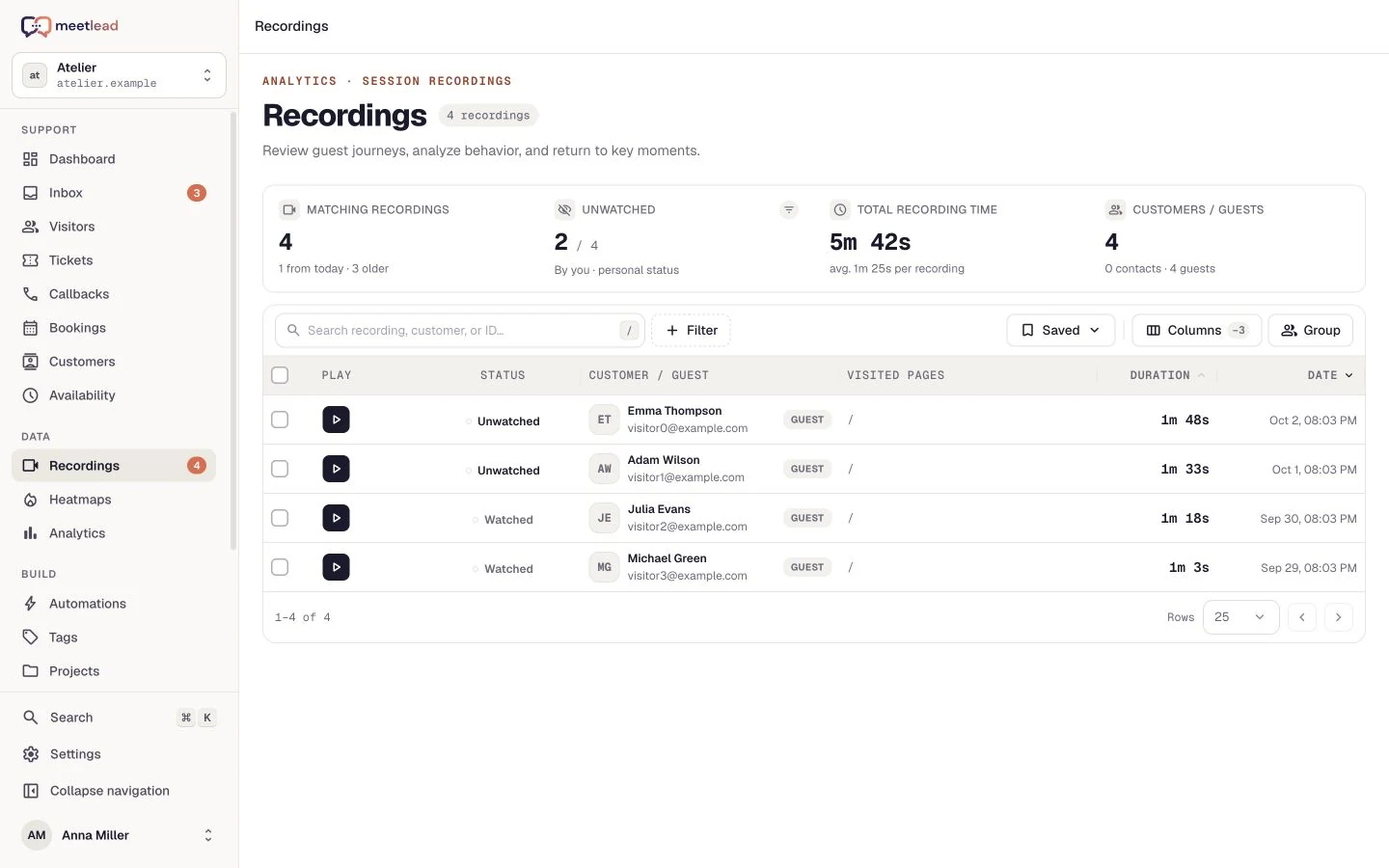
Add the page address, device type, approximate point in the recording, and visit outcome to your note. If the tool lets you comment on or tag important moments, use shared labels such as ‘form’, ‘navigation’, or ‘inactive element’. Meetlead provides a recording player with panels for information, actions, and comments, so the observation can remain attached to the specific session.
Do not copy values that users enter into fields, and do not look for data that you do not need for the purpose of the analysis. Your recording configuration should limit and mask sensitive content.
Check the hypothesis against other sources
If several recordings show a similar moment, do not end the analysis by saying, ‘We know why.’ Check whether a click or scroll map confirms the pattern across a larger group of visits. Also see whether the problem differs between mobile and desktop and whether it concerns a specific traffic source or version of the page.
Customer conversations provide a different kind of information. If people who visited the pricing page regularly ask what implementation includes, the content of those questions is stronger evidence than the mere fact that they returned to the table. Meetlead brings recordings, activity, and contact history together in the customer profile, but a person still formulates the hypothesis and decides what to change.
Finally, write down a small, testable change and the signal you will use to evaluate it. If you have a larger number of problems, use the process described in our website conversion audit guide to prioritize your hypotheses.
In online stores, the most common use of this method is diagnosing cart abandonment. We describe the full process, from identifying the stage to verifying a hypothesis, in our article about abandoned carts.
A simple analysis routine for your team
Instead of watching recordings every day without a plan, schedule a short analysis session around one question. One person selects the visits, another reviews how observations are recorded, and the team ends by agreeing on no more than one change to investigate further. The purpose of the meeting is not to watch a set number of videos, but to make a better decision.
- Write down the question, page, segment, and possible decision.
- Choose sessions that match the criterion, along with several control visits.
- Record the journey, interaction, and outcome in the same order.
- Separate facts from interpretations and add possible counterevidence.
- Check the pattern on a heatmap or in quantitative data.
- Compare the observation with real questions from chat or callback requests.
- Write down one hypothesis, the next step, and how you will evaluate the change.
The best recording analysis does not end with the words ‘interesting session’. It ends with a precise hypothesis, an account of its limitations, and a plan for testing it that everyone on the team understands in the same way. When the audience is an agency client, you can present that hypothesis, its limits and the test plan in a UX report for clients.
When a recording reveals a problem but does not explain exactly what was happening, the least expensive way to fill the gap is to speak with five people. We explain how to conduct these conversations in our article about website usability testing.

