
A micro-conversion matters only if it changes the probability of an outcome. Clicking a phone number usually does. Scrolling halfway down a page usually does not. The difference between those two events determines whether you build a useful measurement system or a dashboard full of charts that no one looks at after the first week.
Three criteria for a good micro-conversion
Before tagging another event, test it with three questions. If you cannot answer any one of them, you are probably measuring activity rather than progress.
- Does it predict the outcome?People who perform this action should complete a purchase or submit an inquiry more often than everyone else.
- Is it intentional?Clicking through to pricing is a decision. Scrolling a page can be a reflex.
- Can you influence it?If you cannot name a change that would increase it, the event will be no more than a curiosity.
- Will it survive website changes?A goal tied to a single button with a specific identifier usually will not.
The last question matters in practice. Goals based on label text or an element's position break during the first redesign, and no one notices for several months. Define events by their business meaning, not by the interface's appearance.
Five well-chosen events will give you more than forty arbitrary ones. See how Meetlead records goals and takes you from a number to individual sessions.
Which events usually work
The list below is not universal; much depends on how you sell. Treat it as a starting point for a team discussion, not a ready-made configuration to copy.
Scroll the table sideways to see all columns.
| Event | Usually valuable | Note |
|---|---|---|
| Clicking a phone number | Yes | On mobile, this effectively starts a conversation |
| Starting a chat conversation | Yes | A strong intent signal that is easy to connect to an outcome |
| Submitting a form | Yes | Usually treated as a primary goal, not a micro-conversion |
| Visiting the pricing page | Yes | A good indicator of the consideration stage |
| Downloading a file | It depends | Valuable if the file concerns the offer rather than general information |
| Scrolling to 50% | Rarely | Measures exposure, not a decision |
| Spending more than a minute on the page | Rarely | It can indicate difficulty rather than engagement |
The final two rows deserve a closer look because they are the ones most often overinterpreted. More time on a page can just as easily mean that someone cannot find the information they need. We discuss this in our article on time spent on a page. The first row also needs care: what a tap on your number does and does not prove is covered in our guide to tracking phone number clicks.
Test whether your micro-conversion predicts anything
This simple analysis can be done in a spreadsheet and settles most debates about what to measure. You do not need advanced statistics; comparing two percentages is enough.
- Choose a period with a meaningful number of outcomes.A quarter is best, so a single week does not determine the conclusion.
- Split visits into two groups.Those in which the event occurred and those in which it did not.
- Calculate the conversion rate for both groups.Use the primary goal: an order, an inquiry, or a conversation started.
- Compare the percentages.If the difference is small, the micro-conversion carries no useful information.
- Check the direction of the relationship.Sometimes an event accompanies success without causing it. That still makes it a useful signal, but not a goal to increase.
Half of the measured events turn out to have no relationship with the outcome. Removing them from the report is not a loss — it gives you back your attention.
An important caveat: correlation is not causation. If people who visit the pricing page buy more often, that does not mean sending everyone to pricing will increase sales. It means only that a pricing-page visit is a good indicator of where the customer is in their journey. In a SaaS app the same caution applies to onboarding goals: the numbers show the step where people stop, and you find the cause in recordings, as described in our guide to SaaS onboarding drop-off.
The same caution applies when connecting conversations with sales. We explain what can be attributed directly and what can only be attributed indirectly in our article asking whether customer service pays off.
How to use micro-conversions day to day
Well-chosen events have two uses. Keep them deliberately separate, because mixing them leads to poor decisions.
Scroll the table sideways to see all columns.
| Use | What it does | What to avoid |
|---|---|---|
| Funnel diagnosis | Identifies the stage where you lose the most people | Treating every drop as a problem |
| Triggering a response | The event launches help at the right moment | Interrupting customers after every minor signal |
The second use is more tempting and more risky. An event-based rule can start a conversation at the right moment, but it can also turn the website into an obstacle course. We explain how to match a response to the strength of the signal in our article on live chat automation.
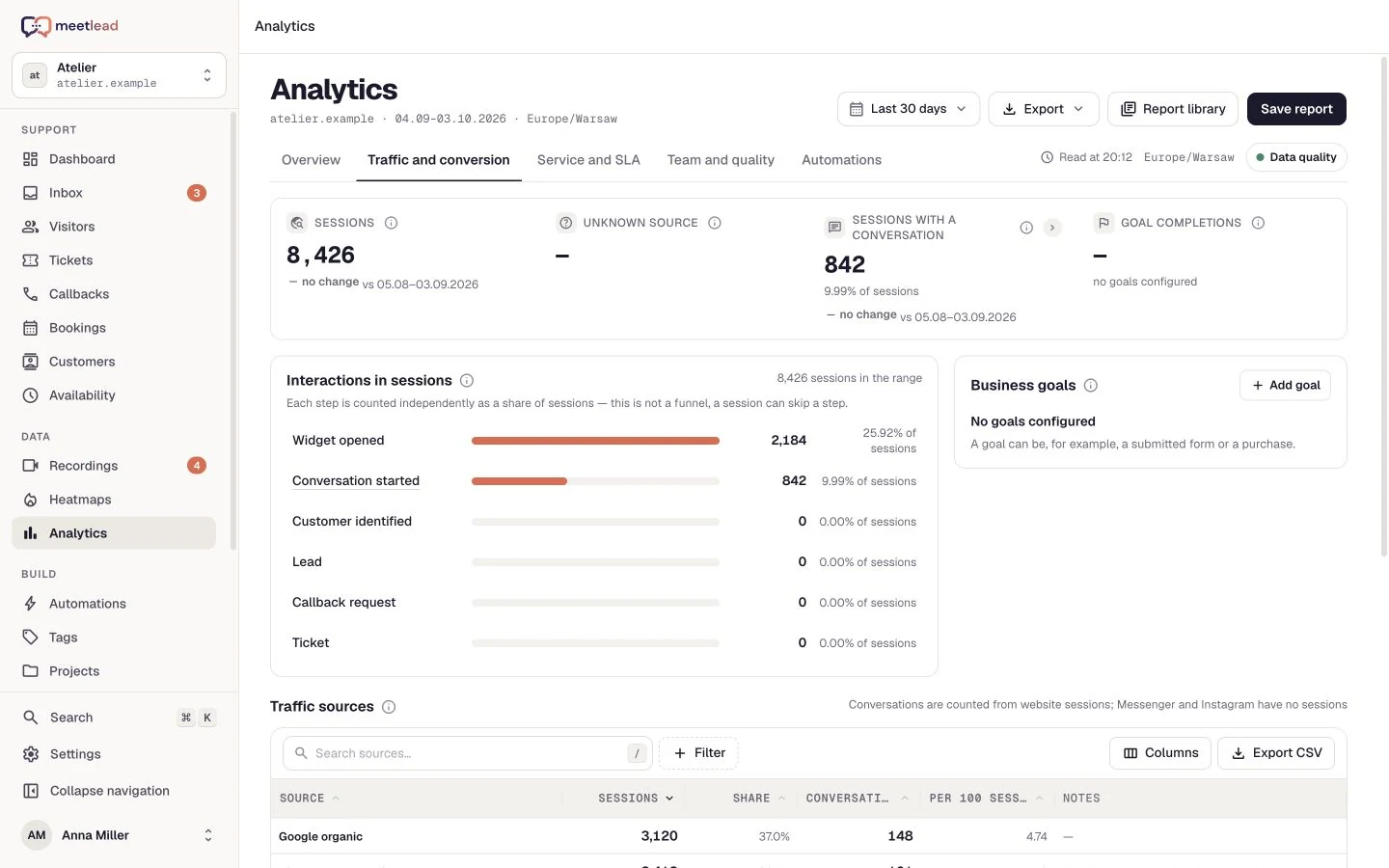
In Meetlead, business goals are defined in advance in the dashboard, and the website records only keys that have already been configured. This is a deliberate constraint: it prevents every team from adding its own events until, six months later, no one knows what half of them mean.
A chart alone does not tell you what to do; the answer comes from opening the sessions in which the event occurred. Schedule implementation and see it in your own data.
For educational content, events may be the only way to see the contribution of an article that sells nothing by itself. We explore this in our article on measuring the impact of a company blog.
Scroll the preview sideways or enlarge it to see the details.
How to keep goals organized
- Use one event-naming convention, established before the first goal is added.
- Give every goal a short description: what it means and who needs it.
- Keep no more than a few primary goals and a dozen or so supporting goals.
- Review goals once a quarter to see which ones anyone actually used.
- Disable a goal with no audience instead of maintaining it just in case.
- Whenever the website changes, check that goals are still being recorded.
The final point catches the greatest number of silent measurement failures. When a goal stops being recorded after a template change, the report makes it look like performance has declined — and teams sometimes try to fix a website that is working correctly.
Once you have a set of reliable events, the next step is to compare them with what happens between visits. We explain how to connect repeat visits by the same person in our guide to the website customer journey.
The greatest threat to this order is a website rebuild: goals tied to interface elements can stop being recorded without any warning. We explain how to protect against this in our article on website redesigns and measurement.
When visitors skip or repeat steps, use the guide: Funnel step order: skipped steps, returns and repeated events.