

Live chat enables an immediate conversation with a person. A chatbot conducts an automated interaction using a designed flow or response mechanism. A callback lets the customer request a phone call, often at a chosen time. The decision should not begin with ‘what is the most modern?’ but with what kind of help is needed and who should provide it.
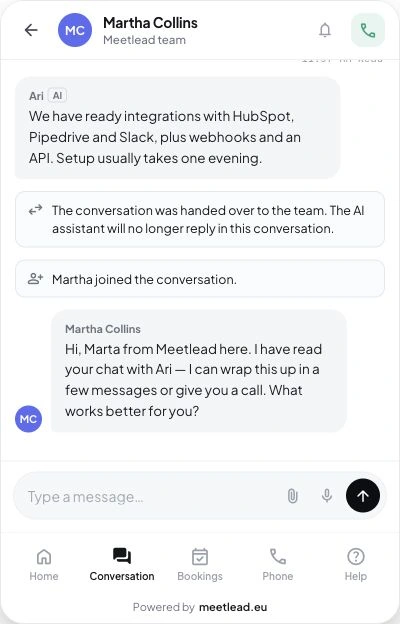
Meetlead combines live chat and callback with customer behavior analysis. The Meet AI assistant is optional: by default it suggests replies to operators (Copilot), and in the widget it only chats with customers who choose it themselves — it never takes over a conversation your team is handling.
Three channels solve three different tasks
A customer comparing two service options may need a quick answer from someone who knows the offering. Someone asking about availability the following week may prefer to schedule a conversation. Meanwhile, a person looking for a simple order status may accept an automated path, provided they receive accurate information and an easy way to reach a person.
- Live chatBest when a fast, contextual conversation matters and the team is available.
- ChatbotUseful for repetitive, well-defined paths that can be automated safely.
- CallbackA good fit for conversations that require time, a phone call, a consultation, or contact at a specific time.
- Combining channelsGives customers a choice when the transition rules are clear and their contact history is not lost between tools.
Before choosing a channel, examine customer behavior and questions. Our guide to analyzing user behavior shows how to distinguish a signal on the website from a definite intention.
If you first want to decide whether launching such a channel is worthwhile at all, read our article on whether adding chat is worth it, in which we address the five most common concerns.
When is live chat the right choice?
Live chat works best when a customer has a specific question while making a decision and a quick answer can help them move forward. They can see the text, send a follow-up, and continue browsing the website. For the company, its value lies in addressing the current situation instead of starting with a generic ‘how can we help?’
The condition is genuine availability. If the message promises a response within a few minutes, the team should have a rota, a shared inbox, and clear rules for handing off cases. Outside business hours, it is better to show offline mode honestly or offer the option of scheduling a phone call. Our guide to adding live chat to your website covers the implementation details.
Choose live chat when: questions vary, the answer requires a person, and the team can respond within the stated time. Do not choose it merely to put an icon in the corner of the page.
When should you consider a chatbot?
A chatbot can work in two broad models. The first guides the user through a programmed decision tree. The second generates answers from an available body of knowledge. Both need boundaries: a clear indication that the person is interacting with automation, control over answer sources, and an easy route to a person.
The safest uses involve repetitive matters with a limited scope: selecting a problem category, collecting basic details, or directing someone to the right help article. Risk increases when the question concerns a custom proposal, a price, a commitment, or a situation in which an incorrect answer can carry a real cost.
Consider a chatbot when: you receive many similar questions, have an up-to-date knowledge base, have someone who owns answer quality, and have an escalation plan. In Meetlead, Meet AI handles this by preparing a suggestion only for the operator by default—the person sends it, while the Autonomous handling and Hybrid modes, in which customers can choose to chat with the AI assistant, are a separate, explicit choice made by an administrator. We explain where to draw this line in our article on AI in customer service.
When is a callback better than chat?
Not every issue can be discussed efficiently in writing. A conversation about an implementation, configuration, individual terms, or a complex problem may require several minutes and the presence of a particular person. A callback lets you collect the topic, phone number, and preferred time, then prepare for the conversation.
A well-designed form should not pretend to offer immediate contact if the company will not call until the following day. It must explain clearly when the call will happen, who will make it, and what details are needed. If the customer selects a time from a schedule, its availability must be current. You will find more practical guidance in our article on callback on your website.
Choose callback when: the conversation requires time, the phone is a natural channel, and the customer wants to choose a convenient time. Do not, however, force a phone call on someone who needs one brief piece of information. Before you launch callbacks, also decide how many times you will try when the customer does not answer; a sample policy is in our guide to unanswered callbacks.
Live chat, chatbot, and callback—a comparison matrix
Scroll the table sideways to see all columns.
| Criterion | Live chat | Chatbot | Callback |
|---|---|---|---|
| Time of contact | Now, when an operator is available | Now, automatically | Now or at a scheduled time |
| Who responds | A person | An automated system | A person by phone |
| Best type of issue | A contextual question during a visit | A repetitive, well-bounded path | A complex consultation or proposal discussion |
| Main requirement | An available team and a defined response time | Maintained knowledge, oversight, and escalation | An up-to-date schedule and queue management |
| Typical risk | No response despite the promise | An incorrect or dead-end answer with no escalation | No call at the agreed time |
There is no universal winner. What matters is the fit with the nature of your sales process, the volume of questions, and your team's capacity. A small number of complex inquiries may justify live chat and callback without a chatbot. A large service with simple processes may need an automated layer but should still provide a way to contact a person.
Calculate the cost of maintenance, not just the cost of launch. Live chat requires a rota and response standards, a chatbot needs current knowledge and quality control, and callback requires timely queue handling. A channel with no owner quickly loses credibility. It is better to implement two well-supported contact methods than three when one regularly fails to meet customer expectations.
Live chat for now, callback for later, and a ticket for an issue that requires time. Explore contact channels.
How do you combine channels without creating chaos?
- Choose the primary channel.Choose the form that suits most valuable questions, not the one with the most visits.
- Design a fallback.When the operator is offline, offer a callback or the option to leave a message instead of an empty promise.
- Preserve context.Do not make the customer describe the page, topic, and previous contact a second time.
- Automate the moment, not the answer.A rule can show the right option after a certain time, scroll depth, or return visit, while a person still conducts the conversation.
- Measure the quality of the next step.What matters is not simply opening the widget, but receiving an answer, scheduling a conversation, and resolving the issue.
Meetlead follows this human-contact model: live chat for now and callback for later, connected to the customer's current page and behavior history. The rules described in our guide to live chat automation help show the right option at the right time. The AI layer can reduce the time needed to prepare an answer, but it does not relieve the team of the need to be available.
A brief, contextual answer now: live chat. A repetitive, safe automated path: chatbot. A longer conversation at a convenient time: callback.
If you need two channels in parallel, start with a simple choice: ‘chat now’ or ‘schedule a call.’ Add more rules only after observing real questions. Clear contact options usually work better than an elaborate widget that customers must first learn how to use.
If you also handle messages from Messenger and Instagram, treat them as separate channels with their own rules—particularly their limited reply windows. We explain this in our article on customer service on Facebook and Instagram.



