

Online booking makes sense only when it ends with an appointment, not a phone call asking, ‘did that definitely go through?’ Most implementations fail not because of the calendar's appearance but because of settings that become visible only in practice: no buffers between appointments, two people booking the same slot in the same second, and a confirmation that never arrives.
When online booking genuinely pays off
Not every service suits self-service booking. The more repeatable the time unit and the fewer arrangements needed before the meeting, the better a calendar works. The more variants, quotes, and exceptions involved, the more often the customer will call anyway—and then the calendar merely adds a step. If your service suits a calendar but regulars still phone anyway, follow our plan for moving regular customers to online booking.
Scroll the table sideways to see all columns.
| Situation | Online booking | Better solution |
|---|---|---|
| Repeatable service with a fixed duration | Works very well | — |
| Equipment rental from a limited pool | Works if the system tracks capacity | — |
| Consultation requiring a quote | Usually premature | Callback request or a short conversation |
| Job requiring an inspection | Difficult to parameterize | A form describing the matter |
| Sales meeting | Works with a clearly defined duration | Booking plus prior qualification |
If your service belongs in the right-hand column, do not force a calendar. A callback request with a choice of convenient time usually performs better—we describe it in our article on website callbacks.
Clinics and practices that receive patients must also consider cancellation costs and the limit on what may be collected in a message. We discuss this in our guide to online registration at a clinic.
When choosing intervals between start times, use the guide: Booking slot intervals: start times versus service duration.
Schedules, buffers, and exceptions
Most operational problems come from a calendar that knows only opening hours. A real schedule has breaks, days off, shorter Fridays, and time needed between appointments. If the system cannot represent them, the team starts rescheduling appointments manually—the exact work booking was meant to eliminate.
- Buffer before and afterTime for preparation, cleanup, or travel. Without it, the calendar looks good and does not work.
- Several windows in one dayMorning and afternoon availability with a break in between is a typical schedule, not an exception.
- Exceptions and days offVacation, a public holiday, or inventory. They must be easy to enter, or nobody will do it.
- Lead time and booking horizonSet the minimum notice before an appointment and how far ahead customers may book.
Ask someone outside the team to book an appointment for tomorrow morning and another three weeks from now. If both attempts succeed without a question to the office, the configuration is ready.
In a salon, service duration must be matched with the availability of a person and a workstation. See an example of organising a beauty salon’s online booking schedule.
For lessons, you also need to agree on the tutor, level and future dates. The guide to booking online tutoring lessons explains how to separate a trial lesson from later arrangements.
If one booking covers several participants, use the guide: Group workshop bookings: count people, not requests.
Scroll the preview sideways or enlarge it to see the details.
Capacity: how not to sell the same thing twice
A time slot does not always represent one place. A room has capacity, a rental company has a number of units, and a workshop has bays. Several offers may also draw from the same physical pool—for example, hourly and full-day rental concern the same equipment. A system that counts every offer separately will eventually sell the same resource twice.
- Name the resource, not the service.A kayak, bay, or person is booked. The offer is only a way to sell that resource.
- Assign offers to a shared pool.Different durations and prices can use the same resource without double-booking risk.
- Check capacity when saving.Showing a free slot is not enough. Availability must be confirmed when the booking is submitted.
- Plan for simultaneous submissions.Two people clicking the same slot in the same second is a normal situation, not an extreme one.
- Handle an outdated slot helpfully.Instead of an error, show a refreshed calendar and the nearest available times.
In Meetlead, capacity is checked again within a database transaction when the booking is saved, not only when the calendar is displayed. Several offers can share the same physical pool, so different durations and prices do not cause overbooking. An outdated slot results in a controlled message and refreshed times instead of a lost booking.
A shared resource pool for several offers, with capacity checked again when saving. Book an implementation call.
When several offers use the same person, room or equipment, calculate availability across them. See conflict and buffer examples in the guide to avoiding double bookings.
How much data to collect during booking
The same rule applies as with any form: every additional field creates another opportunity to abandon it. The difference is that some data really is necessary for a booking—without a phone number, you cannot cancel an appointment if something happens. A mandatory customer account is an extra step with no such justification; the guide on booking without a customer account shows how to keep it apart from contact details.
- Name—yes, to identify the person on arrival.
- Phone—usually yes, because it is the only fast channel when the time changes.
- Email—yes, if you send a confirmation and reminder.
- Address—only when the service takes place at the customer's location.
- Notes—optional, not required.
- Processing consent—linked to the privacy policy.
We describe the complete rules for designing these forms, including microcopy and error handling, in our guide to website contact forms. Consent and retention issues are shared by every channel—we collected them in our article on live chat and GDPR.
Approval, confirmations, and reminders
This is where online booking most often loses customer trust. If nothing visible happens after the click, the person assumes a failure and calls—which is exactly what you wanted to avoid. When a customer reports that no message arrived despite a saved booking, follow the steps in our guide to a missing booking confirmation email.
Scroll the table sideways to see all columns.
| Mode | When to choose it | Risk |
|---|---|---|
| Automatic approval | Repeatable service, clear scope, fixed duration | Unusual requests are harder to catch |
| Manual approval | When timing depends on the team or resource | The customer waits and loses confidence that the booking went through |
| Hybrid mode | Automatic for standard cases, manual for exceptions | Requires a clear rule defining an exception |
With manual approval, state clearly how long confirmation will take and keep that promise. ‘We will confirm by the end of the working day’ works better than silence, even though it promises a longer wait. The same logic applies to every contact channel, and we discuss it more broadly in our article on first response time.
- Step 1
The customer selects a service and available time
- Step 2
They provide the minimum details and accept the terms
- Step 3
They see an on-screen summary, not merely a success message
- Step 4
They receive a confirmation and a reminder before the appointment
Match each message to the situation: a confirmation serves a different purpose from a final reminder. Adapt these ten appointment reminder templates to the actual booking.
Pre-launch checklist
- The schedule reflects a real week, including breaks and shorter days.
- Buffers before and after appointments match the actual work required.
- Exceptions and days off can be added in seconds without technical help.
- Resource capacity is shared across offers that use the same pool.
- The form contains only fields genuinely needed to handle the appointment.
- The customer sees an on-screen booking summary, not only a success message.
- The confirmation and reminder are sent automatically with correct content.
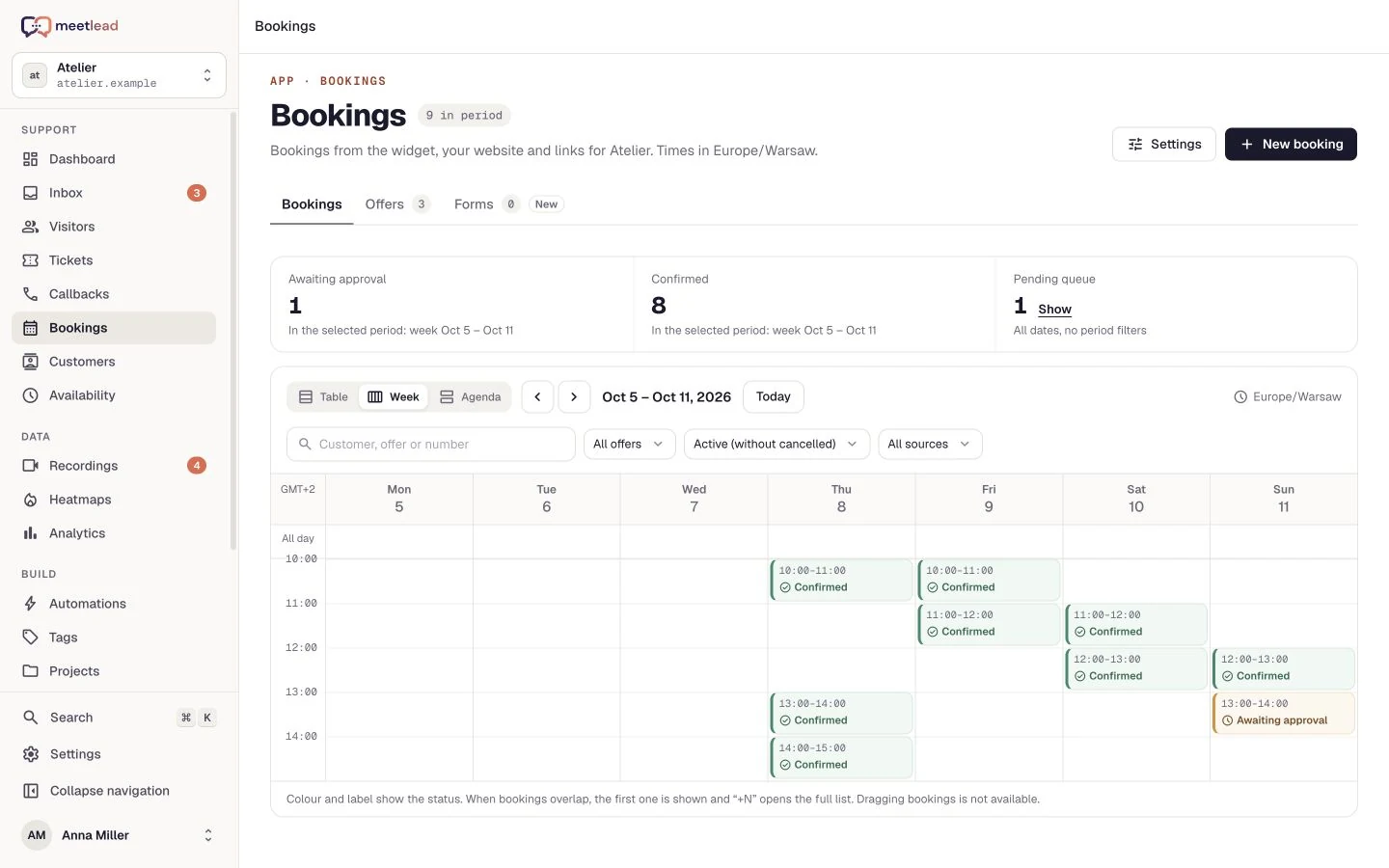
- The team knows where in the panel to change status, reschedule, or add a booking manually.
- There is a defined way to handle a slot that becomes unavailable during booking.
- Cancellation and rescheduling rules are visible before confirmation, not after.
Bookings are customer data tied to a future time. Before changing tools or disabling the module, check what happens to appointments that are already scheduled.
The last point is often ignored until the first migration. In Meetlead, active future bookings prevent the app from being uninstalled until an administrator completes or cancels them—specifically so disabling the module does not erase other people's appointments.
Check where customers reach the form from, too. Sharing a booking link on Google and Instagram calls for a consistent service name and a tested mobile entry path. When the form goes onto a site built with WordPress, make one real booking from a phone before launch, as described in our guide to a WordPress booking calendar.


